Since Summer '23 Edition in July, we’ve made 80+ updates to EasyRoutes and the Delivery Driver mobile app, with many more exciting features to come throughout 2024 - stay tuned!
Read on to find out how our latest improvements can simplify your route planning workflows, delight customers with every delivery, and save time and money in the process.
More Responsive ⚡️
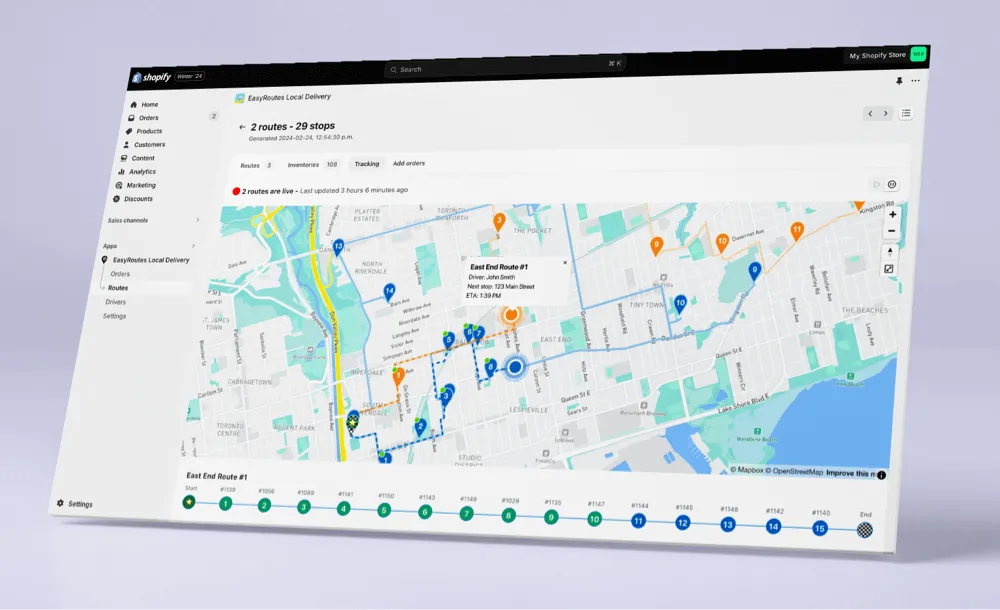
You might have already noticed - EasyRoutes is sporting a new look, just in time for Winter Editions! We’ve applied a fresh coat of paint to every corner of the app’s interface, which now aligns with the unified Polaris 12 design elements and guidelines released in beta in the last Summer Edition.
The updated EasyRoutes design presents information in a more compact format, making it easier to find the orders you need and complete your route planning tasks in record time.
Beyond our visual refresh, the EasyRoutes engineering team has been working hard behind the scenes to ensure the app is running as smoothly and efficiently as our users expect. Recent enhancements to the infrastructure powering EasyRoutes have significantly improved app performance and loading speeds - in some cases, by as much as 80%! EasyRoutes users can now plan their deliveries faster than ever before.
More Powerful 💪
Our most frequently requested feature - live driver location tracking - launched in November, equipping route planners with unprecedented insights into their dispatched routes, all in real time:
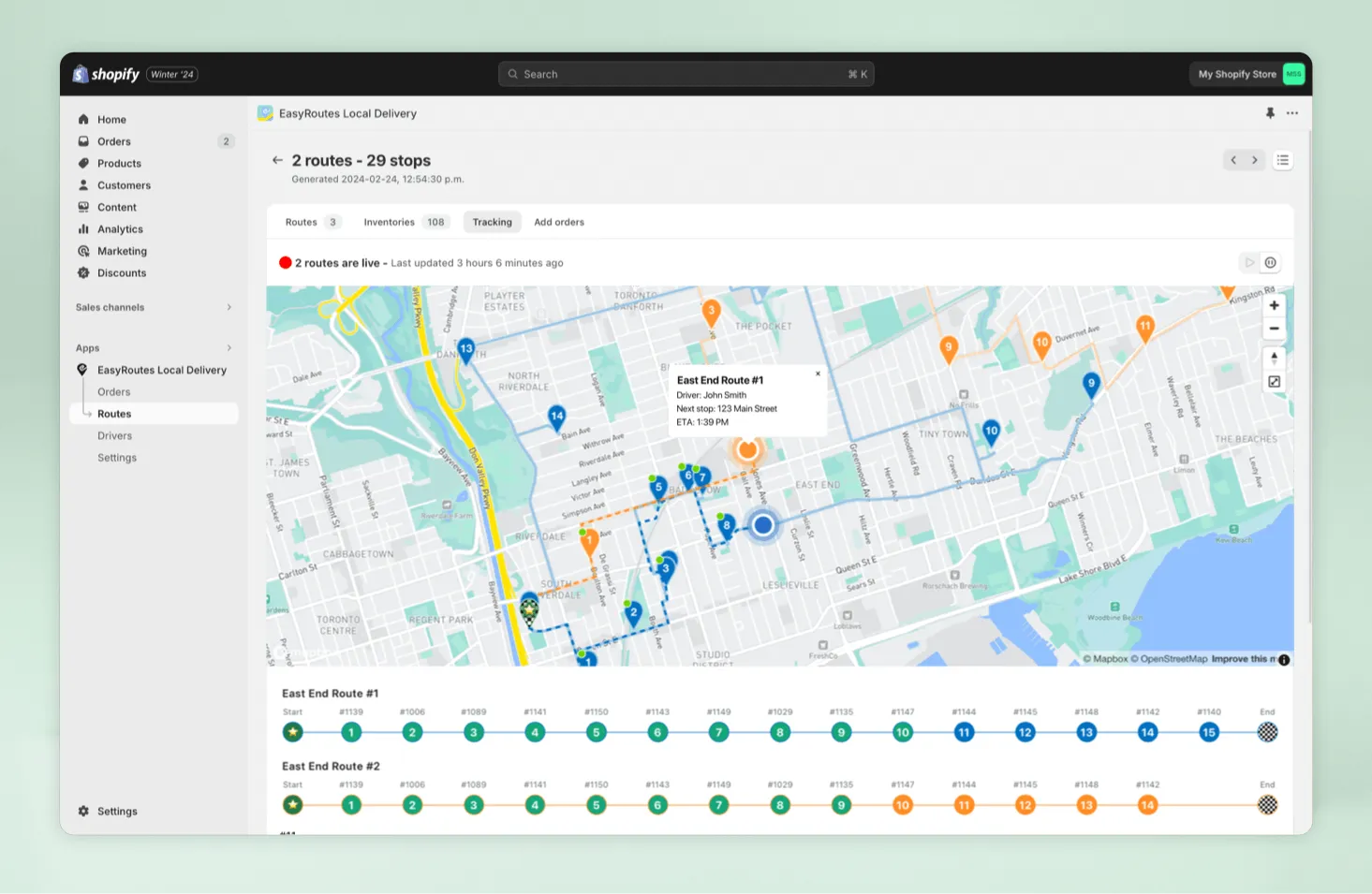
Need to know where your drivers are, or check whether they’re on schedule? No need to call them - open the Live Tracking tab of any in-progress route for immediate access to your drivers’ live GPS location, real-time status updates to all their assigned stops, and any Proof of Delivery items they’ve attached to the route so far.
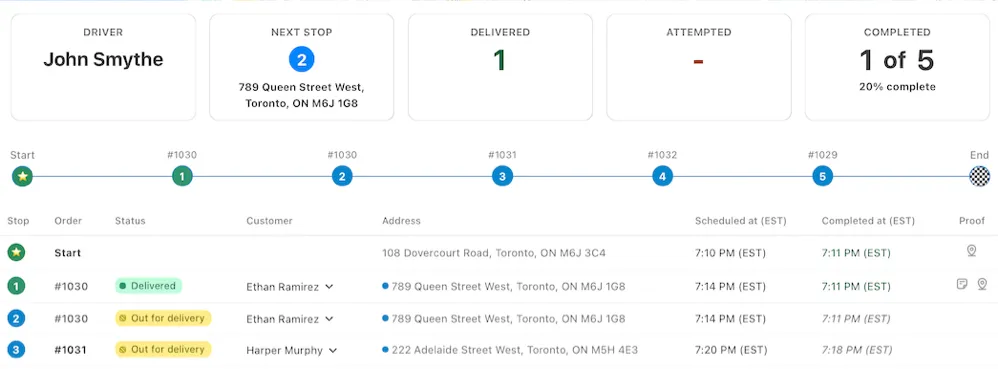
Share driver location pins using EasyRoutes’ customizable order tracking pages, and your customers will be able to track their driver’s location when their stop is approaching. Merchants sharing live driver location via their EasyRoutes order tracking pages are already realizing time and cost savings, reporting up to a 90% decrease in customer calls inquiring about their order status!
Already created a route, but need to include more late-breaking orders? Route Assistant to the rescue!
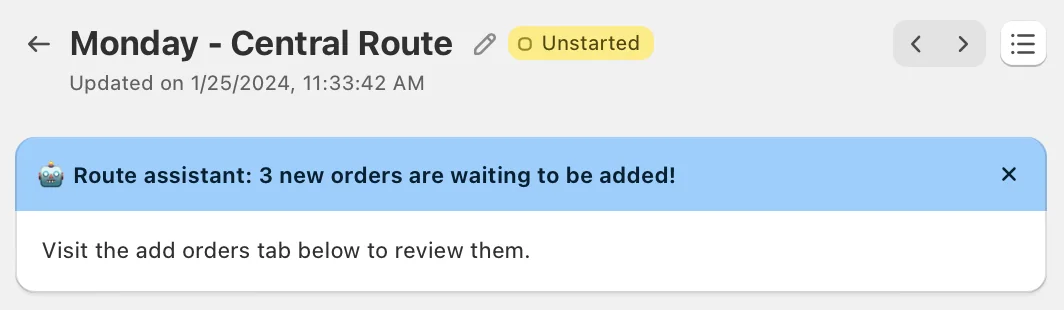
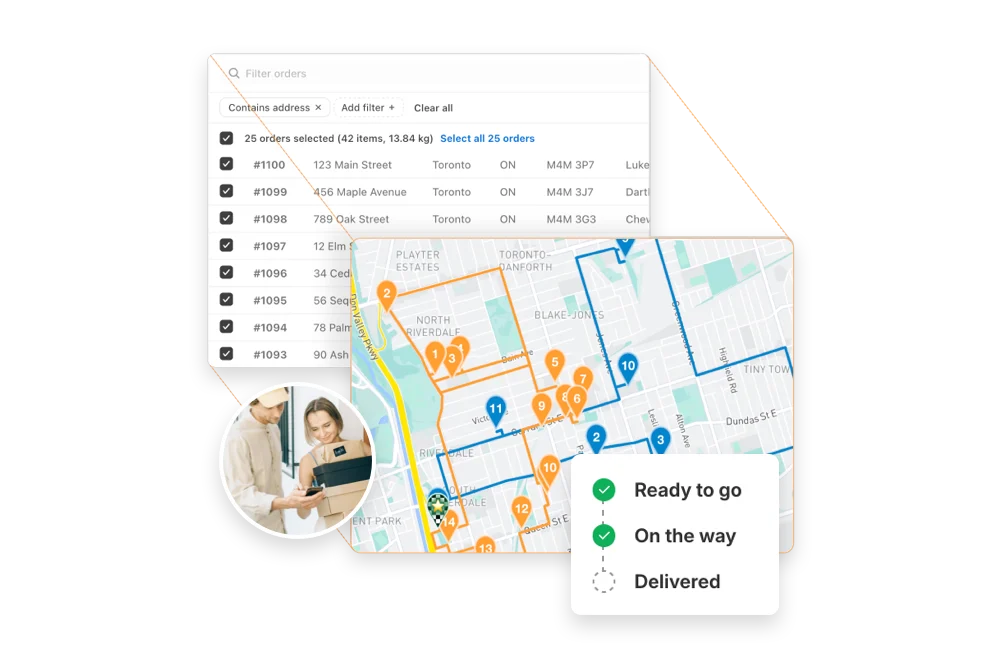
Configure the Route Assistant with a custom set of order filters to be automatically notified when new orders matching those filters are available for routing. Simply click to add them to your route and have last-minute orders out for delivery in seconds.
More Feature-packed 📦
Here’s a recap of even more of the amazing features and functionality we’ve added since Summer Editions to streamline your local delivery workflows on Shopify.
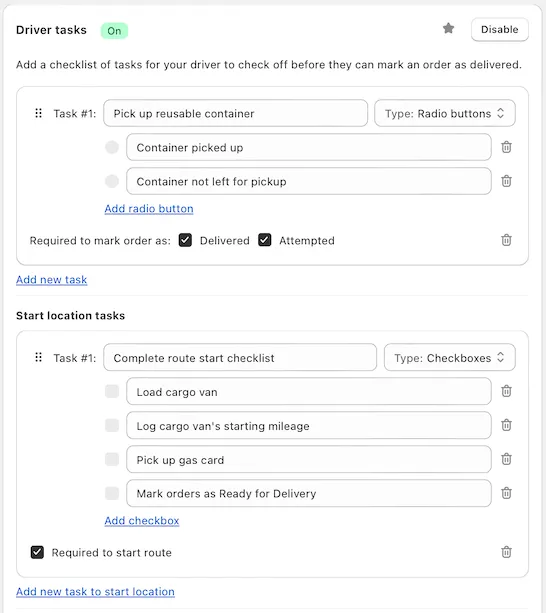
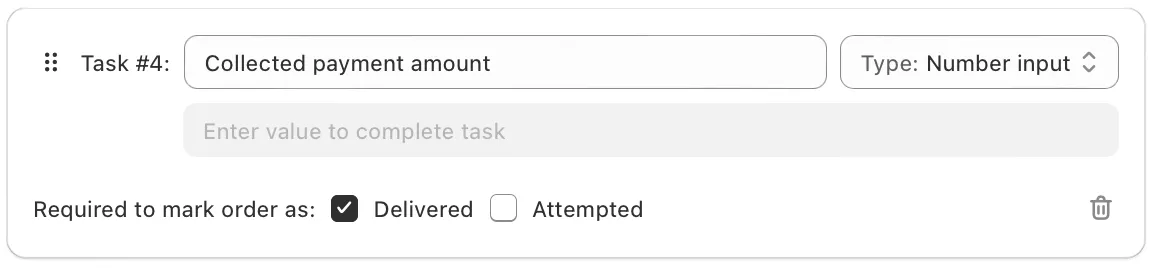
We launched Driver Tasks in December, giving route planners a quick and easy way to assign drivers additional tasks to complete when delivering with our mobile app.
We recently added two new task types - text and number input - to provide increased flexibility when assigning tasks. Use these task types to track mileage, collected Cash on Delivery (COD), or any other custom variable you’d like to track for your deliveries:
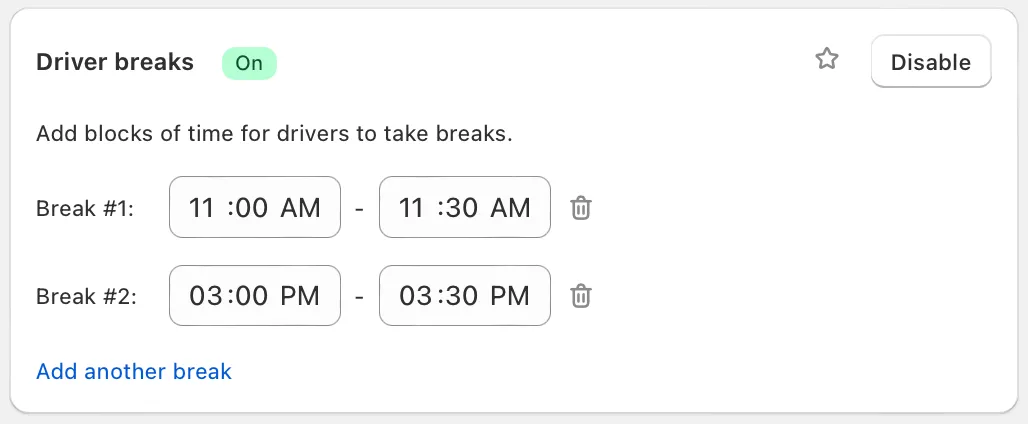
Don’t forget to enable EasyRoutes’ Driver Breaks feature to give your drivers a chance to rest between deliveries and assigned tasks. Configuring this route option before drivers hit the road adds planned breaks directly to routes, providing schedule clarity for your drivers and ensuring ETAs shared with your customers remain accurate:
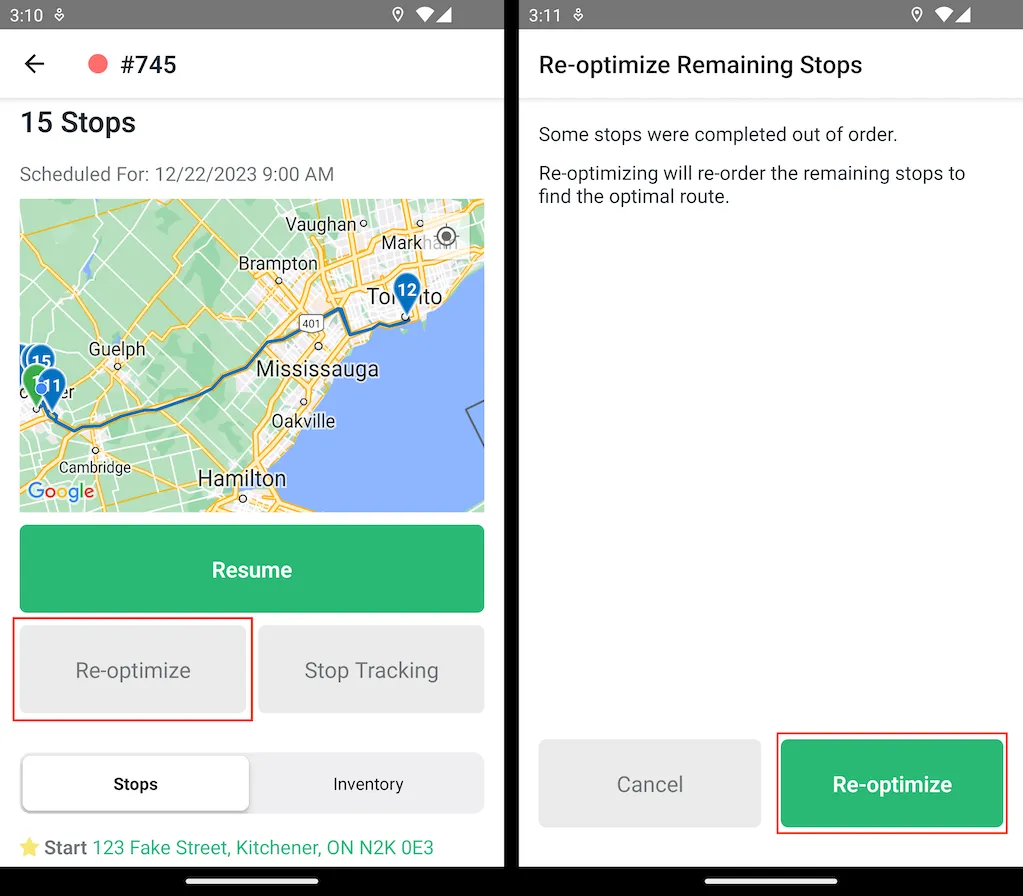
We understand that deliveries don’t always go exactly as planned, so we’ve also given drivers the ability to re-optimize in-progress routes directly from our mobile app. If any stops have been delivered out of their optimal order, re-optimize on the road and get deliveries back on the most efficient path:
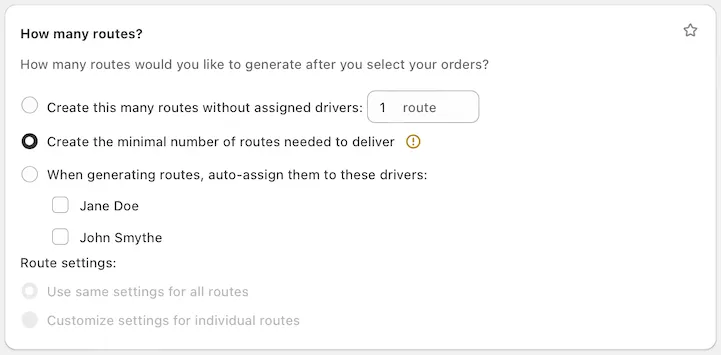
When planning routes with stop count, item count or weight limits, use EasyRoutes’ new Minimize Drivers feature to maximize efficiency and plan deliveries using the fewest number of drivers possible:
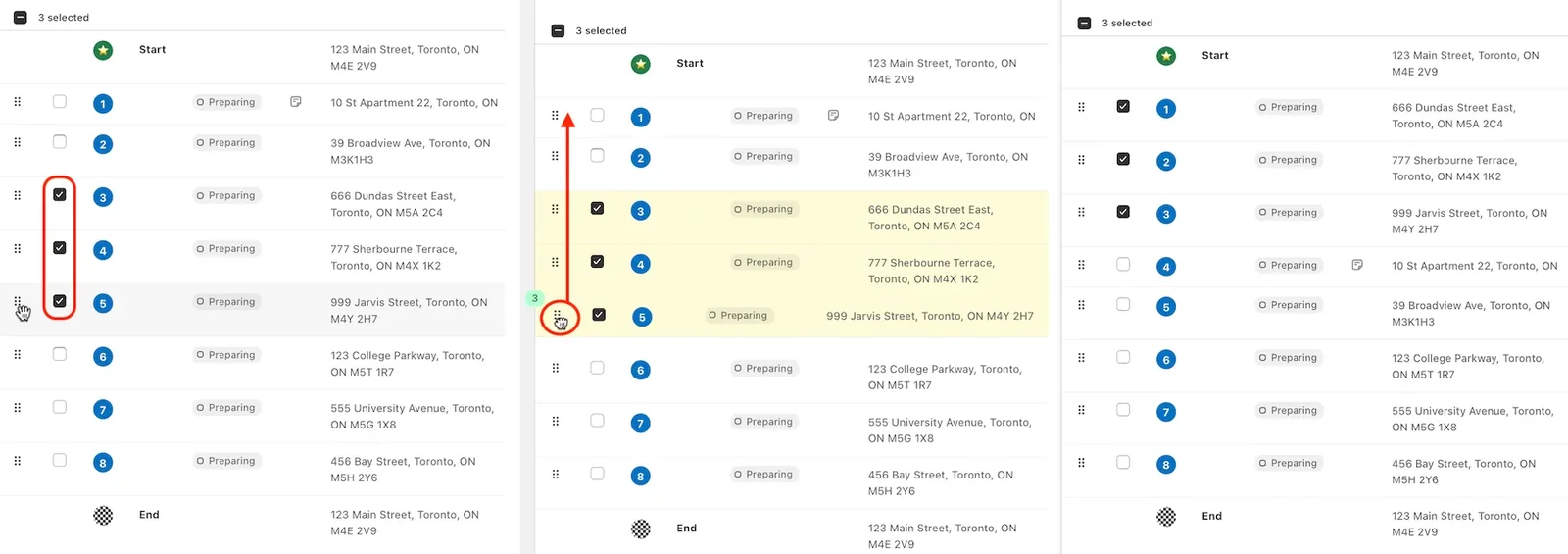
You can now also use the checkboxes to select multiple orders at a time, and reposition them all within a planned route in one step:
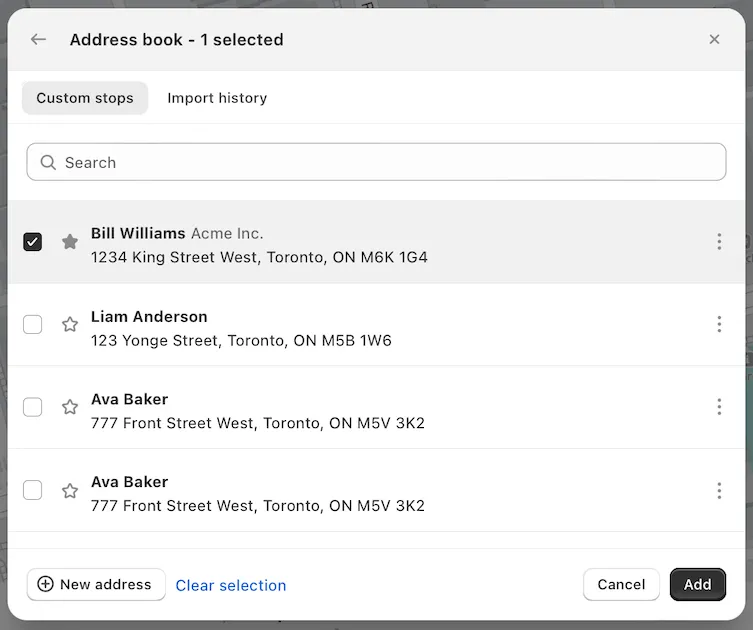
Store frequently used custom stops in the Address Book and speed up route planning for your most loyal customers. Our CSV Import feature now resides within the Address Book, making it easier than ever to save customers and route deliveries for orders received outside Shopify:
Visit the Roundtrip Product Updates page to stay up to date with new EasyRoutes features as soon as they launch!