EasyRoutes vs. Upper: Delivery Route Planning Compared

Compare EasyRoutes with Upper Route Planner. Both platforms offer route optimization and order tracking, but EasyRoutes delivers deeper Shopify integration, better packing and dispatch tools, claimable routes, and flat-rate pricing that scales with your team.

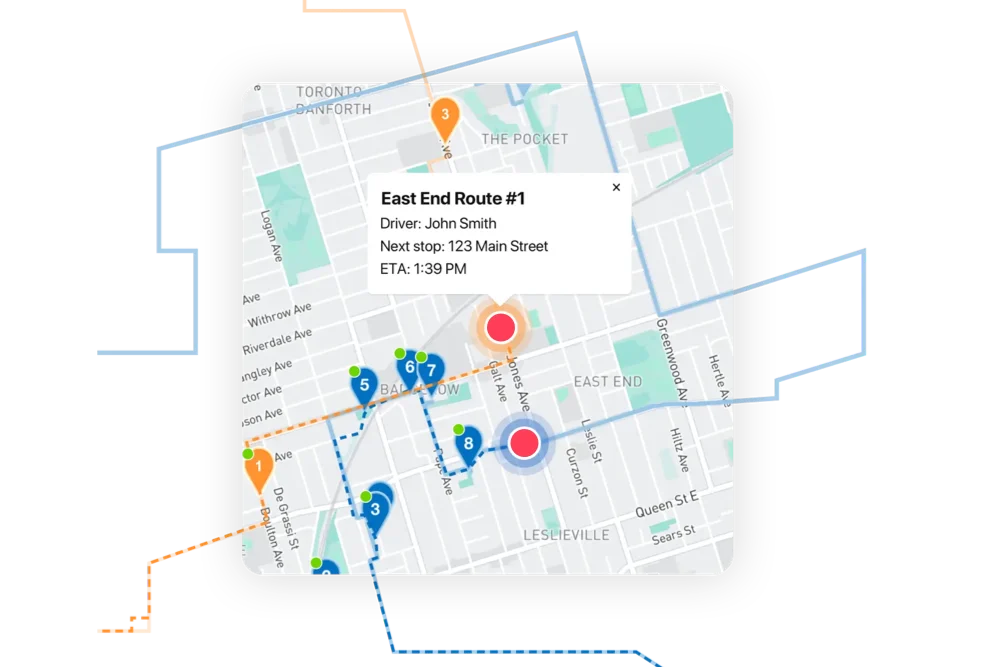
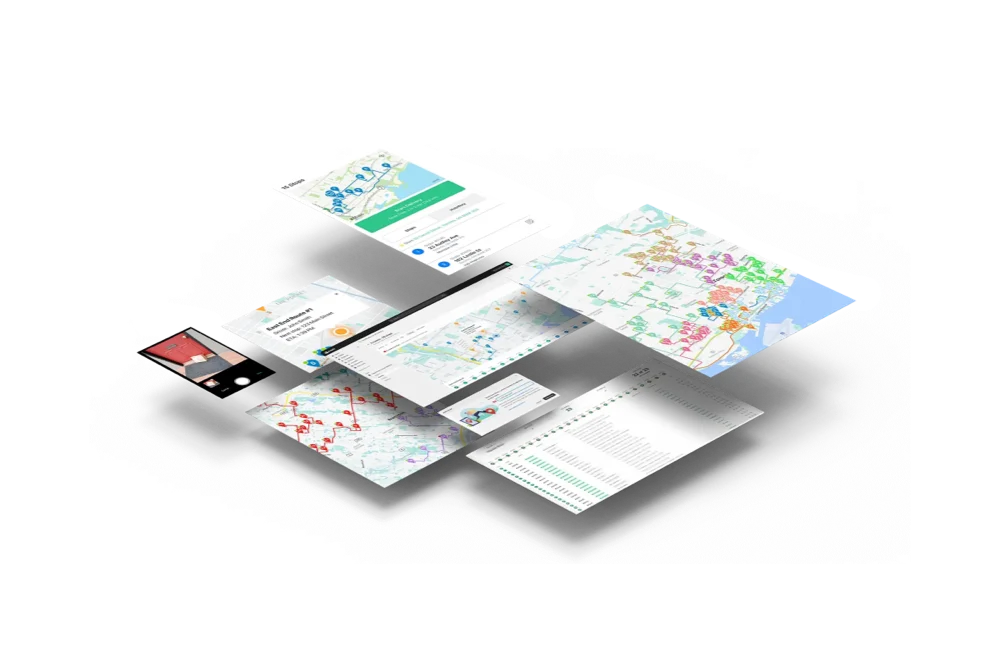
EasyRoutes dashboard preview showing optimized routes and delivery stops on a map
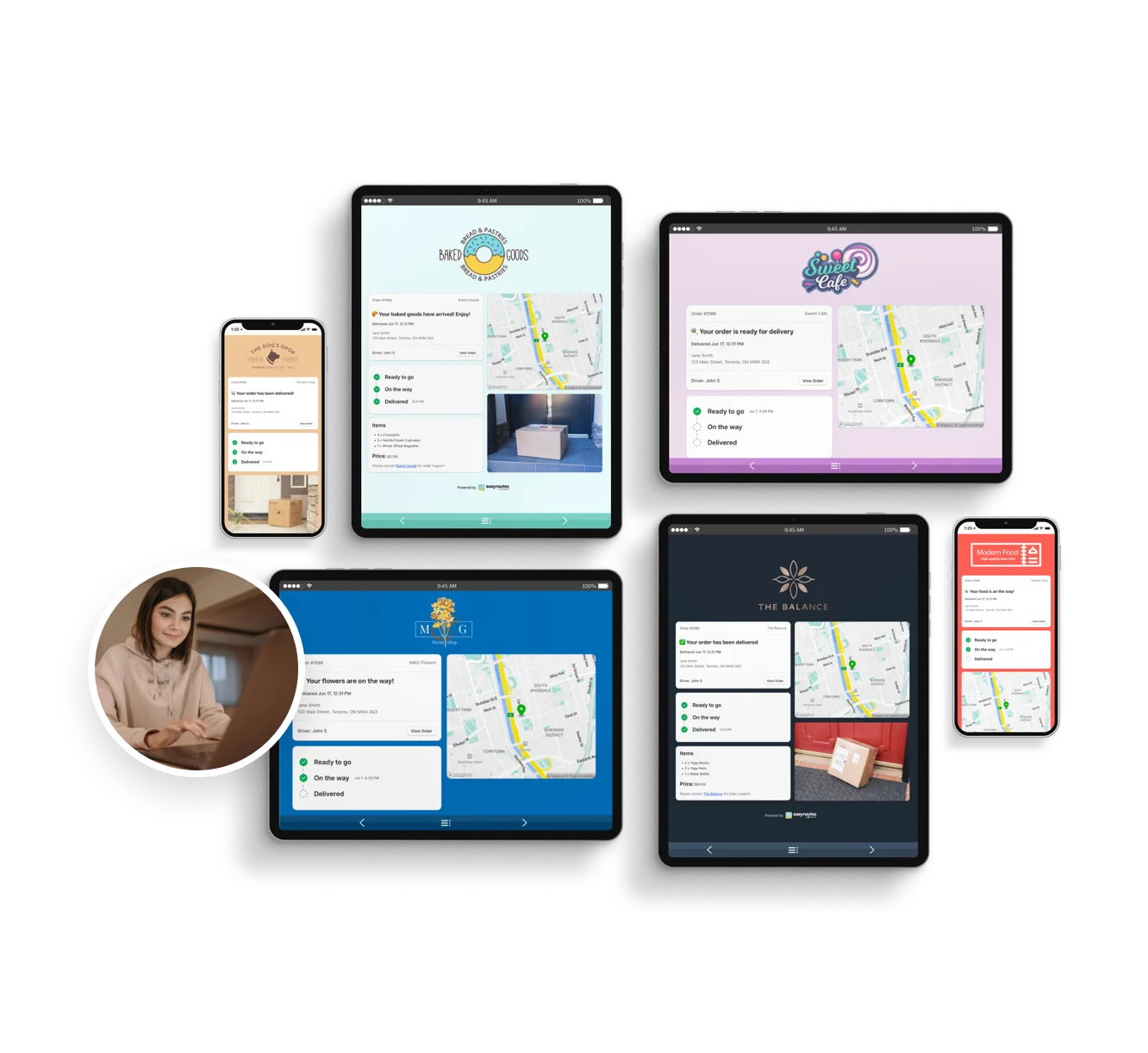
Customizable order tracking pages.
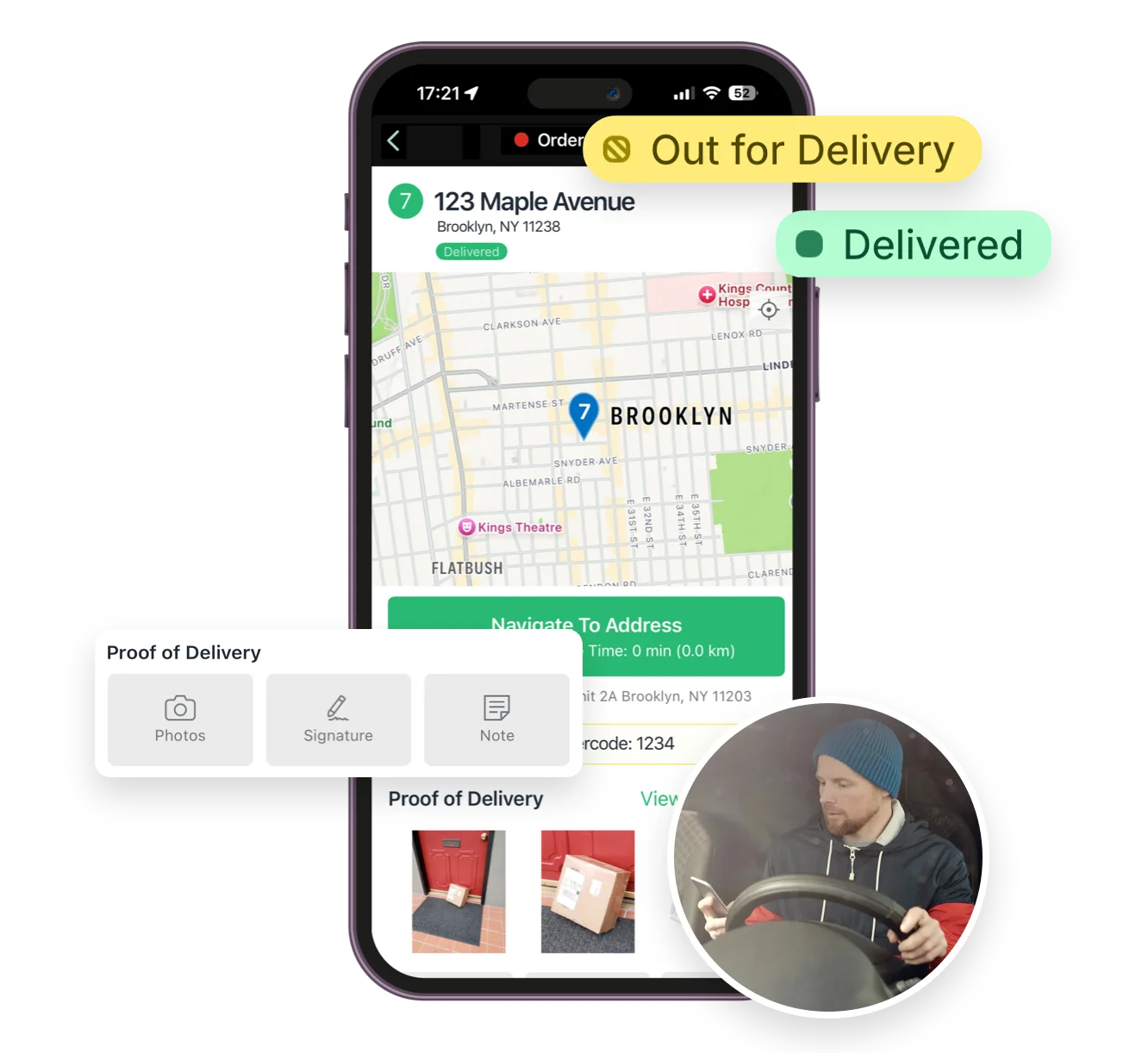
Mobile delivery driver app for iOS and Android
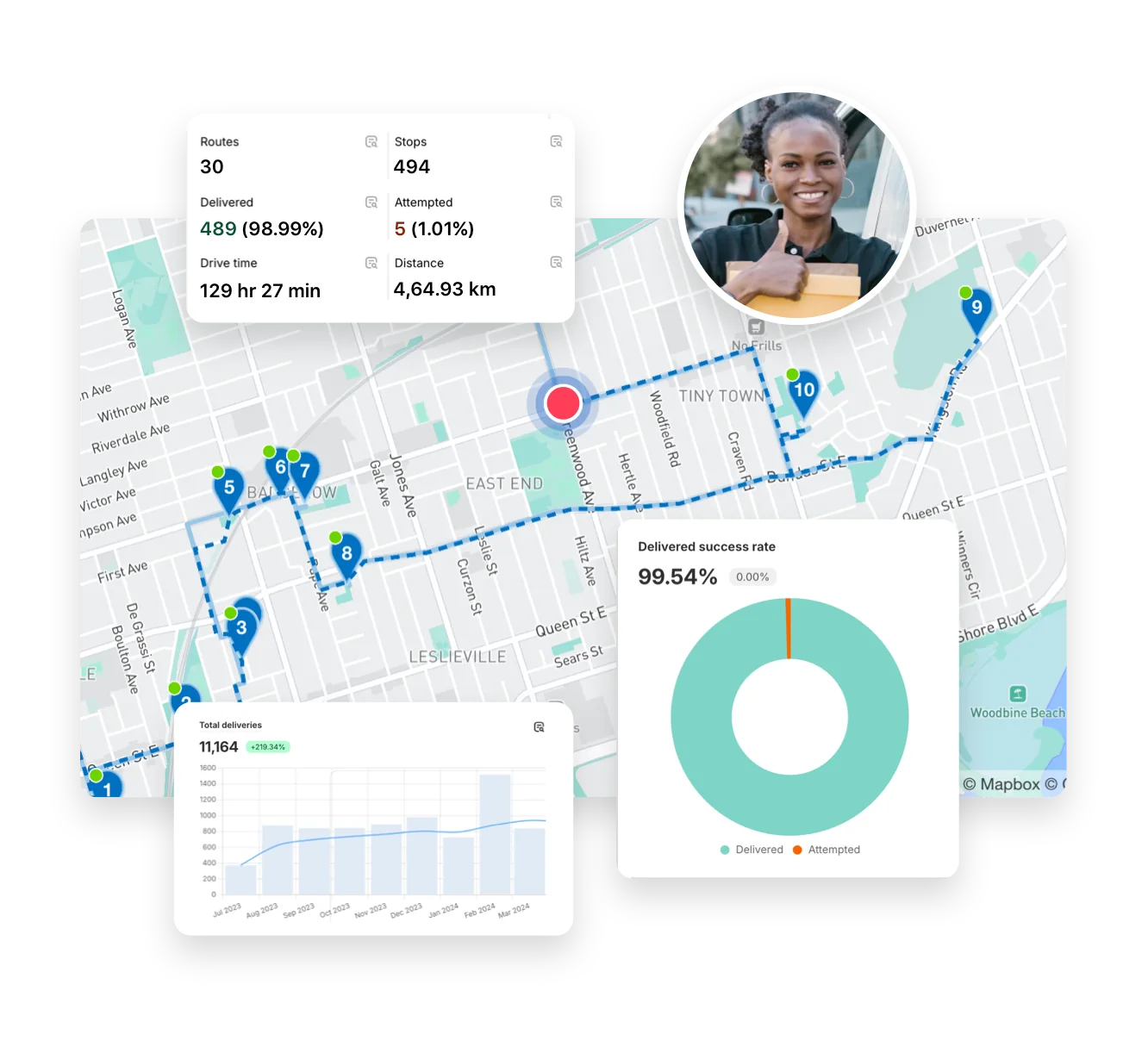
Full delivery analytics package
EasyRoutes interface highlighting tracking notifications delivery analytics and driver tools
Autopilot for your Delivery Workflow

⭐⭐⭐⭐⭐ 4.9 stars Trusted by 5,000+ Businesses

Flower Delivery: The Million RosesMattress Delivery: SonnoPizza Delivery: SliceGass Delivery: Gas GuysFood Delivery: Redstart FoodsBread Delivery: Butter & Crust

Built for Merchants, Not Just Route Planners

If you're comparing EasyRoutes to Upper Route Planner, you're likely managing a growing delivery team and want a solution that just works—without needing to hire developers or install additional apps. Upper Route Planner is a solid standalone tool, but EasyRoutes is purpose-built for Shopify merchants and fulfillment-focused teams, with everything from order sync to proof of delivery in one easy-to-use platform.

With EasyRoutes, you get optimized routing, packing lists, proof of delivery, branded customer notifications, and real-time GPS tracking—plus native Shopify integration and pricing that's predictable. Import orders from BigCommerce, WooCommerce, and other leading eCommerce platforms, as well as spreadsheets, or any source via API or Zapier.

The EasyRoutes Team

Why Teams Switch from Upper Route Planner to EasyRoutes

1) Native Shopify Integration + Web Version Flexibility

EasyRoutes for Shopify: Fully integrated with your Shopify store. Orders, products, tags, and delivery data sync automatically.

EasyRoutes for Web: Import orders via CSV, Zapier, or API for delivery businesses not using Shopify.

❌ Upper’s Shopify integration is only available on higher priced plans. EasyRoutes syncs orders natively on all Shopify plans—no API work or CSV uploads required.

1) Native Shopify Integration + Web Version Flexibility

2) End-to-End Delivery Tools Included

EasyRoutes is more than a route planner. It includes:

  • Optimized route planning from Shopify orders or spreadsheets
  • Packing slip generation and item-level order visibility
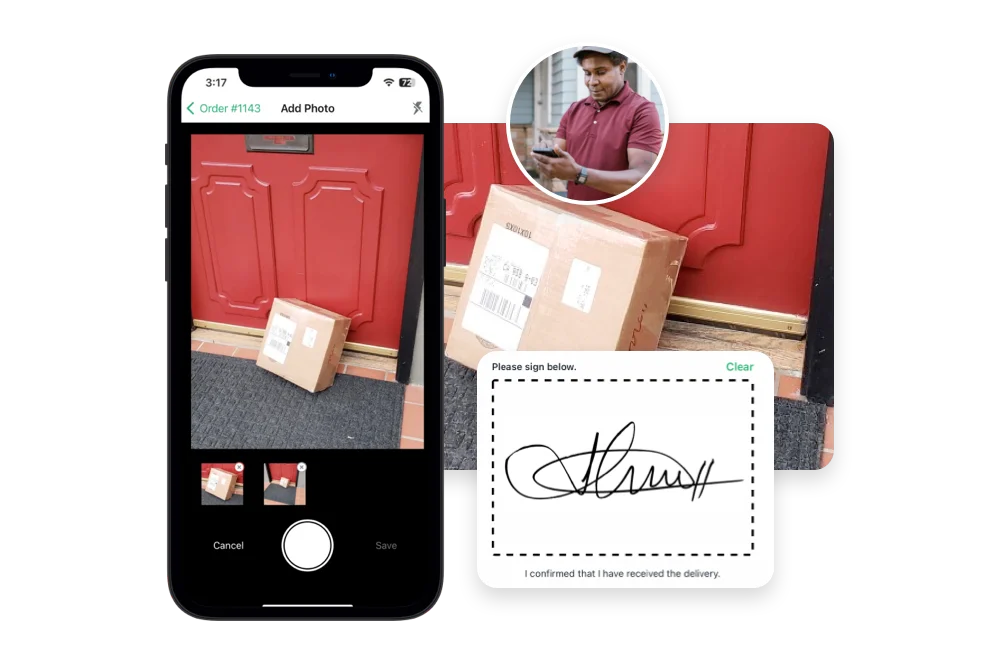
  • Proof of delivery with photos, signatures, and delivery notes
  • Real-time GPS tracking and driver status monitoring
  • Branded tracking pages and customizable email/SMS alerts

❌ Upper lacks built-in packing lists, claimable routes, and per-stop task checklists. EasyRoutes includes them all for smoother delivery and fulfillment.

2) End-to-End Delivery Tools Included

3) Designed for Delivery Teams, Not Just Drivers

  • Drag-and-drop route editing with built-in optimization
  • Drivers see order details, notes, and inventories per stop
  • Claimable route links for flexible teams and contract drivers
  • Dispatch via app or secure shareable links—no login needed
  • Custom, per-stop task checklists for a consistent delivery experience

❌ Upper assumes dispatcher-assigned routes. EasyRoutes supports team-friendly claiming workflows with no added cost.

3) Designed for Delivery Teams, Not Just Drivers

4) Transparent, Predictable Pricing

  • Free plan for 1 driver and 50 deliveries/month
  • Drivers see order details, notes, and inventories per stop
  • No per-stop overage fees or usage limits
  • Add or remove drivers at any time—pay only for what you need

❌ Upper charges more for key features like tracking and proof of delivery. EasyRoutes offers predictable per-driver pricing and a free tier to start.

4) Transparent, Predictable Pricing

Packed with features to make delivering easy, like...

Proof of Delivery

Proof of Delivery

Collect photos, signatures, notes, and geo-stamped confirmations for every order. Protect your team and your bottom line.
Barcode Scanning

Barcode Scanning

Equip drivers with a built-in barcode scanner to confirm the right order at the right stop, capture proof of delivery, and reduce costly mistakes.
Delivery Analytics

Delivery Analytics

Monitor delivery performance, track key KPIs, and surface operational insights, driving continuous improvement across delivery teams.

Who Should Choose EasyRoutes Over Upper Route Planner?

  • Shopify merchants doing local deliveries
  • Teams that need packing, routing, dispatch, and delivery in one place
  • Delivery managers who want driver accountability (POD, GPS, task checklists)
  • Anyone tired of juggling spreadsheets, APIs, or expensive usage tiers

EasyRoutes gives you more than just optimized routes. It gives you a complete last-mile delivery hub—from route planning to dispatch to proof of delivery.

Join thousands of delivery-focused businesses—including florists, bakeries, grocery subscriptions, and meal kits—who trust EasyRoutes to power their local deliveries.

Who Should Choose EasyRoutes Over Upper Route Planner?

How to Move from Upper to EasyRoutes

  • Try it free for 14 days—no commitment required
  • If you're using Shopify, just install the app and sync your orders
  • If you're not on Shopify, import a CSV or connect via Zapier
  • Our support team is here to help you migrate routes, drivers, and workflows
How to Switch from Routific to EasyRoutes

Frequently asked questions

What is EasyRoutes and who is it for?

EasyRoutes is a delivery management and route optimization platform for merchants, local delivery teams, and logistics operators. It helps you plan routes, dispatch to drivers, track progress in real time, and notify customers. Works with Shopify and integrates with other e-commerce platforms via EasyRoutes for Web.

See: Getting Started with EasyRoutes

Can I connect EasyRoutes to Zapier?

Yes. Send EasyRoutes webhook events into Zapier and build no‑code workflows (e.g., update Sheets, post to Slack, send emails).

See: Zapier Integration

Can I limit the max duration or stop count on a route?

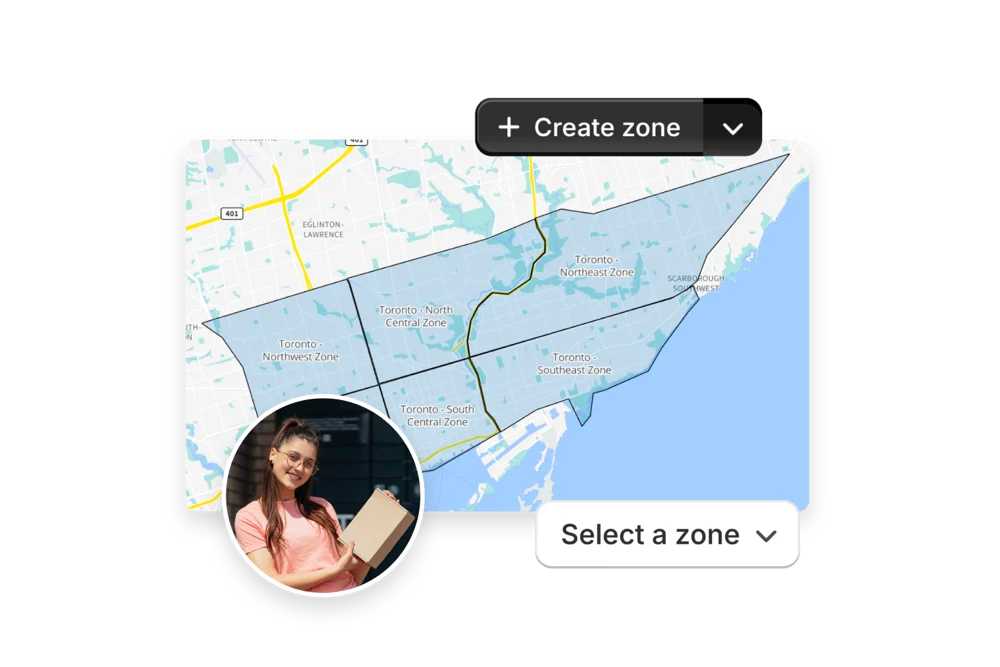
Yes. EasyRoutes lets you set limits for maximum route duration, maximum stops per route, and maximum items per route. Configure these constraints in Route Options before planning, or when editing a route.

See: Route Options

What types of proof of delivery can EasyRoutes capture?

EasyRoutes supports delivery photos, e‑signature, driver notes, and automatic timestamps (with GPS location when available) to provide a complete delivery record.

See: Proof of Delivery

Can I print delivery manifests?

Yes. Drivers see a manifest in the mobile app, and you can also print route manifests with order details for offline use or records. Choose the Print menu on any route.

See: Printing Route Manifests

Can I preview my notification templates before sending them?

Yes. Email and SMS editors include Preview with Example Data so you can confirm branding and variables before enabling. For live tests, try a draft order to yourself.

See: Delivery Notifications

How do I enable real-time driver tracking in EasyRoutes?

Go to your EasyRoutes Settings → Driver settings, and enable real‑time tracking. Have drivers allow location Always + Precise location in the EasyRoutes Delivery Driver app and their mobile device's settings.

See: Real-Time Driver Location Tracking

Can I require a successful scan before a stop can be completed?

Yes. Mark a Scanner-input task as required for Delivered and/or Attempted, or require a Barcode Scan as proof of delivery in Driver Settings. See: Driver tasks

How do I add a driver to EasyRoutes?

Invite drivers from the Drivers & Vehicles tab of your EasyRoutes navigation menu. Enter a driver's phone number and they’ll receive a link to install and sign in to the app.

See: Adding a Driver

How much do SMS messages cost?

SMS messaging rates are determined by the country of the recipient, and are billed on a per-segment basis.

See: SMS pricing · Usage balance & auto-top-up

Does EasyRoutes handle multiple depots?

Yes. Set specific start/end locations per route to represent different depots or driver home bases and plan accordingly.

See: Multiple locations/warehouses