









EasyRoutes for Managing & Tracking Drivers

Make managing drivers simple with EasyRoutes. Equip your team with our intuitive mobile app, plus unlock the flexibility to scale your delivery team, track routes in real time, and explore detailed analytics for every driver.

⭐⭐⭐⭐⭐ 4.9 stars Trusted by 5,000+ Businesses

Flower Delivery: The Million RosesMattress Delivery: SonnoPizza Delivery: SliceGass Delivery: Gas GuysFood Delivery: Redstart FoodsBread Delivery: Butter & Crust

Contact sales

EasyRoutes for Managing & Tracking Drivers

"[EasyRoutes] has simplified our delivery workflow significantly...Our customers have already expressed how much they love having tracking information and estimated arrival times. I would strongly recommend this app to anyone looking to increase efficiency and simplify their delivery process."

Delivery Driver mobile app

Give your drivers everything they need in one place, from optimized routes and stop notes to proof of delivery tools and real-time stop updates.

Fewer questions, fewer missed stops, and a smoother delivery experience for all.
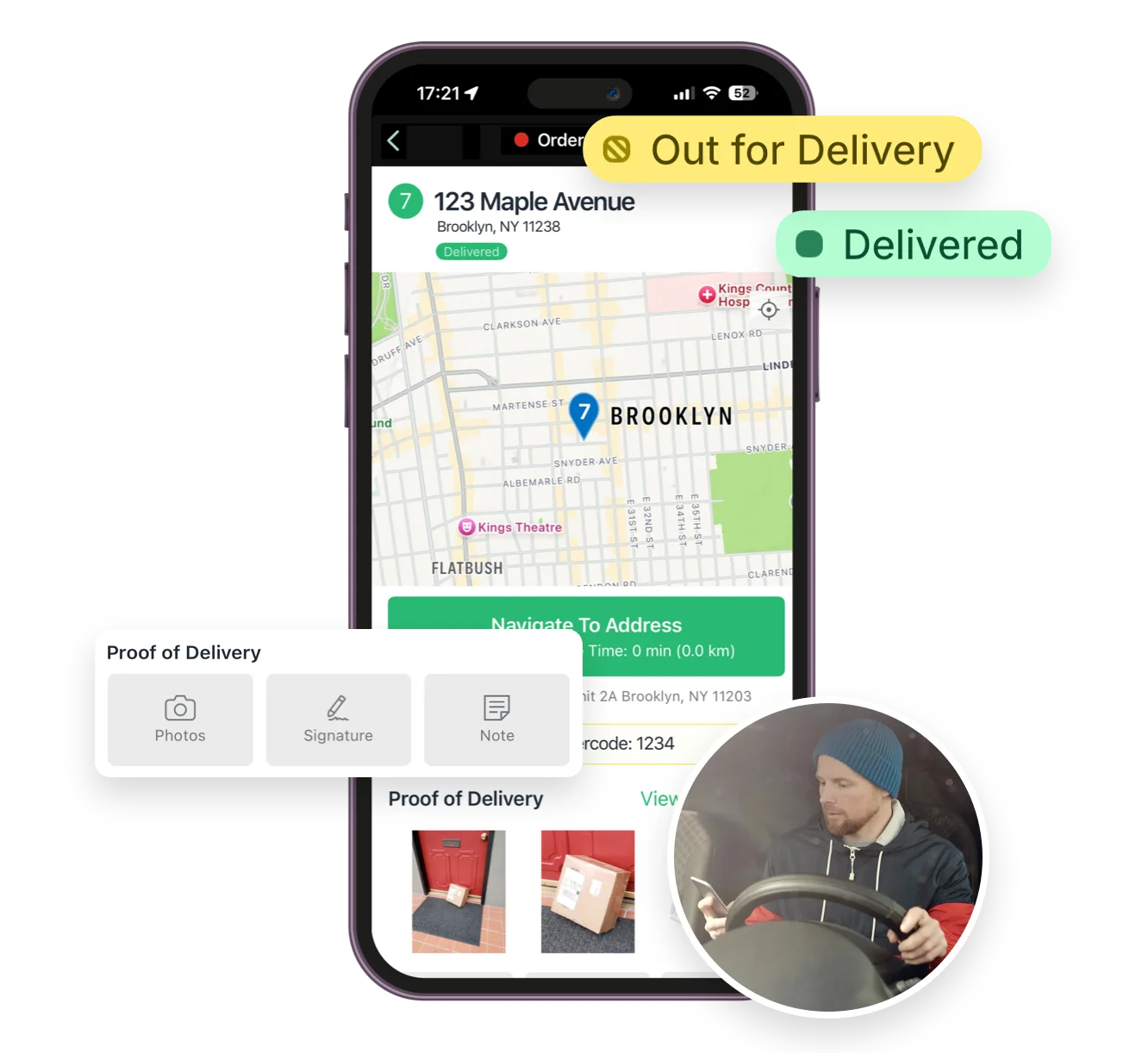
Delivery Driver mobile app

Flexibility for growing businesses

Scale your delivery operations with ease and eliminate holiday delivery headaches.

Whether you’re managing one driver or dozens, EasyRoutes makes it simple to assign routes, re-optimize on the fly, and adapt to changing delivery volumes without breaking the bank.

Flexibility for growing businesses

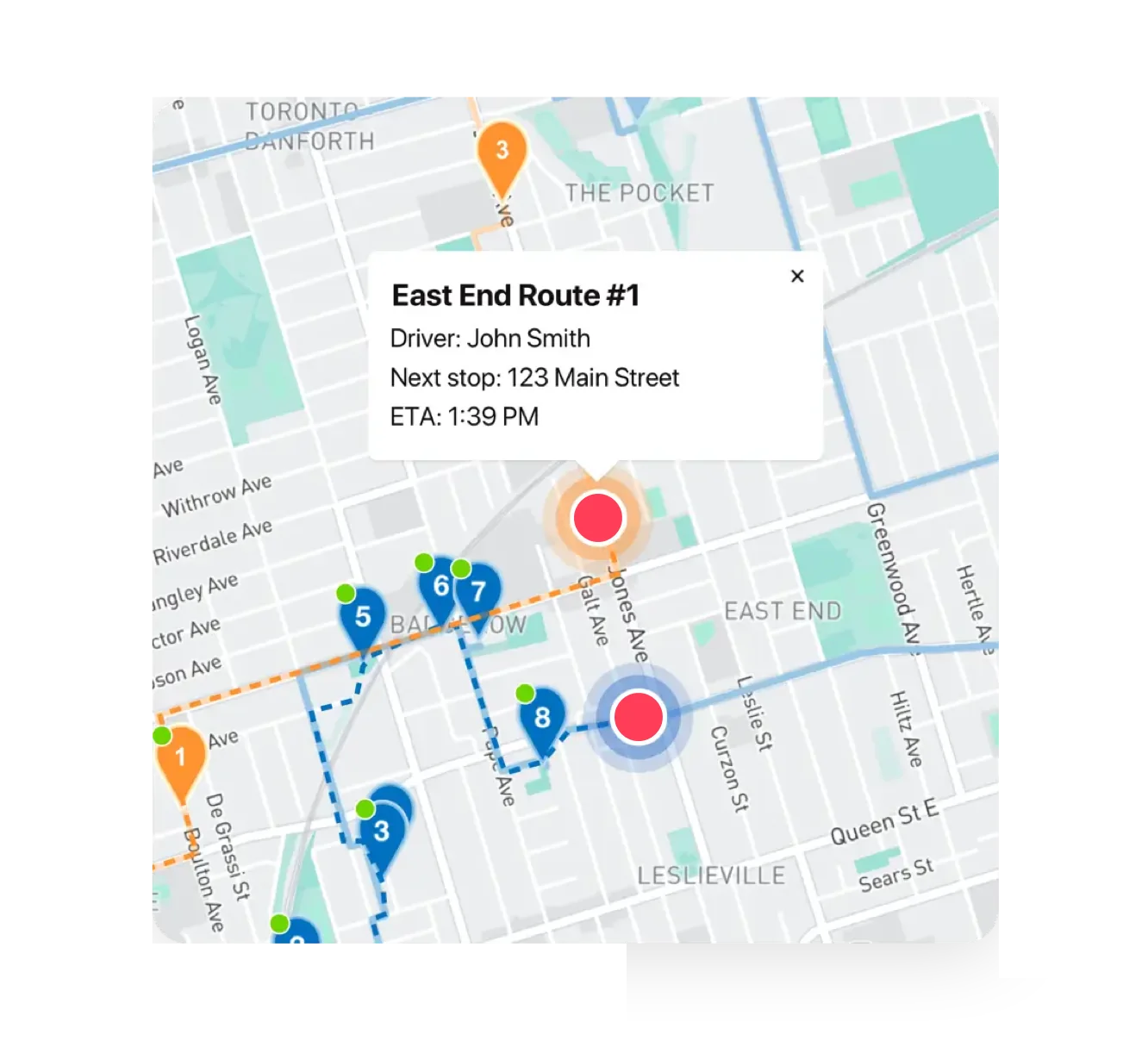
Track drivers in real time

Monitor your team’s progress with live GPS tracking.

Easily access driver locations and route progress in real time, and respond quickly to any issues — keeping your operations agile and customers informed.

"I wouldn’t use any other app for my drivers!"
- Solstice Savory Pies

Track drivers in real time

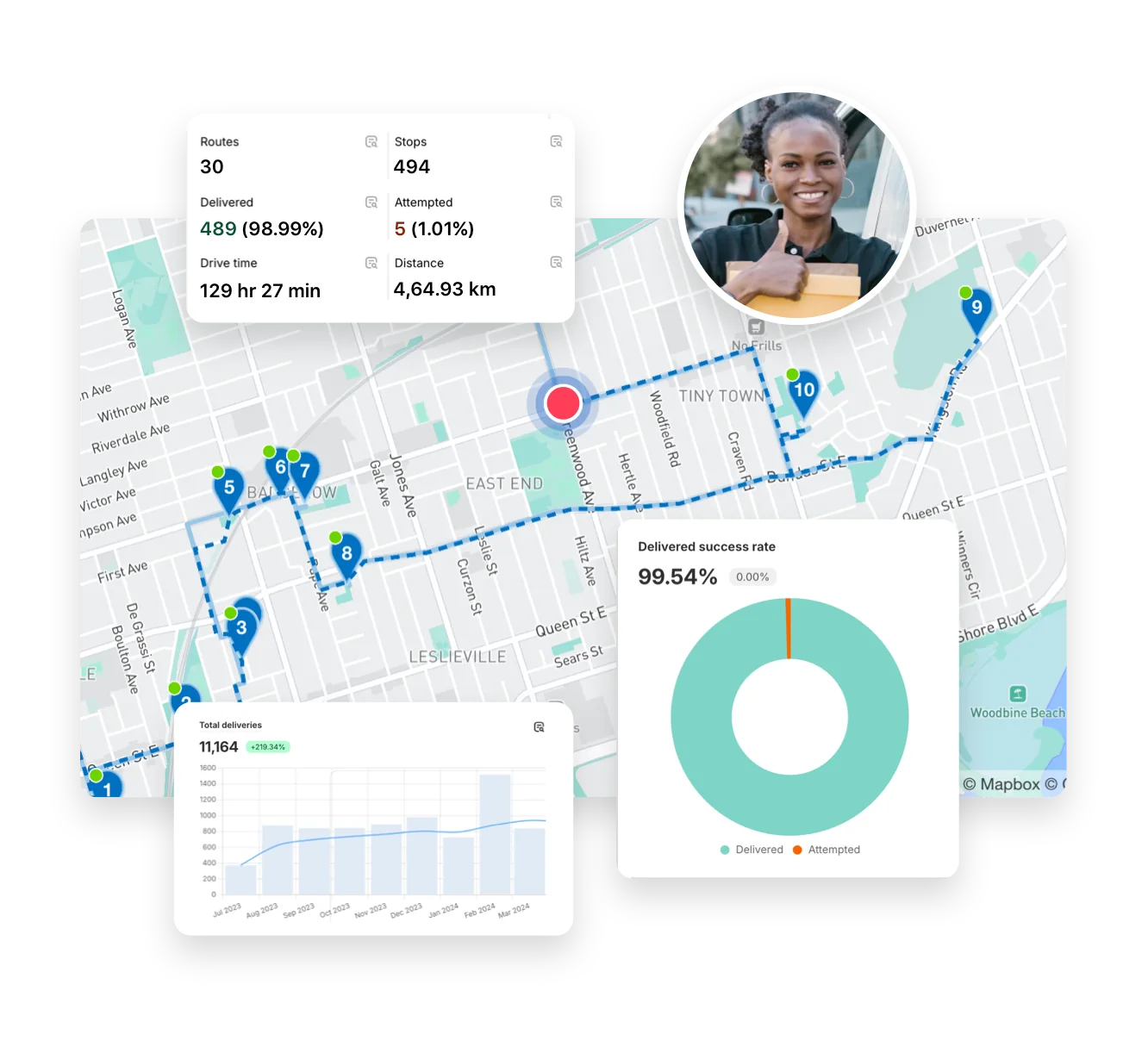
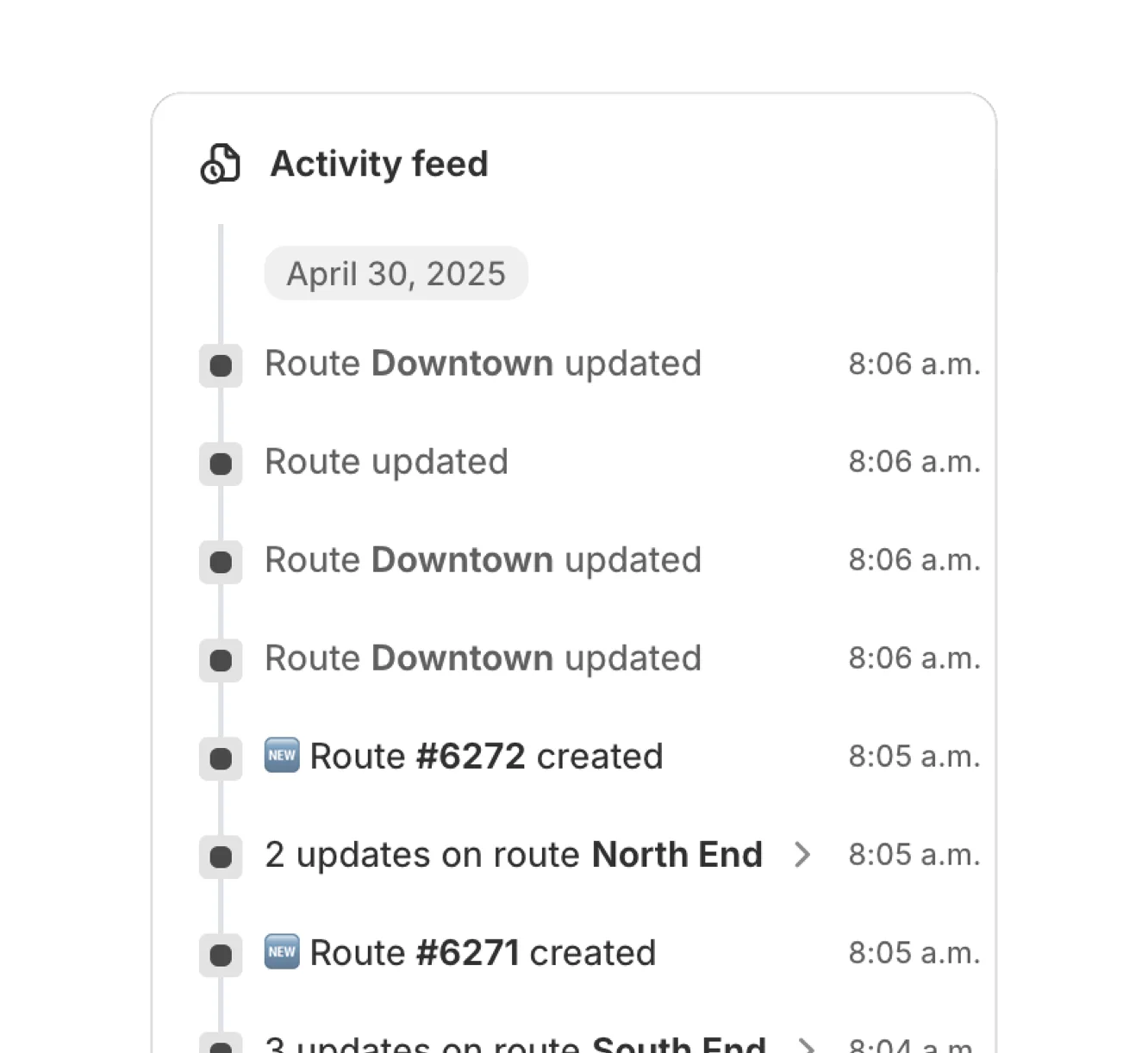
Detailed analytics & activity feed

Dig into delivery performance with detailed analytics and real-time activity feeds.

Track driver actions, identify bottlenecks, and surface insights that help improve driver training, streamline internal workflows, and boost customer satisfaction.

Detailed analytics & activity feed

Even more for managing & tracking drivers

  • Get started in minutes with no complex setup — just install and go.
  • Capture photos, eSignatures, and notes to confirm every successful drop-off.
  • Automatically generate route-specific packing slips and inventory lists.
  • Customize tracking pages and notifications to reflect your store’s identity.
Even more for managing & tracking drivers

Get Started with EasyRoutes

  • Try it free for 14 days—no commitment required
  • If you're using Shopify, just install the app and sync your orders
  • If you're not on Shopify, import a CSV or connect via Zapier
  • Our support team is here to help you migrate routes, drivers, and workflows
Get Started with EasyRoutes

Frequently asked questions

How do I add a driver to EasyRoutes?

Invite drivers from the Drivers & Vehicles tab of your EasyRoutes navigation menu. Enter a driver's phone number and they’ll receive a link to install and sign in to the app.

See: Adding a Driver

How do I manage my active drivers?

You can add, remove, and switch drivers in a way that is flexible with your business at anytime from within EasyRoutes. If you need more active drivers, then you'll need to add more driver seats on your plan.

See: Add a driver · Activate/deactivate drivers

What are driver seats and how do they work?

Driver seats are active licenses you assign to drivers. You pay only for active seats and can toggle seats on/off anytime without deleting the driver profile.

See: Managing Driver Seats

Can I customize driver permissions?

Yes. Control what drivers can do and see: allow/disable re‑ordering or re‑optimizing stops and choose which customer fields are visible in the app.

See: Driver Visibility · Driver‑side Re‑optimize

Where can drivers download the EasyRoutes Delivery Driver app?

The EasyRoutes Delivery Driver app is available for iOS and Android. Use our official download links to install and sign in with your driver phone number.

See: Where can I download the EasyRoutes Delivery Driver app?

Will drivers get notified when assigned a route?

Yes. Assigned drivers receive a push notification when a route is dispatched to them, linking straight into the route in the EasyRoutes Delivery Driver mobile app.

See: Dispatch Notifications

Can I track my drivers in real-time?

Yes. Enable Real‑Time Tracking in Settings → Driver settings (Premium/Enterprise subscription plans) to view live driver location and progress in the Tracking tab of any route.

See: Real‑Time Tracking

What information can I see in real-time tracking as an admin?

The route’s Tracking tab shows live driver location, recent path, next/current stop, and real‑time stop status, completion times, and proof of delivery events.

See: Real-Time Driver Location Tracking · Activity Feed

Can I track multiple routes at once?

Yes. Open a Route Group to view multiple live driver locations and statuses on one screen; each driver pin is colour‑coded by route.

See: Real-Time Driver Location Tracking · Route Groups

Can I track driver performance?

Yes. Delivery Analytics reports completion rates, average delivery times, and success rates; filter by driver or date and export to CSV.

See: Analytics

Can I view analytics for specific drivers?

Yes. Filter Analytics by driver to compare performance or focus on an individual’s workload and results.

See: Filtering by Driver

What events are shown in the Activity Feed?

Events include route creation/updates, dispatch, driver assignments, stop status changes (Out for Delivery/Delivered/Attempted), and proof‑of‑delivery uploads.

See: Activity Feed Events