
Optimized route planning
Ensure every delivery is on time with intelligent route optimization that factors in time windows, stop priorities, and traffic.
Fewer delays mean happier customers, and a more reliable brand experience.


Deliver a top-tier experience every time. Optimize routes for timely deliveries, keep customers informed with tracking and notifications, and provide proof of delivery with real-time driver visibility.
No credit card required. Cancel any time.
4.9 stars · 5,000+ businesses · 75+ countries
















"I use this to deliver my baked goods - customer service is extremely responsive, they help with any problems I have, and the actual app has provided a great benefit to my customers."
Ensure every delivery is on time with intelligent route optimization that factors in time windows, stop priorities, and traffic.
Fewer delays mean happier customers, and a more reliable brand experience.
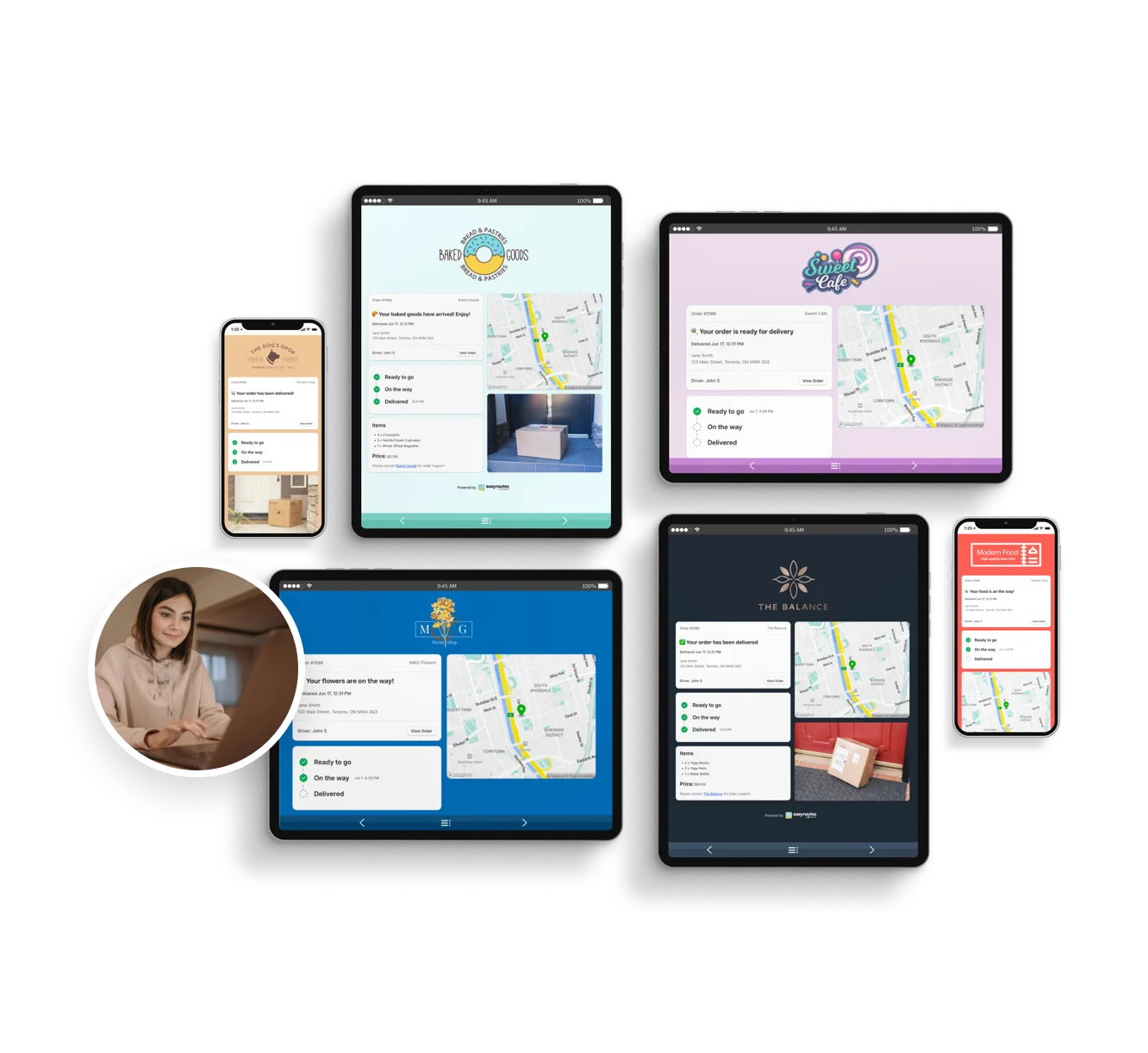
Keep customers in the loop with branded tracking pages and automated notifications that share ETAs, delivery windows, and their driver's route progress.
Eliminate delivery uncertainty and build trust with every order.
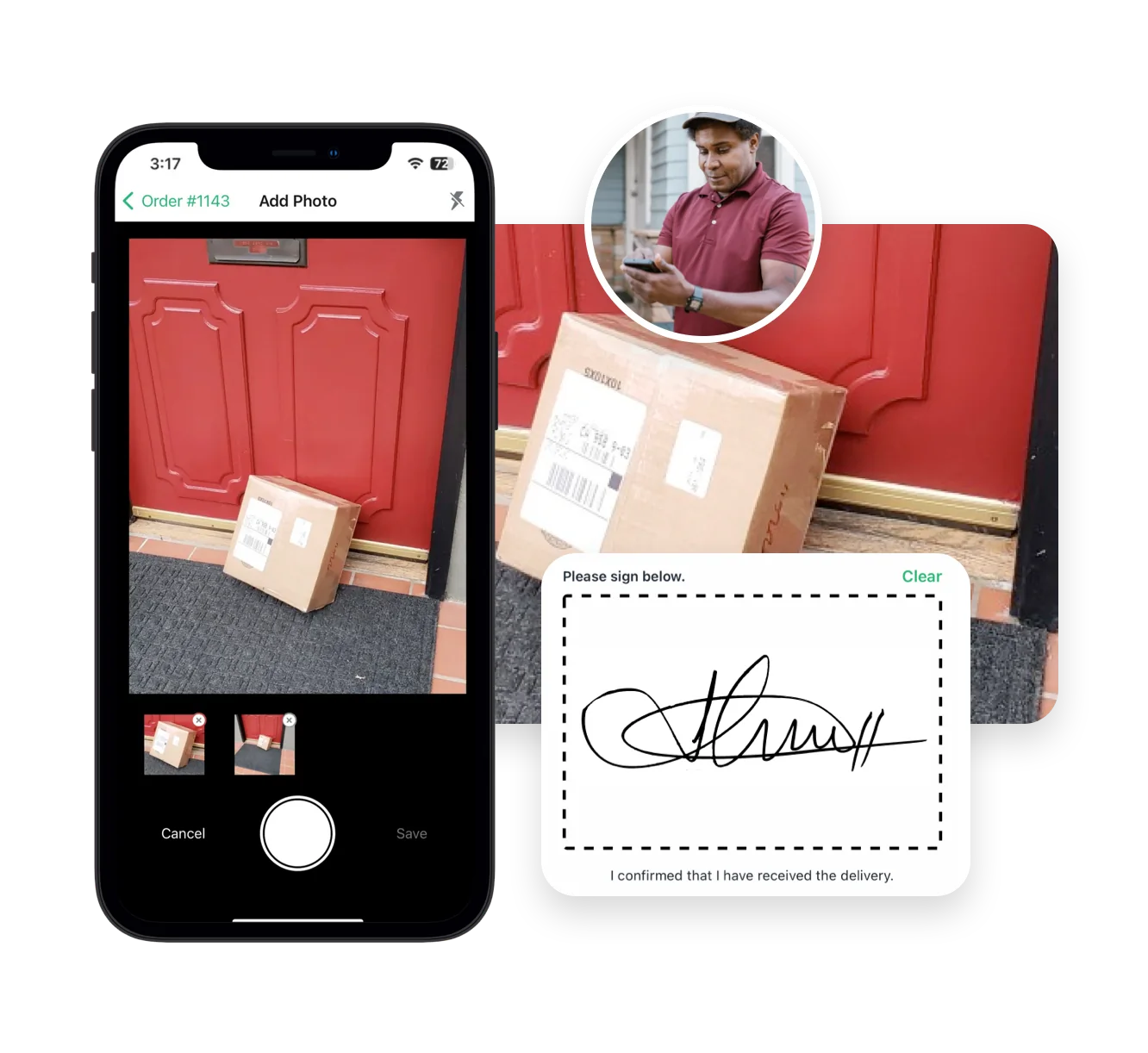
Capture photos, eSignatures, barcodes, and delivery notes at each customer's doorstep to provide clear proof of delivery.
Customers can be confident their packages arrived safely, and your team gets fewer support inquiries.
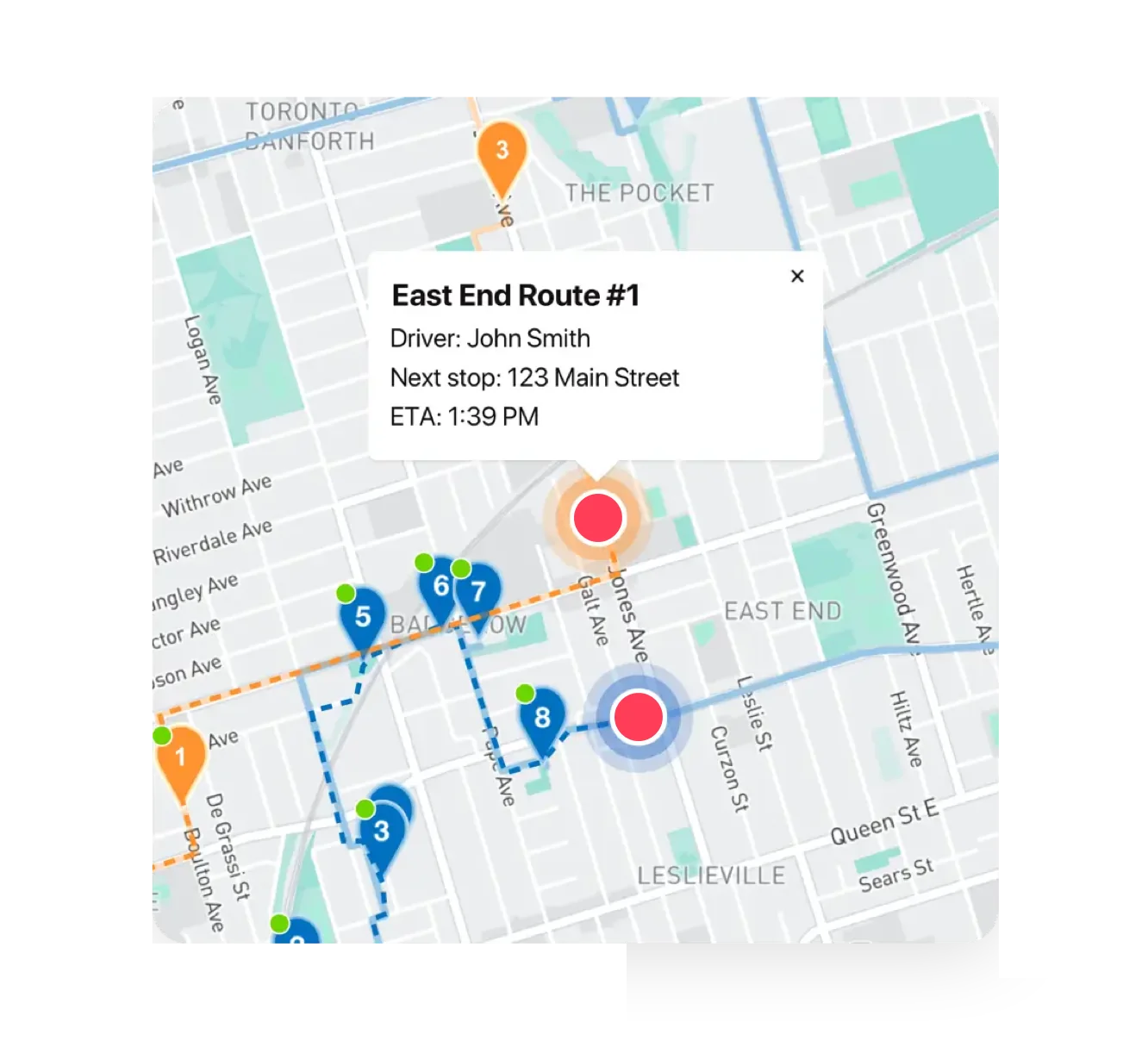
Give your team and customers visibility into driver locations as they complete routes in real time.
Live driver tracking helps set accurate expectations and lets your support team respond quickly to delivery-related questions.
EasyRoutes optimizes deliveries using your selected orders, start & end locations, stop time intervals, time windows, and route limits. You can balance routes, respect capacities, and re‑optimize as plans change.
See: Route Options · EasyRoutes 101
Yes. You can set delivery time windows per stop or import them from supported third‑party date/time apps. EasyRoutes optimizes routes to meet these windows and calculates ETAs accordingly.
Yes. Schedule routes for specific dates/times, and ETAs will be calculated for each stop on a route. These ETAs can be shared via customer tracking links and email/SMS delivery notifications.
ETAs use route distance, stop service times, and historical traffic, and they update during the day as drivers progress. Accuracy improves when addresses and time windows are clean.
Yes. EasyRoutes Premium and Enterprise plans support branded SMS notifications with usage‑based pricing per message segment. Configure templates and funding in Settings.
Yes. With the Premium plan and above, fully customize email/SMS: add your logo and colors, edit copy/variables, and choose which events send. Works for Shopify orders and imported/manual stops.
You can show a live GPS pin on customer tracking pages when the driver is approaching. Configure this in EasyRoutes Settings → Order tracking and pair with email/SMS notifications for maximum visibility.
See: Real-Time Driver Location Tracking · Order Tracking Pages
Yes. On Premium/Enterprise plans you can display a live driver pin on tracking pages when the driver is 1–10 stops away.
EasyRoutes supports delivery photos, e‑signature, driver notes, and automatic timestamps (with GPS location when available) to provide a complete delivery record.
See: Proof of Delivery
Yes. You can show proof of delivery (photos, e‑signature confirmation, and driver notes) on customer tracking pages for delivered or attempted stops. Enable this from EasyRoutes' Order Tracking settings.
Yes. Configure email/SMS templates (e.g., Ready for Delivery, Out for Delivery, Driver is X Stops Away) to remind customers and include tracking links and ETAs.