















« Back to features

Simplify Fulfillment, Save Time

Automatically generate packing slips and shipping labels customized for each route to streamline packing and reduce handoff errors.

"EasyRoutes has thought of every minor detail perfectly."

Packing Slips & Labels

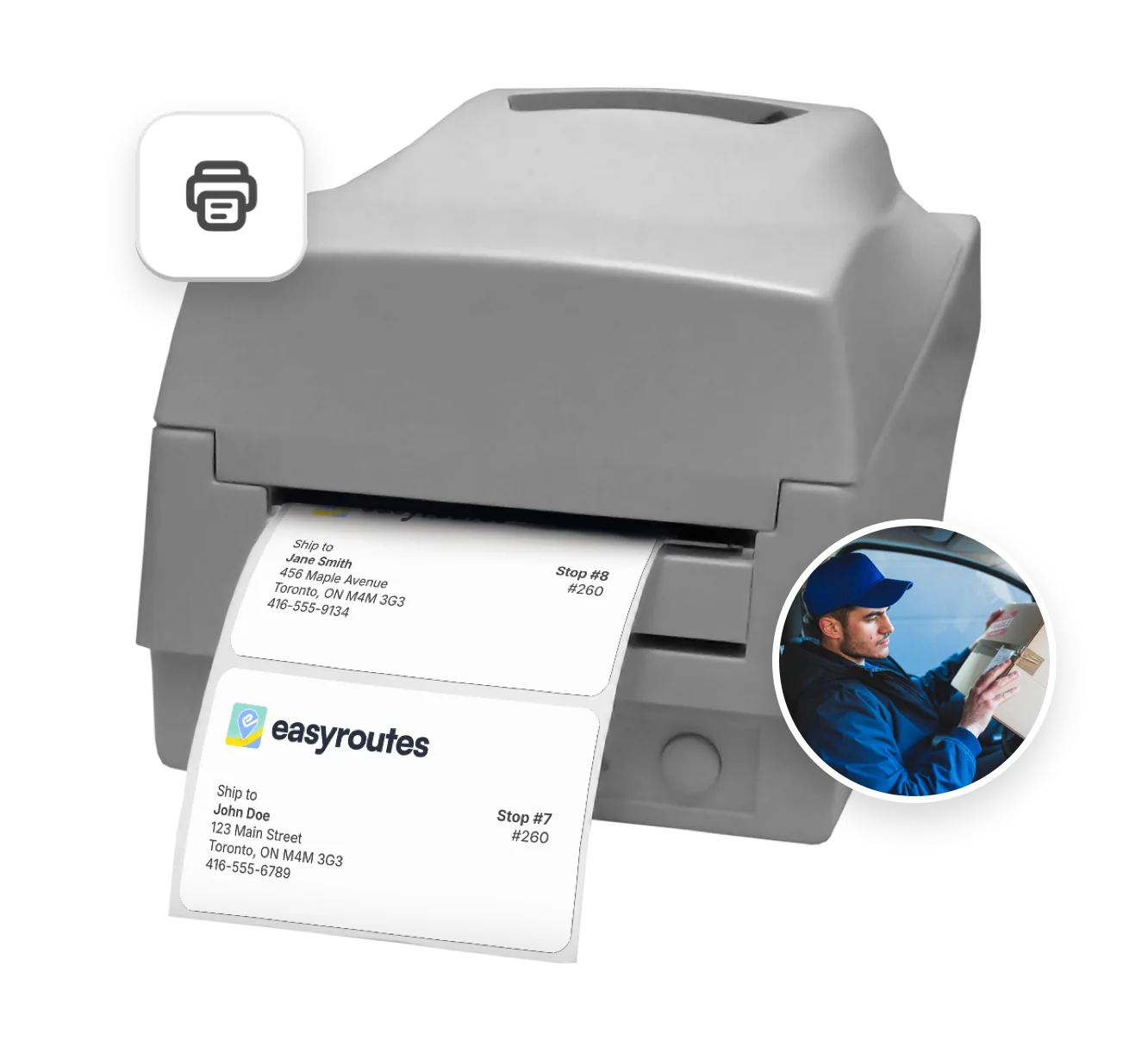
EasyRoutes’ Packing Slips and Labels feature helps teams prepare deliveries with confidence. Each slip is tailored to include the right order details—customer name, items, notes, and route information—so nothing is missed. Shipping labels are compatible with popular formats and can be generated with just a few clicks. Both packing slips & packing labels feature scannable QR codes, so drivers can always be certain the items they're delivering are landing exactly where they're expected. Whether you’re managing hundreds of orders or just a few, these tools simplify your workflow, reduce fulfillment mistakes, and help present a professional, branded experience to your customers.

Simplify Fulfillment, Save Time
Print organized packing slips with product details, delivery notes, and customer info to improve order accuracy and reduce mistakes.
Batch-print driver-scannable shipping labels and slips directly from your routes to speed up prep time and simplify logistics.
Customize layouts with your logo and tailored instructions—ensuring documents match your brand and workflow.
⭐⭐⭐⭐⭐ 4.9 stars Trusted by 5,000+ Businesses

Flower Delivery: The Million RosesMattress Delivery: SonnoPizza Delivery: SliceGass Delivery: Gas GuysFood Delivery: Redstart FoodsBread Delivery: Butter & Crust
Order Sync

Order Sync

Bring orders into EasyRoutes from Shopify, spreadsheets, Zapier, or the API — and add custom stops anytime. One system for every delivery.
Barcode Scanning

Barcode Scanning

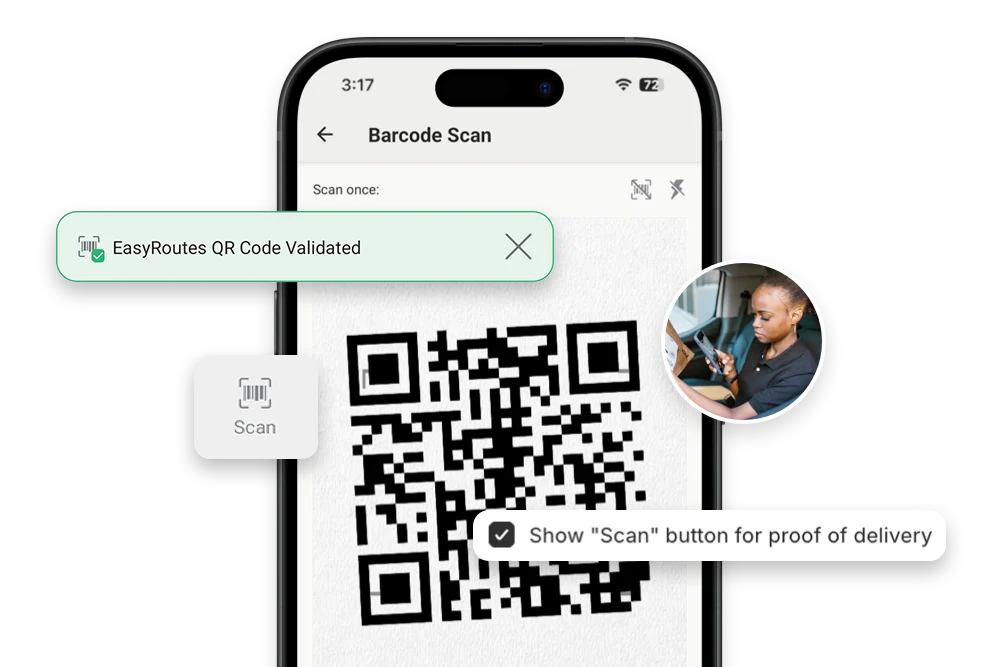
Equip drivers with a built-in barcode scanner to confirm the right order at the right stop, capture proof of delivery, and reduce costly mistakes.
Real-time Driver Tracking

Real-time Driver Tracking

See every active route in real time. Share accurate ETAs with customers, monitor team performance, and ensure deliveries stay on schedule.

Frequently asked questions

Can EasyRoutes print packing slips for each stop?

Yes. Both EasyRoutes for Shopify and EasyRoutes for Web let you print packing slips for every stop in route order. Open a route, click Print, check Packing slips, and print or save to PDF.

See: Printing Packing Slips

Can I print labels for each package?

Yes. Print Packing labels from the route’s Print menu. Choose one label per stop or per item (package), then customize variables and size. Available in both EasyRoutes for Shopify and Web (paid plans).

See: Label Printing

Can I print packing slips in bulk?

Yes. Bulk print all packing slips for a route in one action: open the route, click Print, check Packing slips, and print or download directly.

See: Bulk Printing · Packing Slips

Can I customize my packing slips?

Yes. Add your logo, choose which order fields appear, and adjust layout and font sizing from EasyRoutes Settings → Packing Slips & Labels. Options are available in both Shopify and Web.

See: Customizing Packing Slips

Can I change label sizes?

Yes. Set label size (e.g., 4×6 thermal or A4/Letter) and font scale in EasyRoutes Settings → Packing Slips & Labels, then fine‑tune using your printer’s paper and scale settings.

See: Printing packing labels

Can I reprint packing slips or labels?

Yes. Reopen any route and use Print to reprint packing slips or labels, or re‑export to PDF. If a route was archived, simply unarchive it first.

See: Printing delivery routes

Can I export packing slip data instead of printing?

Yes. Use the same Print flow and choose your OS/browser’s Save as PDF, or generate a route PDF for digital sharing.

See: Create a PDF of my route

Can I print delivery manifests?

Yes. Drivers see a manifest in the mobile app, and you can also print route manifests with order details for offline use or records. Choose the Print menu on any route.

See: Printing Route Manifests

Can I print my route details for drivers?

Yes. Print route summaries, packing slips/labels, and inventory lists from the route’s Print menu, or save as PDF for digital sharing.

See: Print a route · Route Inventory/Packing List

Do packing slips and labels include scannable QR codes or barcodes?

Yes. You can add scannable EasyRoutes QR codes to packing slips and labels from Settings > Packing Slips & Labels. See: Barcode scanning

Which label printers and formats are supported (thermal 4×6, Avery sheets, etc.)?

EasyRoutes prints labels from your browser or as a PDF, so it works with any printer; set size (e.g. 4×6 thermal or A4/Letter), layout, and scale in Settings > Packing Slips & Labels. See: Printing packing labels