EasyRoutes is a route planning platform designed for meal kit services managing local deliveries. It helps you create efficient routes, dispatch to drivers, and keep customers updated with real-time tracking. By optimizing routes, you save time, cut fuel costs, and ensure fresh ingredients arrive on schedule. With features like proof of delivery and customer notifications, EasyRoutes makes last-mile meal kit deliveries smoother and more reliable.
"EasyRoutes has thought of every minor detail perfectly. It saves us over 4 hours per week on delivery planning, their AI is perfect at configuring optimal routes, and our drivers finish their routes over 50% faster."
Powerful meal kit delivery features, like:
Route Optimization
Plan the most efficient routes to ensure meal kits are delivered fresh and on time. This helps maintain the quality of ingredients and customer satisfaction.
Live Updates
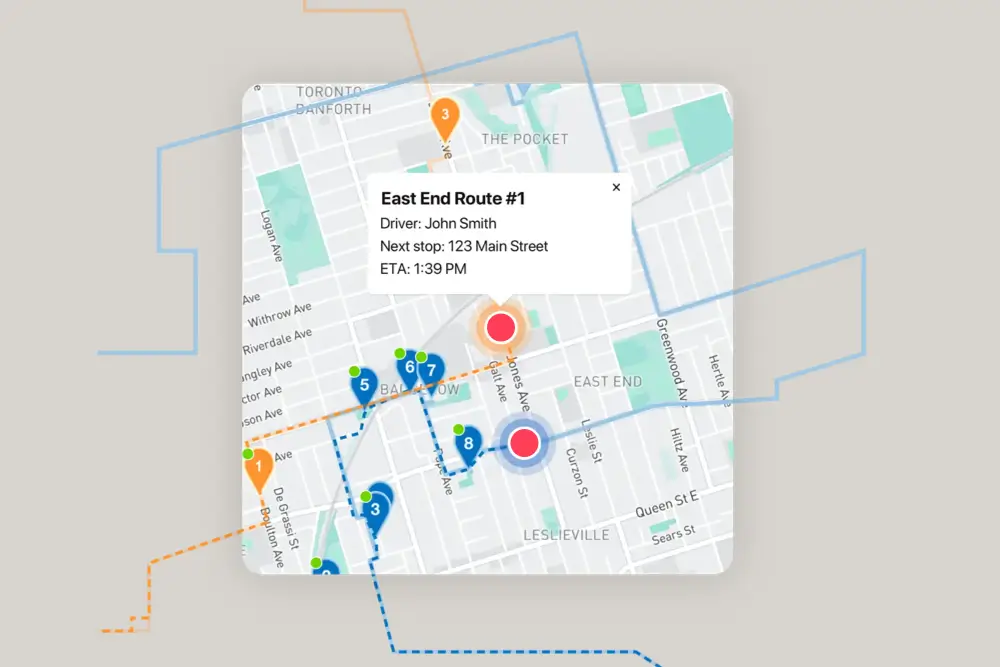
Offer real-time tracking so customers know when their meal kits will arrive. This transparency helps customers plan their cooking schedules and reduces inquiries.
Driver Notes
Add special instructions for each delivery, such as handling fragile items or placing boxes in a shaded area. This helps ensure ingredients remain fresh.
Photo Proof
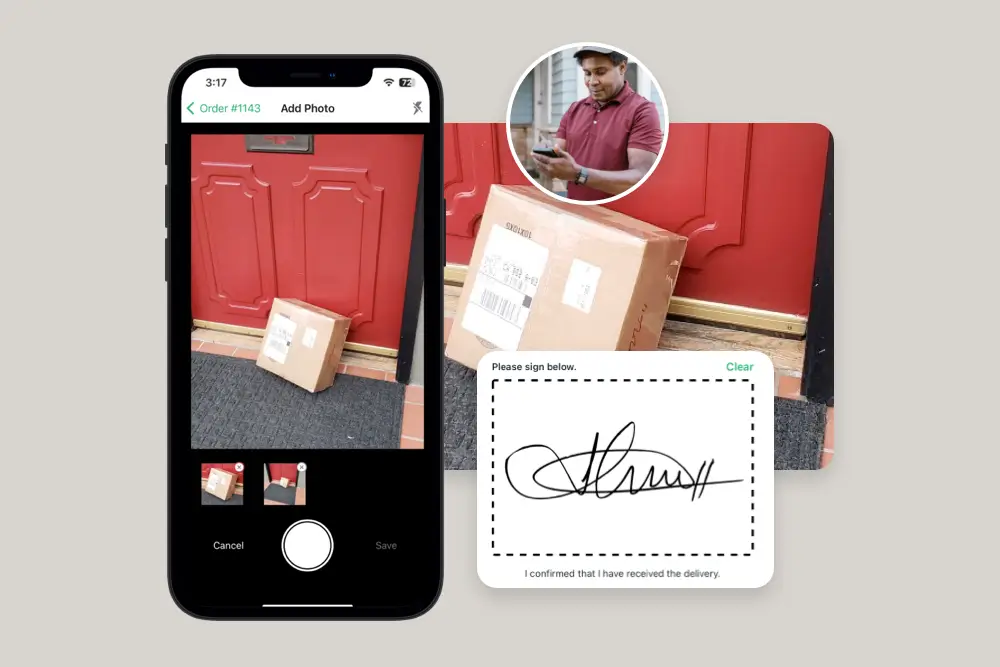
Capture photos as proof of delivery to confirm meal kits were delivered correctly. This helps resolve disputes and ensures accountability.
Bulk Import
Upload large lists of orders quickly using CSV files to streamline planning for high-volume deliveries. This is perfect for weekly meal kit subscriptions.
Time Windows
Schedule deliveries within specific time slots to match customer availability. This ensures meal kits arrive when customers are home to receive them.
Time Per Stop
Allocate extra time for each stop to ensure accurate hand-offs and careful handling of perishable ingredients. This helps maintain quality.
Route History
Keep detailed records of past deliveries to analyze performance and optimize future routes. This helps refine your operations and boost efficiency.
A growing share of consumers value sustainable products, packaging & delivery
In a 2023 survey of consumer behaviour, 48% of shoppers indicated their interest in shopping sustainably has increased, with 74% of those polled having shopped at a retailer that promotes their products as sustainable at least once within the past six months.1 Meal kit delivery merchants are no exception: Crisper, Toronto’s first and only zero waste, plant-based meal kit delivery service uses EasyRoutes to help reduce, reuse and recycle throughout their delivery operations.
EasyRoutes’ powerful route optimization engine plans the most efficient delivery route possible in just a few clicks, ensuring meal kits arrive when they’re expected, with minimal time spent on the road. Enabling any of EasyRoutes’ additional route planning options - such as time spent per stop, or avoiding U-turns and toll roads - helps further boost operational efficiency and fuel savings once meals are on the move. In fact, drivers using the EasyRoutes Delivery Driver app to complete meal kit deliveries may use no fuel at all, opting instead for bicycle, scooter, electric vehicle or eBike delivery to increase sustainability even further.
Precise timing is crucial for safely delivering meal kits
As perishable goods, meal kits require careful planning and exact timing in order to maintain food safety standards. In a 2022 study of 72 meal kits shipped via a delivery service such as FedEx, over 76% of the boxes delivered contained at least one product above the 40-degree Fahrenheit food safety zone, with a full half of the 72 boxes containing at least one meat or poultry product above 40 degrees Fahrenheit.2
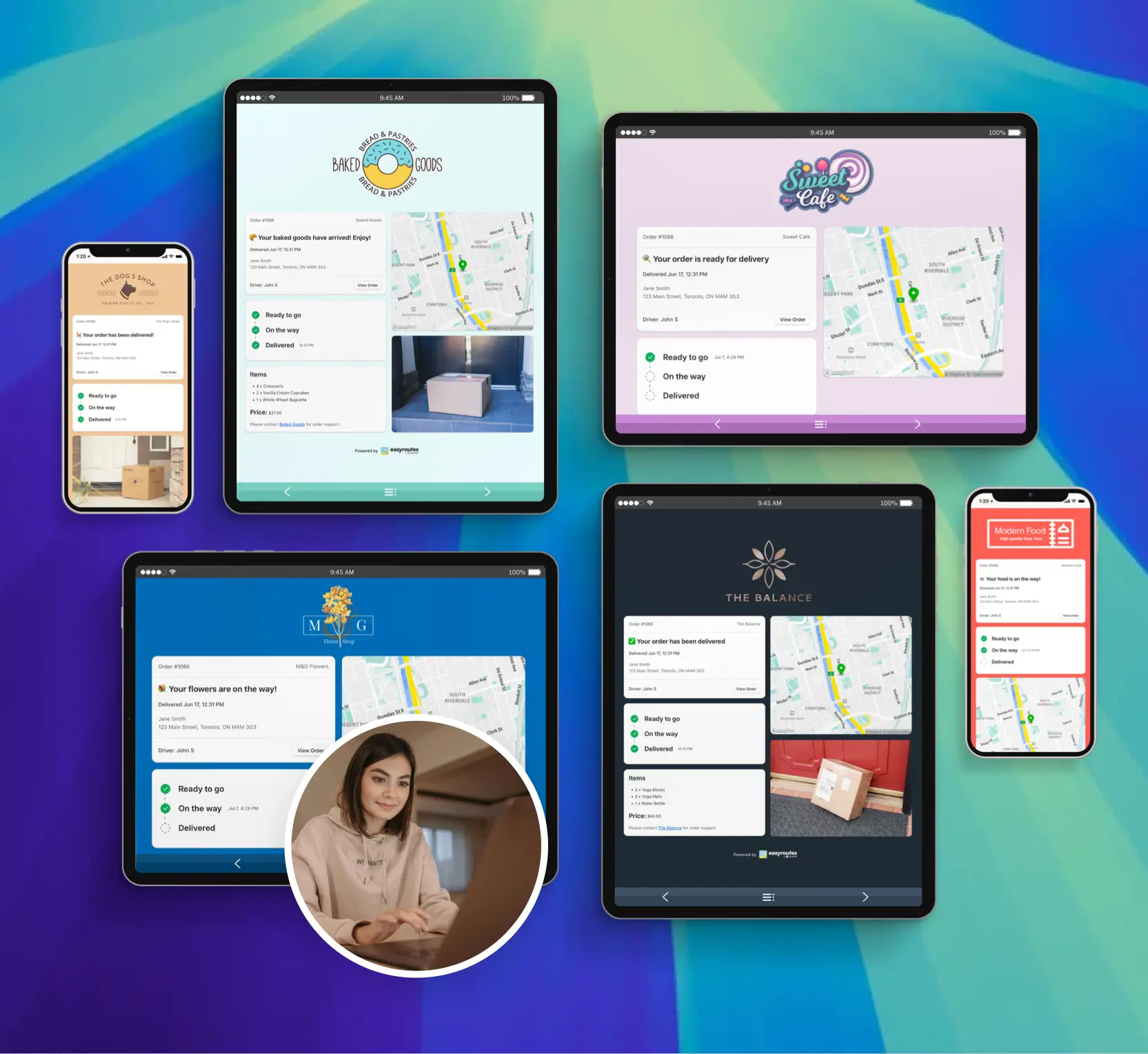
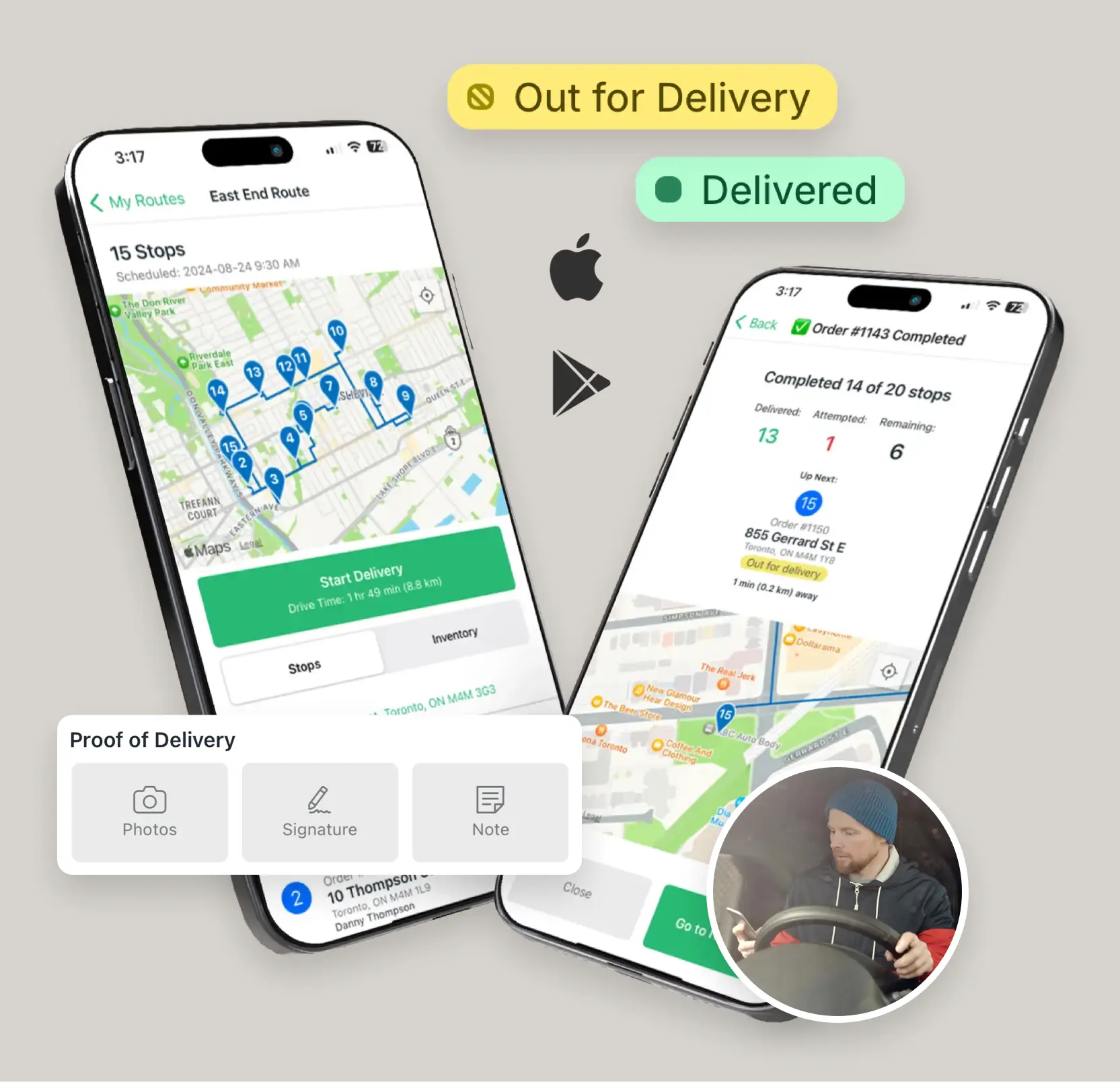
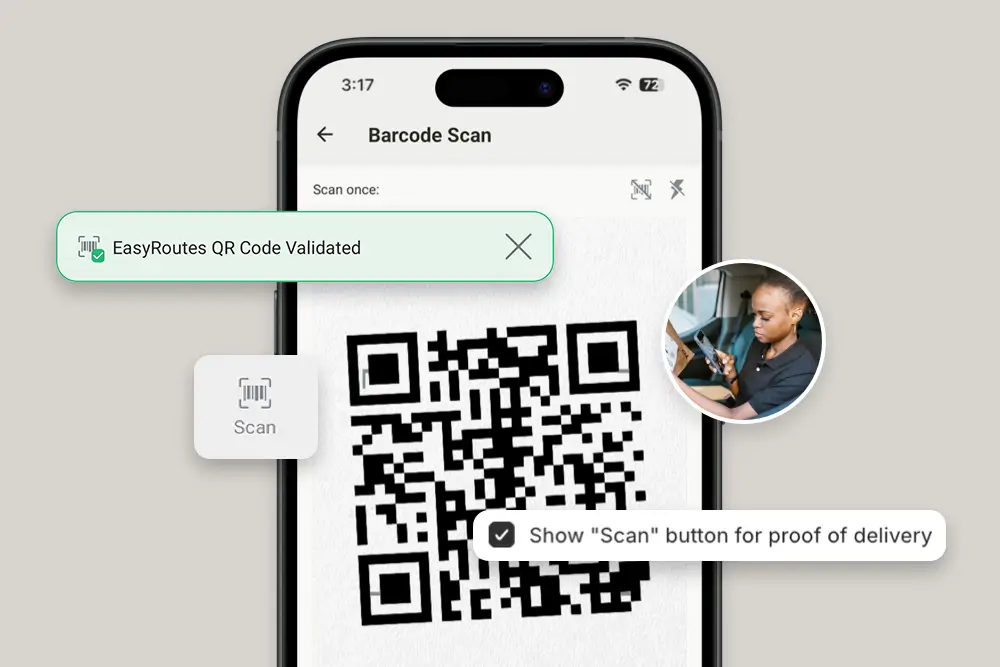
EasyRoutes’ optimized routes are planned to accommodate any date and time window preferences identified by shoppers on checkout, helping to ensure deliveries arrive when consumers are best prepared to accept them. Meal kit merchants can customize order tracking pages and delivery event notifications - sent via both email and SMS - to provide real-time updates on a customer’s order status. Once meal kits are dropped off, drivers can easily capture proof of delivery with eSignatures, photos, notes, and precise GPS delivery location via the EasyRoutes Delivery Driver app to provide additional peace of mind to both the merchant and consumer.
Customer retention is an ongoing challenge for meal kit delivery companies
Retaining customers for repeat orders has proven to be one of the biggest roadblocks for even the most established players in the meal kit delivery market. In 2022, industry heavyweights experienced overall retention of only 15% (Blue Apron) and 9% (HelloFresh) 11 months after a customer’s initial meal kit order.3
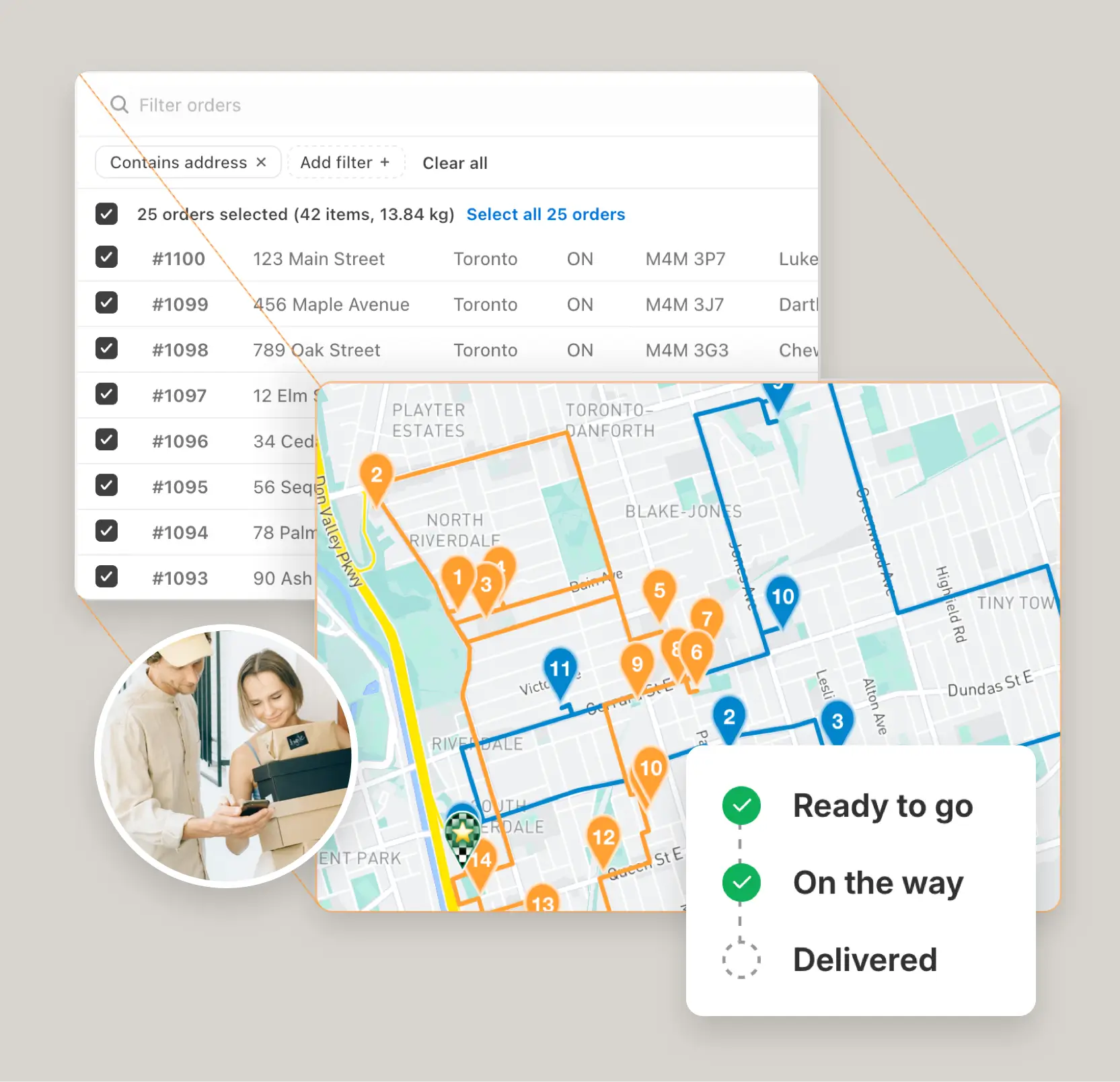
EasyRoutes integrates with many of the top subscription apps in the Shopify App Store, making route planning for current and future subscription orders a breeze. EasyRoutes further supports custom and partial fulfillments, filter views for order sorting, and bulk order importing, equipping meal kit merchants with all the tools they need to successfully manage subscribers and repeat orders - all without leaving the Shopify admin.
Elevate your meal kit delivery game today!
Integrating EasyRoutes with your meal kit delivery service on Shopify provides a unique opportunity to enhance sustainability, improve efficiency, and boost customer retention. If you're a meal kit merchant looking to stay competitive and make a positive impact, you can install EasyRoutes from the Shopify App Store and give all the app's features a test drive throughout your 14-day free trial. By doing so, you can streamline your delivery process, reduce your environmental footprint, and better manage your subscriber base. Take the next step towards a brighter future for your meal kit business by exploring the benefits of EasyRoutes today - your customers and the planet will thank you! 🍽️ 🚚 ✨
Auto-optimize delivery routes in seconds
Instantly generate the most efficient routes directly from your orders. Save hours on manual planning and cut delivery costs with powerful, scalable routing built for businesses of every size.
"The best routing app for Shopify merchants." - Shopify
Delight customers with live delivery updates
Reduce “Where’s my order?” calls with automated SMS and email notifications. EasyRoutes includes branded tracking pages that match your business — giving customers the visibility they expect.
"Customers are loving the tracking feature...No more 'When's my order coming?' phone calls." - MB Grocery
Everything your drivers need in one app
From optimized stop lists to proof of delivery, the EasyRoutes driver app gives your team all the tools they need — on iOS and Android. Turn-by-turn navigation, delivery notes, and customer info all in one place.
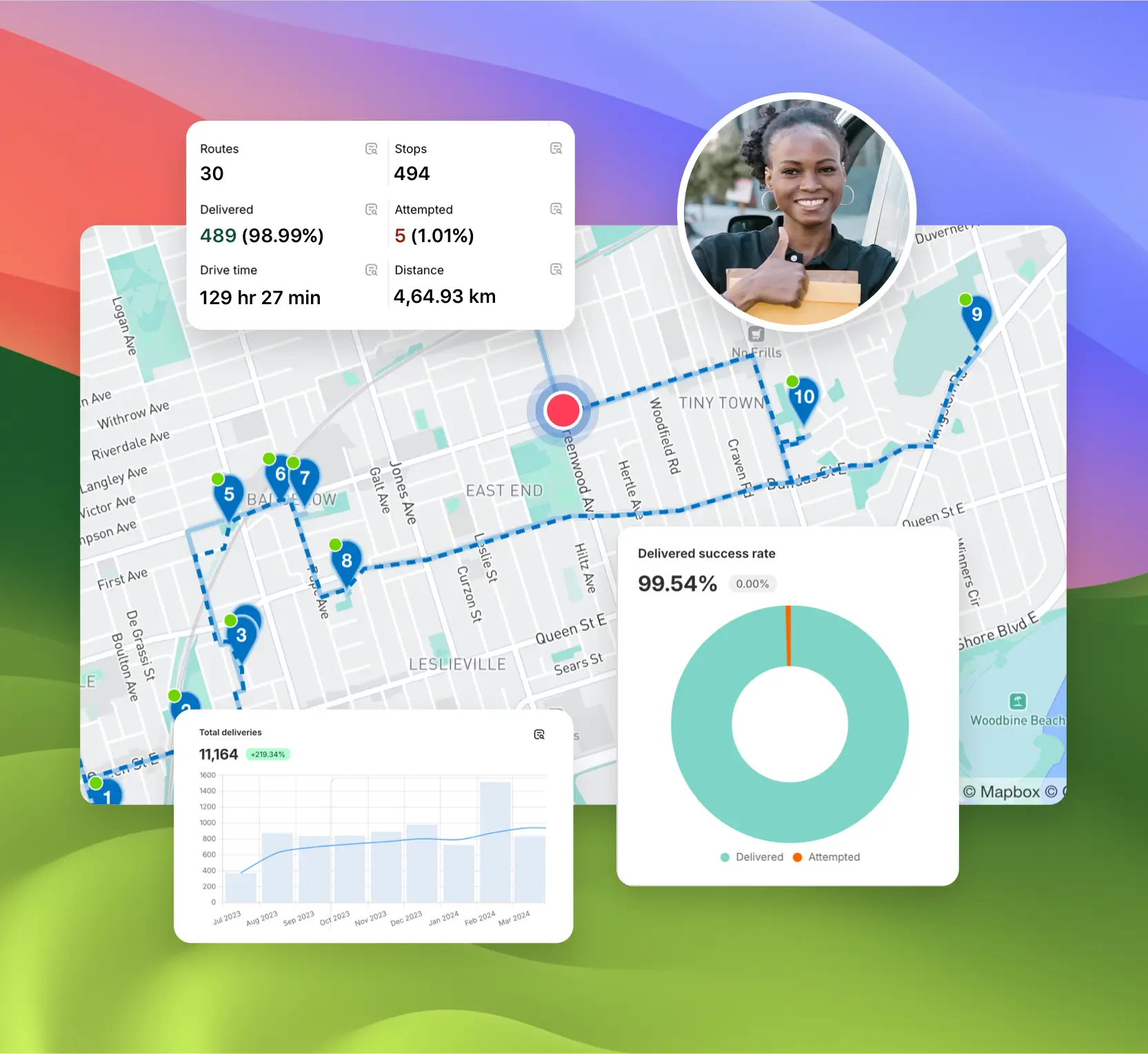
Monitor delivery progress in real time, review performance across your team, and uncover trends with powerful reporting. EasyRoutes helps you make data-driven decisions that scale with your operations.
EasyRoutes is a delivery management and route optimization platform for merchants, local delivery teams, and logistics operators. It helps you plan routes, dispatch to drivers, track progress in real time, and notify customers. Works with Shopify and integrates with other e-commerce platforms via EasyRoutes for Web.
EasyRoutes optimizes deliveries using your selected orders, start & end locations, stop time intervals, time windows, and route limits. You can balance routes, respect capacities, and re‑optimize as plans change.
Keep product moving and time on the road low: cap Max route duration and stops per route, add delivery time windows for fragile stops, and let optimization split orders across drivers for faster dispatch — in both EasyRoutes for Shopify and EasyRoutes for Web. See: Route Options
Yes. You can set delivery time windows per stop or import them from supported third‑party date/time apps. EasyRoutes optimizes routes to meet these windows and calculates ETAs accordingly.
Yes. Automate with Workflows to create routes on a custom, recurring schedule, or duplicate prior routes and re‑use their settings/stops in just a few clicks.
EasyRoutes supports delivery photos, e‑signature, driver notes, and automatic timestamps (with GPS location when available) to provide a complete delivery record.