
Email Notification Templates:
We've improved workflows for editing customer email notification templates, and added the Shipping Address variable that can now be included in any EasyRoutes customer email notification:
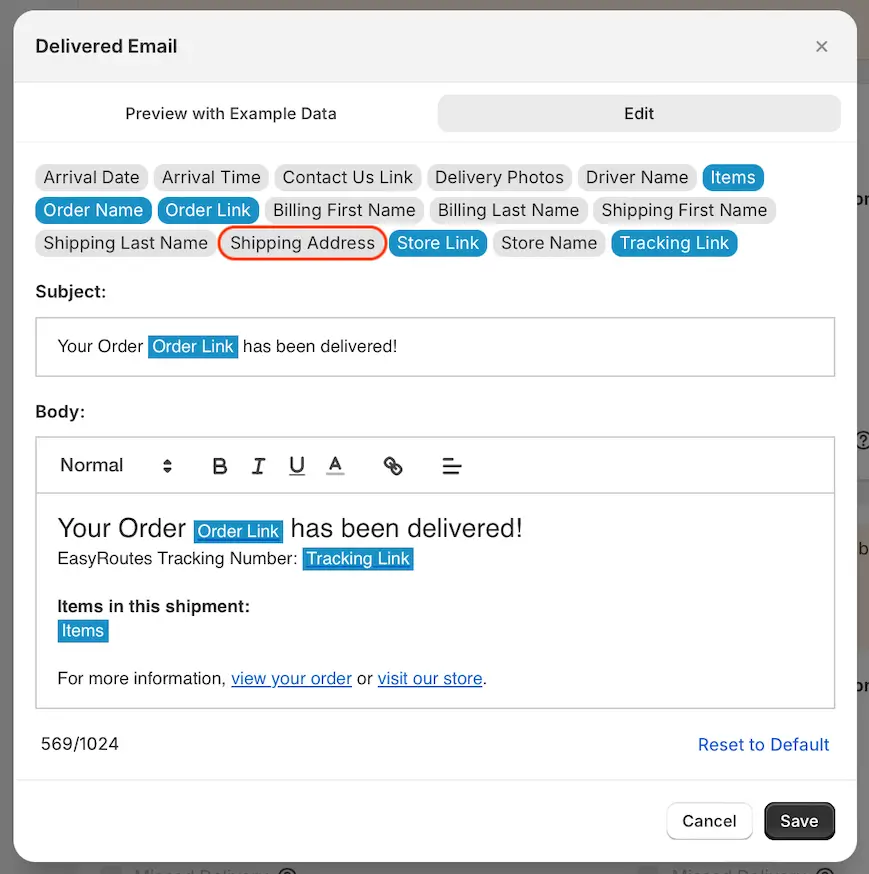
Customize email notification templates for all delivery status events from your EasyRoutes Settings > Notifications tab, under the Email notifications section. For full details on enabling and customizing your EasyRoutes email notifications, see the support article for this feature.
Routes Page:
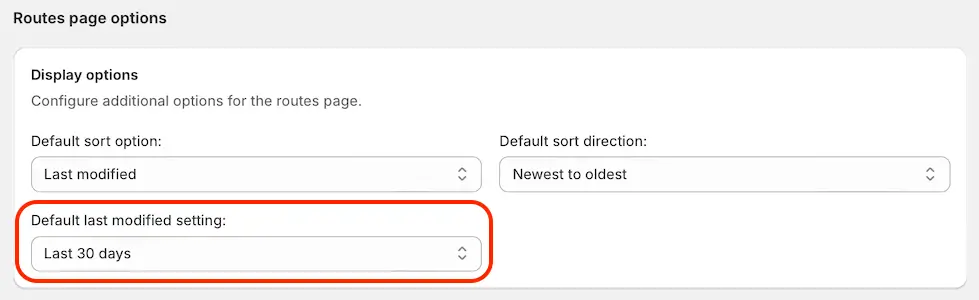
You can now customize the default Last modified filter that will be applied when initially loading your Routes page - choose from Last 30 days, Last 7 days, or Today. Configure this default filter from your EasyRoutes Settings > General tab, within the Routes page options section:
We've also added a new button to the top of the Routes page - click here to create a new route, customize any Route Options, and begin planning deliveries with a blank canvas:
