
Draw and save Delivery Zones/Areas
Create, save and re-use delivery zones on the map to better help with visual planning and route creation.
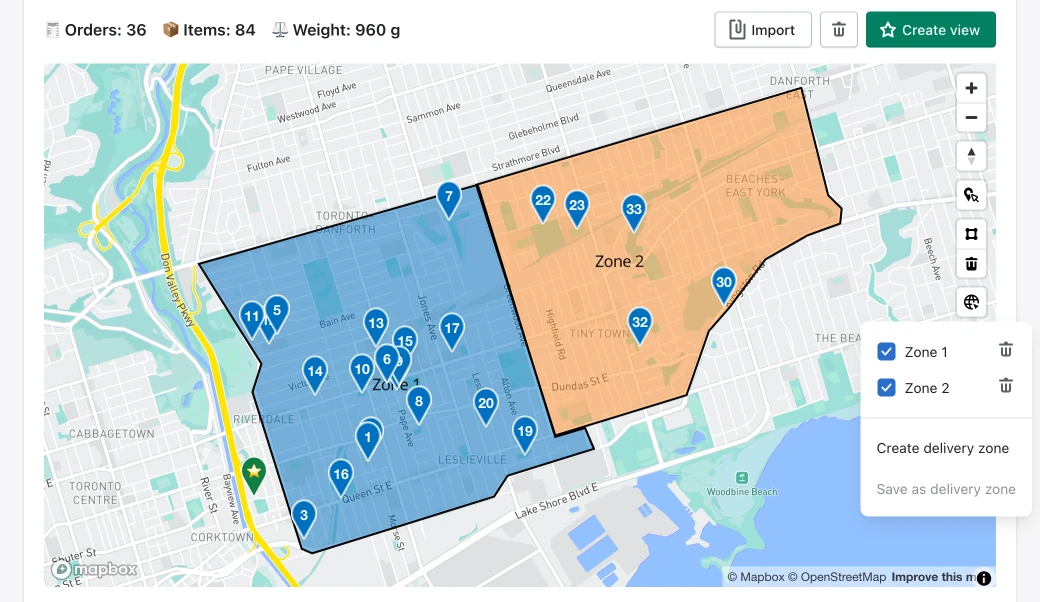
Click on the Delivery Zones icon to create a zone.

After saving your areas, you can access them by clicking on that same icon in the future. You can use your delivery zones as selection areas to keep or discard orders when creating your routes.
Updates to EasyRoutes Delivery Driver app
We've made a bunch of tweaks to make life easier for delivery drivers.
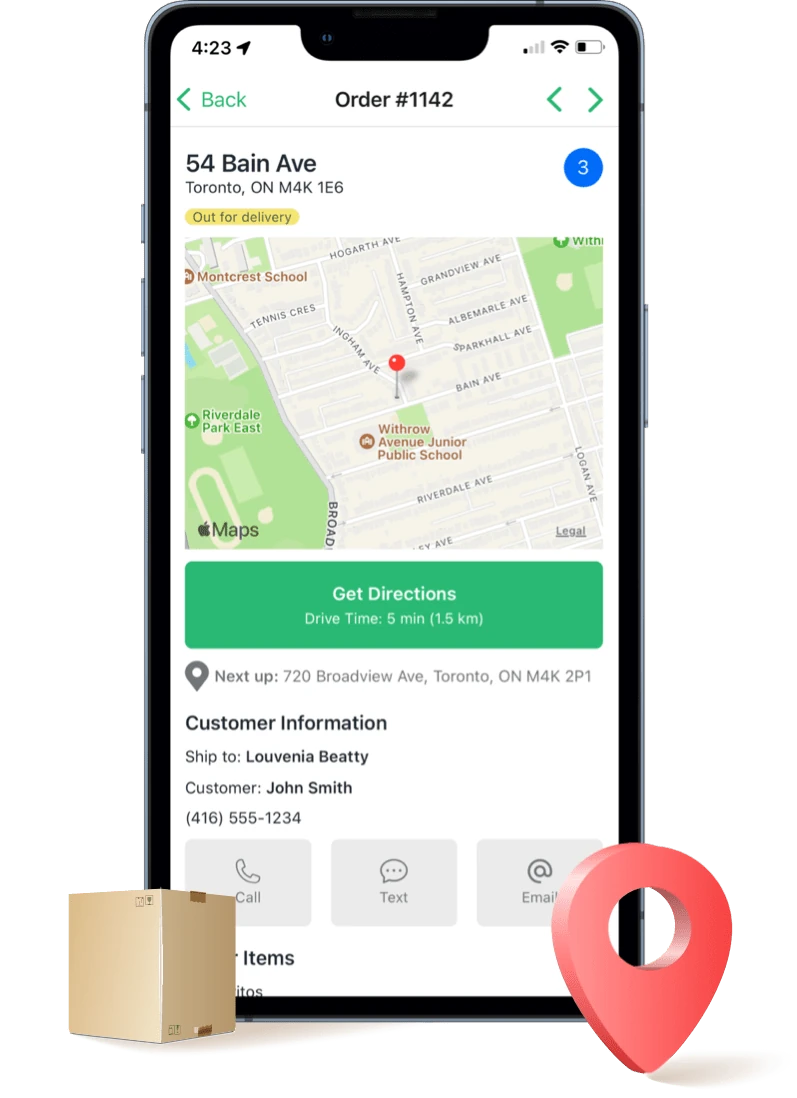
- We've updated the UI for taking proof of delivery photos, and included extra features like the ability to use the camera flash.
- We now display an ETA and drive time to a route's end location
- Long-pressing the Get Directions button lets drivers choose how they want to get directions: by Address, Lat/Long, or Zip/Postal Code.
- We now display a stop's notes in the confirmation modal when making a delivery.
- You can now see SKUs for items in any stop
- Various bug fixes and other UI updates.
Map selection tools available on routes
Our map's order selection tools are available on individual routes to make route editing even quicker.
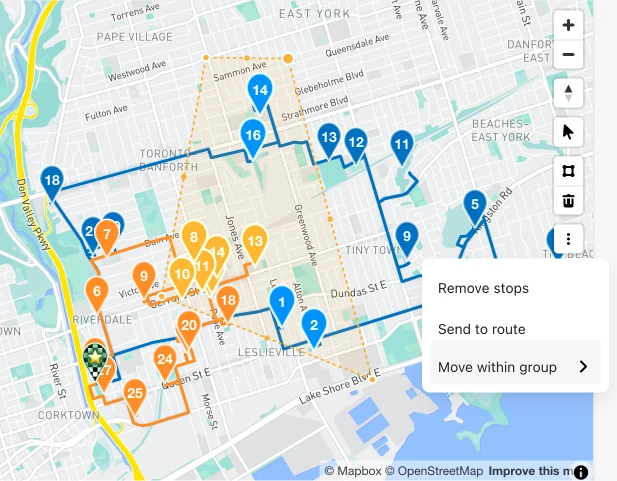
Use these tools to quickly remove stops, send a selection of stops to another route, or send those stops to another route within the group.
Various other improvements
- We've made it easier to enter Edit mode on routes, and we've made it clearer that you are in Edit mode.
- Our new map view has been updated to better handle scrolling. Follow the on-screen instructions for zooming with scrolling on your mouse.
- We've added better page break and layout handling when printing routes.
- Various UI improvements
- Small bug fixes