
We've updated the Routes page filtering options so that any applied search terms or filters will persist, even after viewing routes or clicking into another EasyRoutes page, making it easier to make batch edits to routes without having to manually re-apply filters.
By default, the Routes page will load with the Updated last 30 days filter applied. Input any search terms and/or use the Add filter button to activate any combination of Status, Start date, Driver, or Created on filters; the list of matching routes below will update immediately. When you click into any of the routes displayed (or navigate elsewhere within EasyRoutes) and return to the Routes page, the same set of filters will now still be applied:
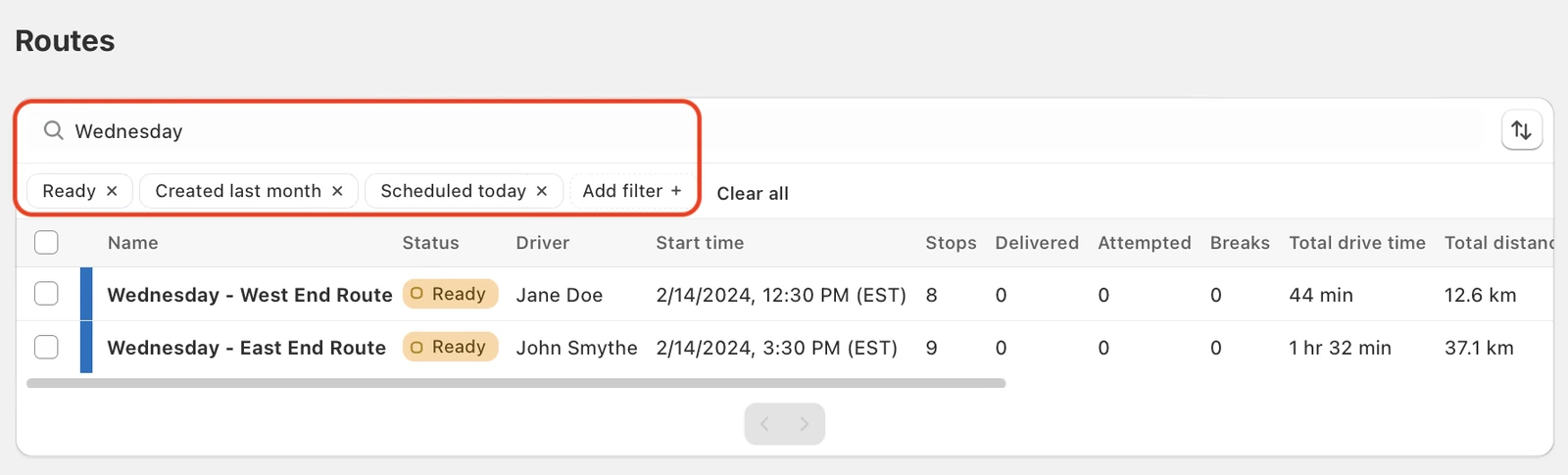
Note that any applied Route filters will be reset to the default Updated last 30 days when you refresh EasyRoutes, navigate outside of EasyRoutes on Shopify, or close the app and re-open it.