The best free route planning tools for local deliveries in 2026, plus a guide to route planning fundamentals, the real cost of free vs. paid tools, and when to upgrade to purpose-built delivery software like EasyRoutes.
When you're running local deliveries — whether it's meal kits, flowers, produce, or pet supplies — efficient route planning isn't optional. It directly impacts your fuel costs, your driver's time, and whether your customers get their orders on time.
The good news: you don't need to spend money to get started. Several free tools can handle basic route planning and make an immediate difference for small delivery operations. This guide covers the best free options, explains what route planning actually involves, breaks down the tradeoffs between free, open source, and paid tools, and helps you recognize when it's time to graduate to a purpose-built solution.
Table of Contents
What is Route Planning?
Why It Matters for Your Business
The Best Free Route Planning Tools
Open Source vs. Free vs. Paid: What's the Real Cost?
How to Improve Your Route Planning Efficiency
When Free Tools Stop Being Enough
What EasyRoutes Gives You Beyond Free Tools
Conclusion
What is Route Planning?
Route planning is the process of determining the most efficient path to visit a set of delivery locations. At its simplest, it's sequencing stops on a map. At its most sophisticated, it involves algorithms that balance distance, travel time, traffic conditions, delivery time windows, vehicle capacity, and driver schedules to produce the optimal route across an entire fleet.
For a solo driver making 5 deliveries, route planning might mean dragging pins around on Google Maps until the order looks right. For a business running 3 drivers across 60 stops with specific delivery windows, it's a computational problem that no human can solve efficiently by hand — and where the difference between a planned route and an optimized route can be 15–20% in total mileage and time.
There are several types of route planning that businesses encounter. Static routes follow a fixed schedule regardless of daily order volume — the same stops in the same order every time. Dynamic routes change daily based on actual orders, and require re-optimization each time. Multi-stop routing sequences dozens or hundreds of stops efficiently. Multi-driver routing splits stops across a team, balancing workloads. And round-trip vs. open-path routing determines whether drivers return to a depot or end their route at the last stop. Understanding which type applies to your operation helps you choose the right tool.
Why It Matters for Your Business
Route planning isn't just about finding directions — it's about protecting your margins and scaling your operation:
Reduced costs. Every unnecessary mile costs you fuel, vehicle wear, and driver time. Businesses using route optimization consistently cut total delivery mileage by 15–20%, and those savings compound every single delivery day.
Better customer experience. Faster, more predictable deliveries mean happier customers. When your drivers follow efficient routes, food arrives hot, flowers arrive fresh, and customers get accurate ETAs instead of vague "sometime today" promises.
Higher productivity. An optimized route lets each driver complete more stops per shift. For a growing business, this means serving more customers without adding vehicles or headcount — a direct improvement to your unit economics.
Safer drivers. Clear, pre-planned routes reduce driver stress, minimize risky last-minute decisions, and ensure drivers aren't rushing through unfamiliar areas to make up lost time. Route planning isn't just an efficiency tool — it's a safety tool.
Scalability. What works for 5 stops breaks down at 25. What works for 1 driver breaks down at 4. The earlier you build route planning into your workflow, the smoother your growth path becomes.
The Best Free Route Planning Tools
If you're just getting started with delivery or running a small operation with fewer than 10 stops per day, these free tools can make an immediate difference:
Google Maps
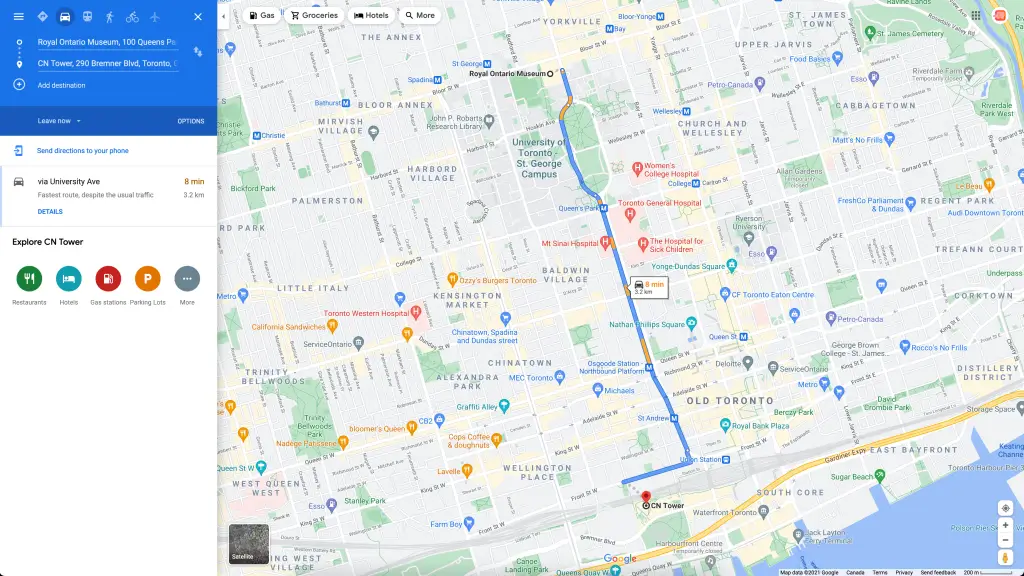
For solo drivers or businesses doing fewer than 10 stops per day, Google Maps is the most familiar and accessible option. You can plot a multi-stop route and it will sequence stops based on driving efficiency. Real-time traffic data is built in, and it works seamlessly across iOS and Android.
The limitations are clear: a hard cap of 10 stops per route, no stop-order optimization (it routes in the order you enter them), no driver tracking, and no ability to manage multiple drivers or delivery windows. It's a solid starting point, but not a tool for growing operations.
MapQuest Route Planner
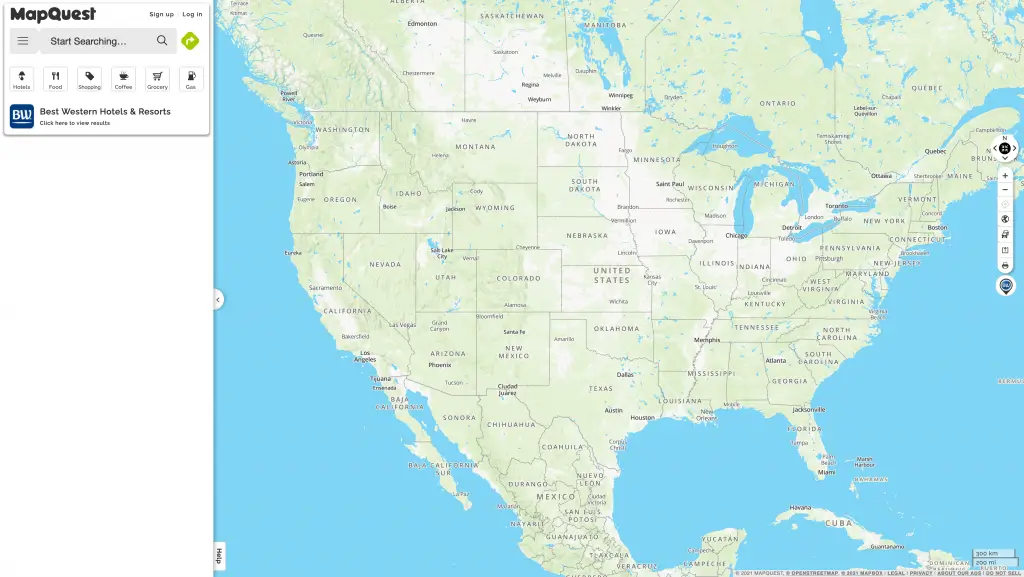
MapQuest supports up to 26 stops per route with drag-and-drop editing, traffic insights, and — critically for some teams — printable directions. If you have drivers who prefer a paper backup or aren't comfortable with smartphone navigation, MapQuest's print-friendly format is a genuine advantage.
It doesn't offer real-time tracking, driver management, or customer notifications, but it's a meaningful upgrade from Google Maps for route complexity.
RouteXL
RouteXL is a web-based tool that accepts manual address entry or spreadsheet upload and calculates the most efficient route sequence. Its free tier supports up to 20 stops per route, and the interface is clean and intuitive. It's a strong fit for small operations like coffee shops or butchers running daily local deliveries.
RouteXL's map-based editing and batch processing give it an edge over basic navigation apps, though mobile functionality is limited.
Spoke Free
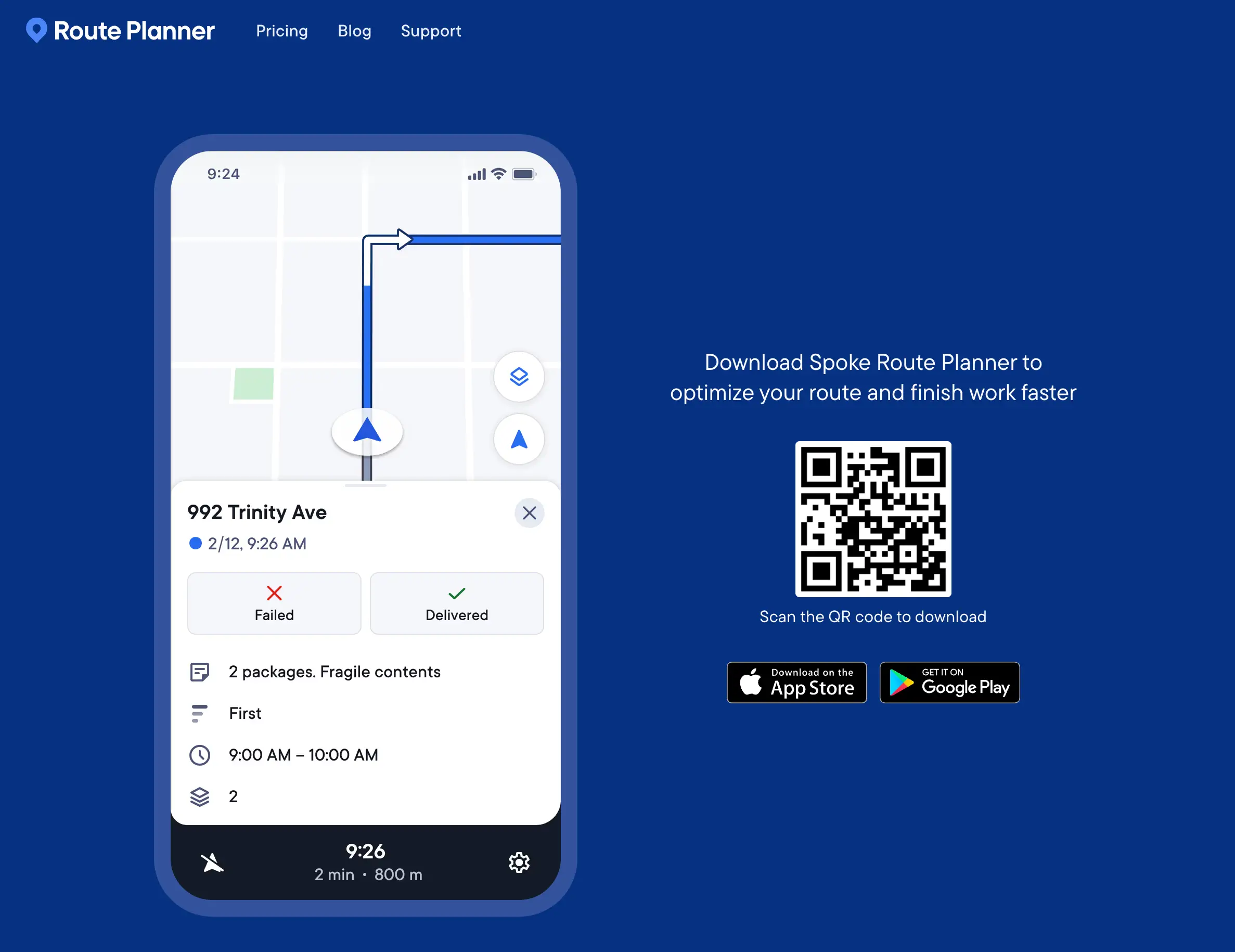
Spoke Free is a mobile-first route planner that optimizes up to 10 stops with driver-friendly turn-by-turn directions. The app is fast, modern, and intuitive — making it ideal for hyperlocal businesses delivering within a single neighbourhood or town. The free version doesn't support route sharing or multi-driver management, so it works best as an individual tool rather than a team solution.
Speedy Route
Speedy Route is a lightweight, browser-based planner that calculates efficient stop sequences quickly. No account required, up to 10 stops on the free tier, and printable output. It's best for ad-hoc routes when you need a quick answer — not for recurring daily routes or complex operations.
Open Source vs. Free vs. Paid: What's the Real Cost?
When evaluating route planning tools, "free" doesn't always mean zero cost. Understanding the real tradeoffs helps you make a smarter decision:
Open source route planners offer publicly available code that you can modify and customize. The appeal is obvious — no licensing fees, full control over the software. The reality is more complicated: open source tools often require significant technical expertise to install, configure, and maintain. User interfaces tend to be rough, compatibility issues are common, and the hidden costs of customization, integration, and ongoing support can exceed what you'd pay for a commercial product. Unless you have a developer on staff who can manage the system, open source typically costs more time and money than it saves.
Free tools (Google Maps, MapQuest, Speedy Route) give you exactly what you pay for: basic functionality with clear limitations. They handle point-to-point navigation and simple multi-stop sequencing, but they don't optimize stop order intelligently, can't manage multiple drivers, don't provide customer notifications, and offer no delivery tracking or proof of delivery. For very small operations, this is fine. For anything beyond a handful of daily deliveries, free tools create invisible costs in wasted time, extra mileage, and manual workarounds that add up quickly.
Paid tools with free trials represent the middle ground that most growing businesses land on. A commercial route optimization platform like EasyRoutes provides AI-powered route optimization, multi-driver management, real-time tracking, customer notifications, proof of delivery, and direct integration with your e-commerce platform — all features that free and open source tools can't match. The free trial lets you test whether the ROI justifies the subscription before committing.
The key question isn't "which tool is cheapest?" It's "what is inefficient routing actually costing me?" If your drivers are spending an extra 30 minutes per day on suboptimal routes, that's 2.5 hours per week per driver in wasted labor and fuel. For most businesses, a $30–$50/month route planning subscription pays for itself within the first week.
How to Improve Your Route Planning Efficiency
Regardless of which tool you use, these practices will make your routing more efficient:
Map your current process first. Before changing tools, document exactly how you plan routes today — every step, every minute. You'll often discover that the biggest time sinks aren't in the routing itself but in the manual steps around it: copying addresses from emails into spreadsheets, texting drivers their stop lists, fielding "where's my order?" calls.
Automate data entry. If you're manually typing addresses into a route planner from your order management system, that's the first thing to eliminate. Tools that integrate directly with your e-commerce platform — like EasyRoutes with Shopify — pull orders in automatically, saving hours of manual work per week and eliminating transcription errors.
Batch orders by geography and time window. Group deliveries that are close together and have compatible delivery windows into the same route. This sounds obvious, but many small businesses assign orders to drivers randomly or first-come-first-served, which creates inefficient zig-zag patterns.
Build in realistic time per stop. A route that looks great on paper falls apart if it doesn't account for actual service time — parking, walking to the door, waiting for a customer, capturing proof of delivery. EasyRoutes lets you set a time-per-stop buffer that's automatically factored into route timing, preventing the cascading delays that come from over-optimistic scheduling.
Review and learn from past routes. Track which routes consistently run over time, which areas have recurring issues, and which drivers complete routes fastest. This data — available through delivery analytics in tools like EasyRoutes — turns every delivery day into an opportunity to improve the next one.
Keep a printable backup. Even in 2026, paper has its place. A printed route serves as a backup when phones die, a packing checklist for the warehouse, and a quick reference that doesn't require unlocking a screen. EasyRoutes includes a customizable print feature that lets you generate route maps, stop lists, item inventories, and packing lists — printing only what you need to minimize waste.
When Free Tools Stop Being Enough
Free route planning tools serve an important purpose, but there are clear signals that you've outgrown them:
You're regularly exceeding 10–20 stops per route. Every free tool has a stop limit that forces you to split routes manually, re-enter data, and lose optimization across the full delivery set.
You're managing multiple drivers. Free tools handle one route at a time. Splitting orders across 2–3 drivers while balancing workloads and delivery windows is a problem that requires purpose-built software.
Customers are asking "where's my order?" Without real-time tracking and automated notifications, your team fields these calls manually — eating into time that should be spent on operations.
You're spending more than 30 minutes per day on route planning. If manual planning takes a significant chunk of your morning, the ROI of an automated tool is immediate and obvious.
You need proof of delivery. Photos, signatures, and GPS-stamped delivery confirmations aren't available in any free route planner. If delivery disputes or accountability are a concern, you need a tool that captures proof of delivery as part of the driver workflow.
Your delivery operation is a brand touchpoint. When you're competing on delivery experience — not just delivery speed — you need customer-facing tracking pages, branded notifications, and professional delivery confirmation that free tools simply don't provide.
What EasyRoutes Gives You Beyond Free Tools
EasyRoutes is built specifically for delivery businesses that have outgrown free tools, but can't shoulder the expense of enterprise-grade logistics software. Here's what it provides that free tools can't:
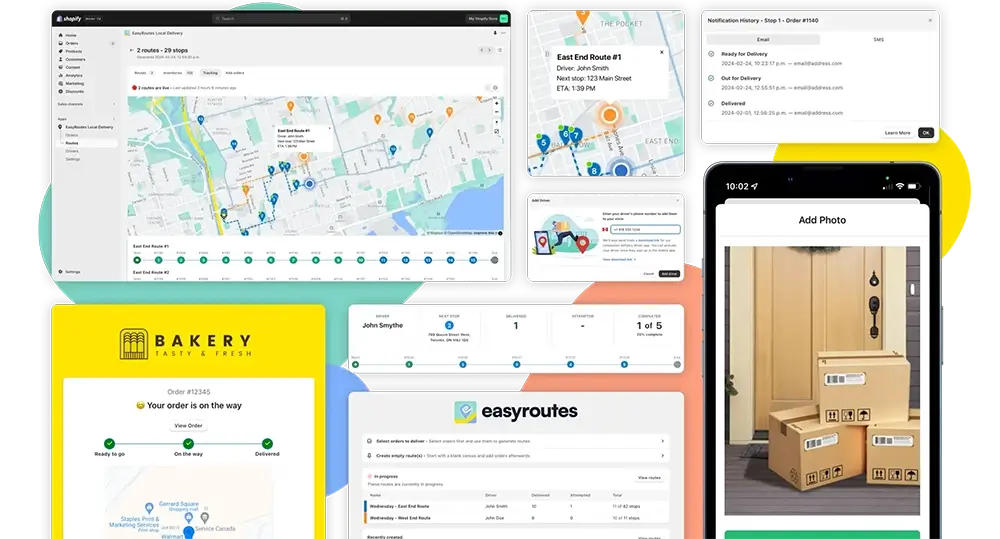
AI-powered route optimization that handles unlimited stops, multiple drivers, delivery time windows, and vehicle capacity — producing routes in seconds that would take hours to plan manually.
A dedicated driver app with turn-by-turn navigation (via Google Maps, Waze, or Apple Maps), stop-by-stop order details, delivery notes, and one-tap status updates.
Proof of delivery — photos, e-signatures, and delivery notes captured by the driver and synced instantly to your dashboard.
Real-time tracking and customer notifications that let customers follow their delivery live and receive automated updates via SMS and email — dramatically reducing support inquiries.
Delivery analytics that track on-time rates, driver performance, delivery times, and operational efficiency over time.
Printable routes with customizable output — route maps, stop lists, item inventories, order tags, and packing lists. Print only what you need, whether it's a driver's road reference or a warehouse packing checklist.
Businesses like Wonky Box made this exact transition — from spreadsheets and basic map tools to EasyRoutes. Route planning that once consumed hours now takes minutes, customers receive real-time delivery updates, and the team focuses on growing the business instead of managing logistics manually.
Conclusion
Free route planning tools are a smart place to start. Google Maps, RouteXL, MapQuest, Spoke, and Speedy Route all offer genuine value for small-scale local delivery. But as your operation grows — more stops, more drivers, higher customer expectations — the limitations of free tools become real costs: wasted time, extra miles, manual workarounds, and missed delivery windows.
The path forward is clear: start free, learn what your operation actually needs, and scale into a purpose-built tool when the ROI is obvious — a purpose-built tool like EasyRoutes.
Ready to go from free to frictionless? EasyRoutes gives you AI-optimized routes, real-time tracking, proof of delivery, and a professional driver app — all within a single, integrated platform. Start your 14-day free trial today and see the difference.
EasyRoutes is a delivery management and route optimization platform for merchants, local delivery teams, and logistics operators. It helps you plan routes, dispatch to drivers, track progress in real time, and notify customers. Works with Shopify and integrates with other e-commerce platforms via EasyRoutes for Web.
EasyRoutes optimizes deliveries using your selected orders, start & end locations, stop time intervals, time windows, and route limits. You can balance routes, respect capacities, and re‑optimize as plans change.
Yes. Enable Balance routes to distribute stops as evenly as possible across multiple routes/drivers while respecting other route constraints (like time windows, or item/weight limits).
Yes. You can set delivery time windows per stop or import them from supported third‑party date/time apps. EasyRoutes optimizes routes to meet these windows and calculates ETAs accordingly.
Yes. Drivers can launch directions via Google Maps, Apple Maps, or Waze from each stop, and pick a default navigation app in their mobile app settings.
EasyRoutes supports delivery photos, e‑signature, driver notes, and automatic timestamps (with GPS location when available) to provide a complete delivery record.
Yes. Enable Real‑Time Tracking in Settings → Driver settings (Premium/Enterprise subscription plans) to view live driver location and progress in the Tracking tab of any route.
Yes. With the Premium plan and above, fully customize email/SMS: add your logo and colors, edit copy/variables, and choose which events send. Works for Shopify orders and imported/manual stops.
Yes. New and updated Shopify orders flow into EasyRoutes automatically so your Orders page stays current for planning. If something looks off, refresh and check your date/location filters.
Yes. Define custom start and end points per route so planning and ETAs include travel to and from these locations. Supported in EasyRoutes for Shopify and EasyRoutes for Web.
Delivery Analytics shows totals and trends for stops and routes, including completed vs. missed deliveries, average delivery time, per‑driver performance, and route metrics over a chosen period.
EasyRoutes is the AI-native delivery operations platform trusted by 5,000+ businesses across 75+ countries. Plan routes in seconds, dispatch drivers automatically, and delight your customers — from Shopify or any order source. Experience delivery operations that run themselves. Rated 4.9 stars and certified Built for Shopify.