
Non-Shippable Item Improvements:
We've added a new setting (configure from EasyRoutes Settings > General tab, Fulfillment items section) that, when enabled, will hide non-shippable items from route inventories:
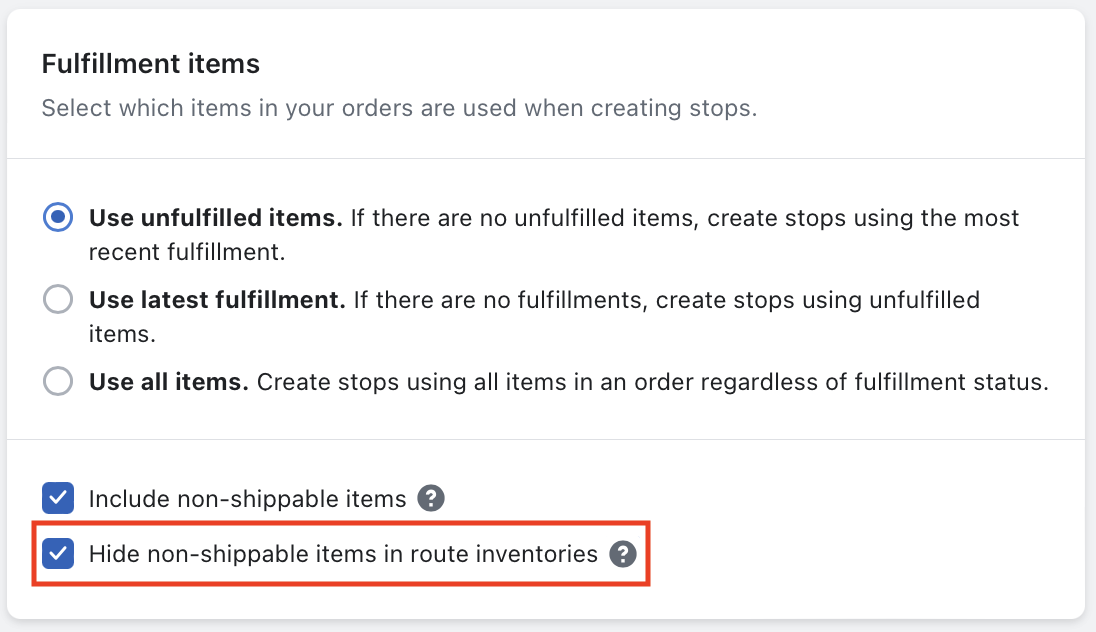
This can be particularly useful when orders contain non-shippable "items" that represent a subsequent delivery or pickup that will be fulfilled at a later date (for example, delivering a rental order that must be picked up on a future route, and where this pickup is included in the order as a non-shippable item).
When this setting is enabled, non-shippable items will be hidden from all item count and weight summaries for stops and routes, including:
- Packing slips
- Packing labels
- Inventory summaries
- Inventory tabs
- Groups page
- Route/stop exports
Driver Tasks Improvements:
- Existing Driver Tasks can now be edited directly below the map when viewing any saved Filter View tabs.
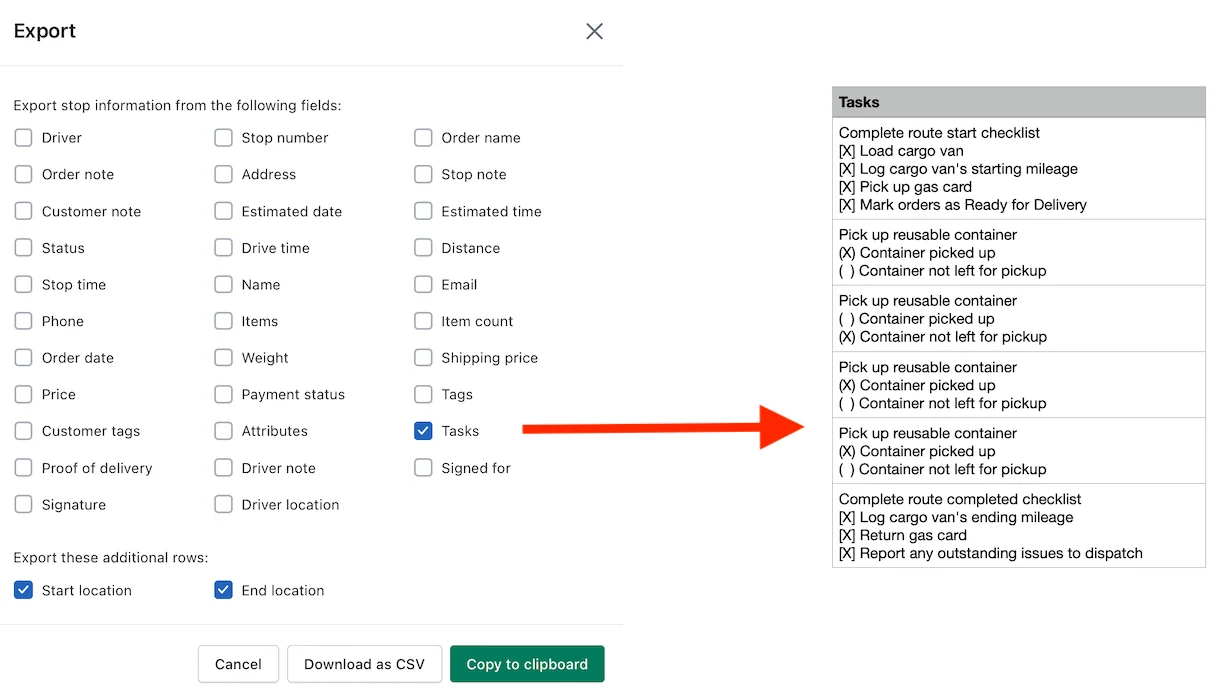
- Pending and completed Driver Tasks can now be included when exporting a route:
Additional Updates:
- When accessing a stop's Notification History, an error will now display if the customer associated with that stop has previously unsubscribed from receiving delivery event notifications.
- Delivery Zones can now be used to select orders from the Add Orders tab of any route.
- Improved matching logic for US ZIP codes.