
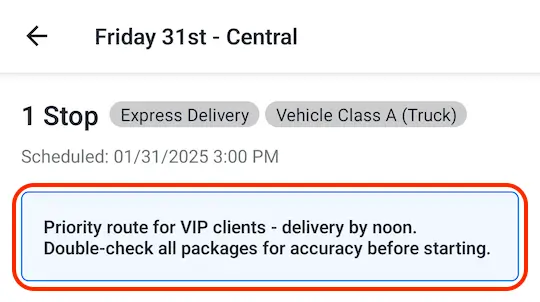
Building on our recently announced route tags feature, we've added another new way to quickly communicate and store key information applying to entire routes: route notes.
Use route notes to flag priority routes for drivers, indicate unique delivery instructions for specialized routes, or communicate any other information that applies to specific routes. Route notes can be added or edited from the Routes page or All routes view of any route group in batches, or added/edited directly when viewing individual routes. Applied notes are accessible from the same pages, as well as within the Delivery Driver mobile app (shown above) for quick driver reference.
For full details on adding, editing, and viewing route notes, see the support article for this new feature. Note that drivers will need to update to the latest version (1.0.62 or above) in order to access notes from within the mobile app.