
We've added a new feature allowing routes created as part of a route group to be printed all at once in a single print job. The print menu for route groups works in the same way as when printing an individual route, with minor exceptions noted below.
To print a route group, first navigate to a route contained within that group, and use the navigation arrows or group menu in the top-right corner of the page to access the All routes view, then click the Print button below the map:
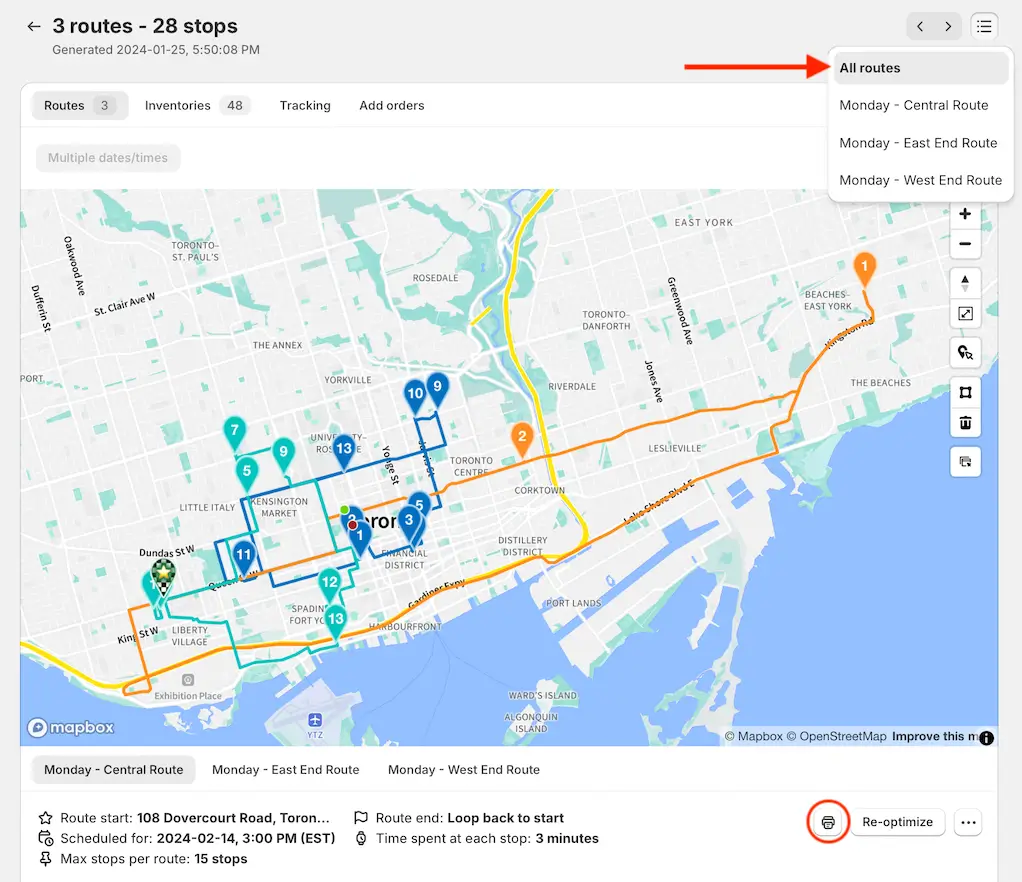
Notes:
- Routes will be printed in the same order they are listed in the route group overview page and route group navigation menu.
- When printing a group, the Route map option will be replaced with a Group map option, containing all of the group's route lines on one map printout.
- When printing Inventory, EasyRoutes will generate a printout for all items in the entire route group first, followed by individual inventory printouts for each of the routes contained in the group.
- When printing Packing slips and Packing labels, both of these items will be grouped together with the rest of the data from their respective routes for additional ease of sorting printouts route-by-route.