Route Optimization Software for Commercial Fleets
By Joe SnyderRoute optimization software helps commercial fleets and trucking operations cut fuel costs, plan compliant truck routes, and deliver faster in 2026.

Route optimization software helps commercial fleets and trucking operations cut fuel costs, plan compliant truck routes, and deliver faster in 2026.
For any business that moves goods, the route a vehicle takes is rarely the simple straight line between two points. Trucks move more than 72% of all domestic freight tonnage in the United States — roughly 11.27 billion tons in 2024 alone, according to the American Trucking Associations. With rising fuel costs, tighter delivery windows, and customers who expect near-instant fulfillment, the way you plan and sequence those routes has become one of the biggest levers you have over cost and service quality.
This guide explains how route optimization software works for commercial fleets and trucking operations, what makes commercial routing different from everyday navigation, the capabilities that matter most, and how to choose a tool that fits your business in 2026.

Effective route optimization is about far more than shortening distance. It weighs vehicle load capacity, road restrictions, driver hours, delivery windows, and traffic to find the quickest, safest, and most cost-effective way to complete a day of stops. For a commercial fleet, getting this right directly reduces operating costs and improves delivery reliability — the two factors that most influence whether customers come back.
The stakes keep climbing. The last-mile delivery market is projected to grow from about $199.68 billion in 2026 to $277.76 billion by 2030, expanding at roughly 8.4% a year, per Research and Markets. As volumes rise and same-day expectations spread, fleets that still plan routes by hand simply cannot keep pace with operators who optimize.

Routing a commercial vehicle is a fundamentally different problem from routing a car. Standard consumer navigation can produce inaccurate travel times and unsafe directions for a truck because it ignores the constraints heavy vehicles actually face: weight limits, low bridges, hazardous-material restrictions, and roads where trucks are prohibited outright.
Commercial routes also vary in length and timing in ways personal trips do not. Planning an effective path for a heavy-duty straight truck means accounting for truck parking, weigh stations, rest areas, and state regulations that govern where and when a vehicle can travel. With nearly 14.9 million single-unit and combination trucks registered in the U.S., according to ATA industry data, the operational variety across fleets is enormous — and a routing tool has to respect those vehicle-specific limits to be useful.
Setting realistic objectives matters here, too. A strong plan can cover a lot of stops, but the targets only hold up when they account for traffic, time windows, tolls, and the other roadblocks a driver actually encounters. Two habits make commercial routes far more dependable: assigning deliveries to vehicles based on what each truck is built to carry, and combining pickups and deliveries into a single route instead of planning them separately. Both reduce empty miles and squeeze more productive work out of every vehicle on the road.

Plenty of operations still build routes with pen and paper, spreadsheets, or consumer mapping apps. Each approach hits a wall quickly. Paper offers no map view and no way to know about turn restrictions, one-way streets, or road construction. Spreadsheets carry the same blind spots plus a real risk of data loss. And free consumer mapping tools typically cap you at around ten stops, which is a non-starter for a fleet handling hundreds of deliveries a day.
Manual planning also makes it nearly impossible to honor each customer's unique requirements — morning versus afternoon windows, specific entrances, or vehicle-specific limits — while still producing an efficient sequence. Knowing when to switch from manual planning to software usually comes down to a simple question: are you spending hours building routes that still leave drivers stuck, backtracking, or late? If so, the spreadsheet has already cost more than the software would.
Complex destinations expose the gap most clearly. Delivering to a small office is easy; delivering to a hospital or a sprawling corporate campus with several entrances is not. A consumer map usually shows a single entrance that may not be the right one, so drivers circle the building, burning fuel and time while the customer waits. Routing software that lets you drop a precise pin on the correct dock or door removes that uncertainty before the driver ever leaves the depot.

Modern route planning tools use algorithms — increasingly powered by AI and machine learning — to analyze large amounts of data and generate the most efficient route in seconds. What would take a dispatcher hours of trial and error is solved almost instantly, complete with turn-by-turn directions for each driver.
Under the hood, the software is solving versions of the classic multi-stop routing problem: given many stops, many constraints, and limited vehicles, what sequence minimizes time and cost? Good tools fold in real-time traffic, weather, and delivery windows so the route stays realistic, and they let a planner build multiple routes for multiple drivers at once rather than one at a time.
No plan survives contact with the road untouched. A vehicle breaks down, a road closes, or a customer calls with an emergency request to move a delivery earlier. Dynamic rerouting means a single delay or change does not unravel the whole day — the system resequences the remaining stops and keeps drivers on the most efficient path available. Without software, you often learn about these disruptions only when a customer complains; with it, the route adapts before the delay cascades into missed windows.
Not every routing tool handles commercial constraints well, so it is worth confirming the specifics before you commit. The capabilities that separate a true fleet optimizer from a basic planner include:
A fleet that can encode these rules once and apply them to every route eliminates the guesswork that manual planning leaves behind.

Strategic routing does more than trim distance — it actively protects your margins. Routes that minimize idling, backtracking, and unnecessary stops cut fuel burn and reduce wear on the fleet, extending vehicle life. Considering cargo weight, vehicle type, and even road gradients lets the software plan paths that are genuinely cheaper to drive.
The most cited proof comes from how the largest carriers approach last-mile optimization. UPS built its ORION system specifically to minimize left turns, which force vehicles to idle while waiting on oncoming traffic. That single design choice helped the company save an estimated 10 million gallons of fuel and $300–400 million in annual costs while cutting roughly 100,000 metric tons of CO2 emissions, according to supply-chain analyses of the program. You do not need a fleet of 100,000 vehicles to benefit from the same principle: smarter sequencing compounds into real savings. For an operational playbook focused on the pump, our guide to cutting fuel costs in a delivery business goes deeper.
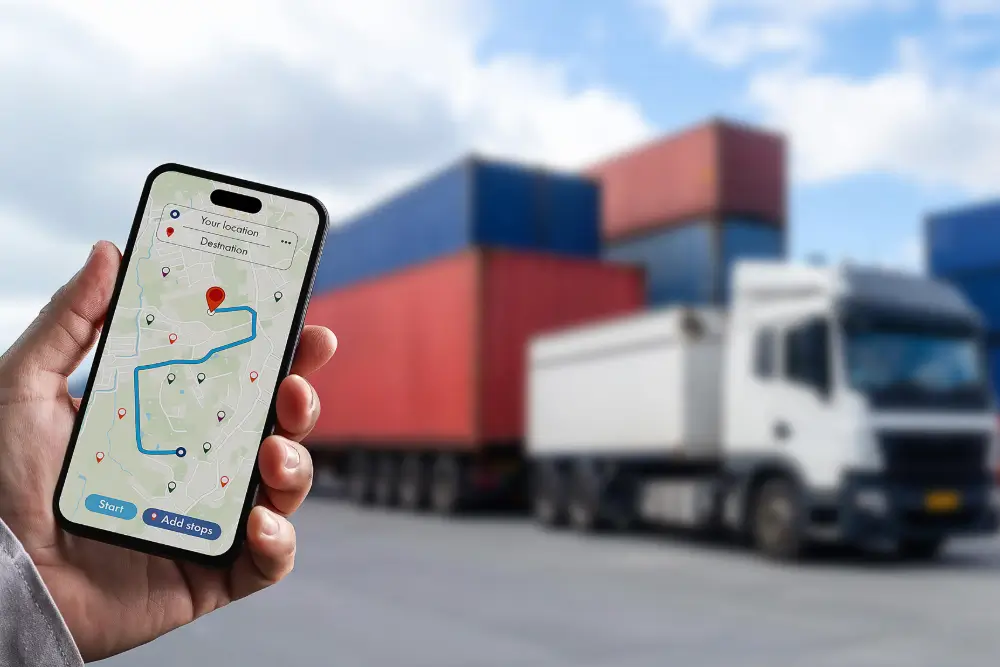
Optimization does not end when the route is dispatched. GPS-based driver and vehicle tracking gives dispatchers live visibility, surfaces sudden congestion so drivers can reroute, and feeds the accurate delivery ETAs and notifications that customers now expect. That visibility is also what allows a planner to adjust mid-day when reality diverges from the plan.
The payoff is loyalty. Efficient routing enables faster, more reliable deliveries, more accurate delivery windows, and real-time order tracking — all of which build the trust that leads to repeat business. In a market where buyers compare you against same-day giants, dependable delivery is a competitive advantage, not a nicety.
There is an analytics dividend, too. Every optimized route generates data on drivers, vehicles, and delivery performance, and reporting on that history helps managers spot bottlenecks, forecast staffing, and make better decisions over time. Automated customer notifications and digital proof of delivery round out the experience: customers know when their order is coming, and you have a verifiable record that it arrived. Together these features turn routing software from a planning tool into a continuous-improvement engine for the whole operation.
Compliance belongs inside the routing decision, not bolted on afterward. Routes should respect vehicle restrictions on specific roads, weight limits, and drivers' hours-of-service rules. Building these requirements into your optimization avoids costly fines and, more importantly, keeps drivers and the public safe. Encouraging drivers to share feedback on the routes they actually drive is a valuable complement here — front-line insight often reveals practical hazards and shortcuts that no dataset captures.
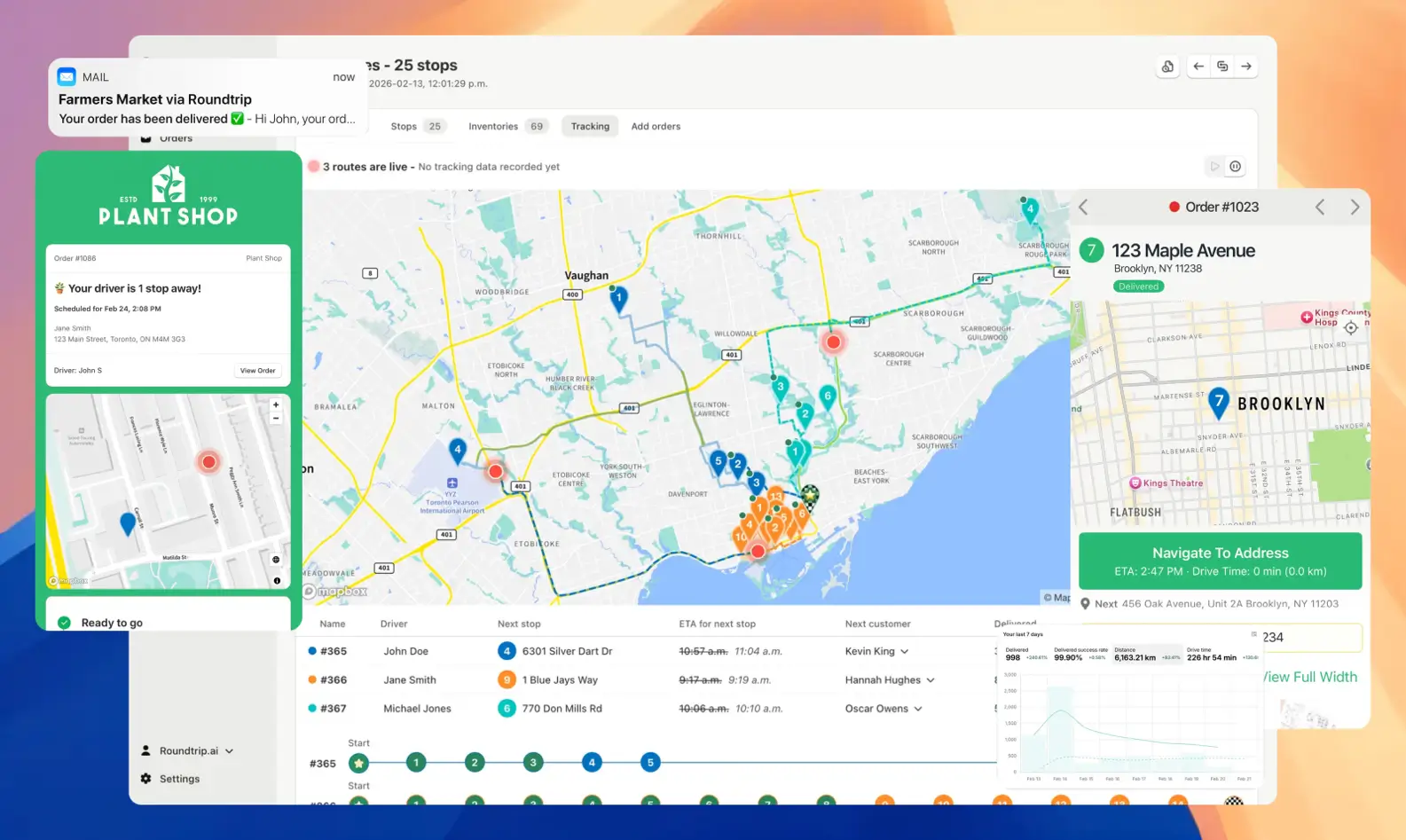
The right tool depends on your fleet size, delivery model, and the constraints above. Before committing, weigh your needs against each platform's feature set; our comparison of the best route planning tools is a useful starting point. For Shopify merchants and last-mile delivery teams in particular, EasyRoutes pairs a robust optimization engine with a deliberately simple, human-centered design.
EasyRoutes integrates directly with Shopify, so there is no exporting and importing spreadsheets — you select the orders you want to deliver and the app calculates the most cost-effective route. It supports multi-route and multi-driver planning, vehicle capacity and time-window constraints, route sharing, on-the-fly re-optimization, real-time tracking, and proof of delivery, making it a full delivery management suite rather than just a routing calculator.
Optimizing routes for trucks and commercial fleets is a continuous process, not a one-time setup. By leaning on purpose-built software, respecting the constraints that make commercial routing unique, and folding in driver feedback and live tracking, fleets can cut costs and lift service levels at the same time. Ready to transform your fleet's efficiency? Visit the EasyRoutes website to see how it can optimize your delivery routes and move your business forward.
EasyRoutes optimizes deliveries using your selected orders, start & end locations, stop time intervals, time windows, and route limits. You can balance routes, respect capacities, and re‑optimize as plans change.
See: Route Options · EasyRoutes 101
Yes. EasyRoutes supports Vehicle Profiles you can configure and assign to routes. EasyRoutes also supports capacity planning via item or weight limits per route. Use these with other options (like time windows, or custom start/end locations) to keep plans realistic and drivers on schedule.
See: Vehicle Profiles · Max items/weight per route · Commercial/GPX Export
Absolutely. Plan with item and weight limits to reflect the capacities of your fleet. Configure and assign Vehicle Profiles for an additional indicator for routes that have specific restrictions by vehicle.
Yes. You can set delivery time windows per stop or import them from supported third‑party date/time apps. EasyRoutes optimizes routes to meet these windows and calculates ETAs accordingly.
Yes. Turn on settings to avoid toll roads and u‑turns from the Route Options panel. Enable these options before planning a route, or edit the route after creation and re‑optimize to see them reflected in your route.
See: Route Options
Yes. Schedule routes across multiple days with configured start times/locations and add an overnight driver break to maintain accurate ETAs.
See: Multi‑Day Scheduling
Yes. Re‑optimize at any time — after adding or removing stops, changing stop priorities, editing route options, or balancing loads. Drivers can also re-optimize routes delivered out of order, or re‑order stops if enabled from your EasyRoutes Settings.
ETAs use route distance, stop service times, and historical traffic, and they update during the day as drivers progress. Accuracy improves when addresses and time windows are clean.
EasyRoutes is the AI-native delivery operations platform trusted by 5,000+ businesses across 75+ countries. Plan routes in seconds, dispatch drivers automatically, and delight your customers — from Shopify or any order source. Experience delivery operations that run themselves. Rated 4.9 stars and certified Built for Shopify.
⭐⭐⭐⭐⭐ 4.9 stars • Trusted by 5,000+ Businesses





