Routing Software Training: Onboard Your Team Fast
By Joe SnyderTrain your delivery team on routing software fast with role-based onboarding, hands-on practice, troubleshooting and adoption tips that turn it into ROI.

Train your delivery team on routing software fast with role-based onboarding, hands-on practice, troubleshooting and adoption tips that turn it into ROI.
You’ve picked the perfect delivery routing software. The routes are optimized, the interface looks clean, and you can already see the time and money you’re going to save. But then comes the part that quietly decides whether any of it pays off: getting your team to actually use it. That’s where a lot of operations stumble—and the data backs it up. Gartner has found that roughly 70% of software rollouts fail to deliver the ROI they were bought for, and the culprit is rarely the technology. It’s adoption.
Whether you’re running a meal kit operation, a florist, or a laundry service, successful onboarding isn’t just about showing people which buttons to press. It’s about building confidence, minimizing disruption, and making sure everyone—from the dispatcher to the driver—feels empowered rather than overwhelmed. With the right approach, you can turn a stressful change into a smooth upgrade that benefits the entire team. This guide walks through how to do exactly that.
You can have the best tool on the planet, but if your team isn’t using it—or worse, using it incorrectly—your investment won’t pay off. The last-mile delivery market is now projected to reach roughly $200 billion in 2026 and to keep growing at about 8% a year, which means more orders, tighter delivery windows, and far less room for the kind of guesswork that manual planning invites. Software is how growing businesses keep up—but only if the people on the ground embrace it.
The single biggest barrier to that is fear. Research on digital adoption shows that around 37% of employees actively resist change, driven by lack of awareness, mistrust, and simple fear of the unknown. People worry they’ll make mistakes, look slow, or get left behind. Step one of any rollout is showing your team that the new system makes their jobs easier, not harder.
If you’re still weighing whether the switch is even worth it, our breakdown of manual route planning versus delivery software lays out where spreadsheets quietly start costing you more than they save.
Before training begins, communicate clearly why you’re switching tools. Is it to cut planning time? Improve delivery accuracy? Reduce late arrivals and the support calls that follow them?
Tie the benefits directly to your team’s daily frustrations. Let drivers know they’ll no longer need to call dispatch for address clarifications, and let your dispatcher know they’ll stop dragging pins across a map for two hours every morning. When people understand the “why,” they’re far more willing to engage with the “how.” Transparency builds trust, and trust is what carries a team through the awkward first week of any new system.
It also helps to be honest about the learning curve. A phased rollout—introducing the highest-impact features first and layering in the rest once the basics stick—creates early wins and momentum instead of overwhelming everyone on day one.

One size doesn’t fit all—especially in a delivery operation. Dispatchers, drivers, customer-service reps, and operations managers all touch routing software in different ways, and generic, everyone-in-one-room training is a known adoption killer. Workforce research is blunt about this: a one-size-fits-all approach is often ineffective, and role-based training is consistently tied to higher adoption and retention. Map your training to what each person actually does:
Role-specific onboarding means fewer questions, faster confidence, and far less time wasted teaching people features they’ll never open.
Forget the PowerPoint marathon. When you’re training people on a tool they’ll use every shift, context and repetition beat lecture every time. There’s a measurable payoff, too: studies on workplace learning find that employee performance improves by 15–25% when training is hands-on and self-paced rather than crammed into a single sit-down session.
Run a mock route with real stops. Have drivers practice scanning packages, logging completions, capturing proof of delivery, and following turn-by-turn directions before any real orders are on the line. Pair experienced team members with newcomers so internal support starts forming naturally. Let people test, fumble, and ask “dumb” questions in a low-stakes setting—that’s exactly when the learning sticks.

Even great training doesn’t eliminate every question, so your plan should include quick-reference cheat sheets, short screen-recorded clips, and easy access to the software’s own help articles. Choose tools with intuitive interfaces and solid documentation, because mid-route is the worst time to be stuck.
Designate a “super user”—your operations lead or whoever is naturally tech-savvy—to handle real-time troubleshooting. Their job isn’t to fix everything; it’s to keep momentum going when someone hits a snag. It also helps to walk the team through the most common delivery mistakes up front, so they recognize and sidestep the errors that trip up most new operations. Mistakes will happen, but with the right backup they won’t derail your day.
Here’s a trap worth avoiding: training-completion rates are one of the least useful ways to gauge success. As adoption specialists at Userlane point out, a completed course proves someone sat through it, not that they can do the work. What matters is whether people are using the system for its intended purpose—and whether that usage sticks. The critical window is the 30 to 90 days after go-live; drop-off there signals that onboarding worked but ongoing support didn’t.
So watch real outcomes: are routes being optimized in the software instead of by hand, are drivers capturing proof of delivery, are ETAs going out automatically? Tracking the right delivery metrics and KPIs—on-time rate, first-attempt success, completed stops per route—tells you whether the tool is actually earning its keep, and where someone might quietly need more help.

If your software feels like a spaceship dashboard, your team won’t use it—no amount of training fixes a fundamentally clunky tool. This is why your choice of platform is really the first training decision you make. (If you’re still shortlisting, our guide to choosing the right route planner covers the features that matter most.)
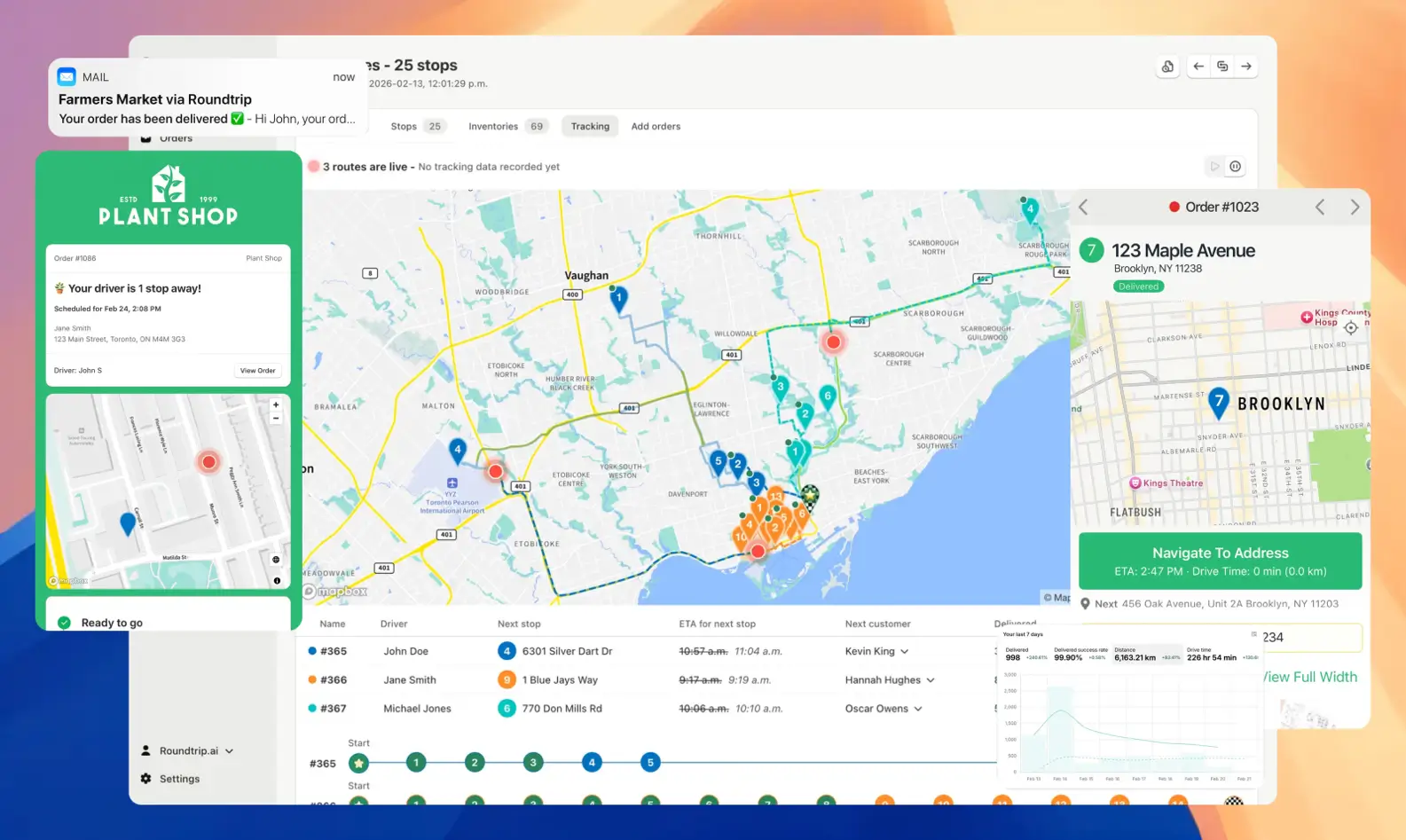
Tools like EasyRoutes are built for real-life use rather than tech demos. With automatic tracking and notifications, true route optimization, and a driver-friendly app, EasyRoutes helps teams get up and running quickly—and it integrates directly with Shopify, so there’s no exporting spreadsheets or retyping order info. Features like batch routing, multi-driver dispatch, and real-time updates put it firmly in the same category as full-featured delivery management software, without the enterprise learning curve.
The payoff is concrete. Every unnecessary mile carries a real cost—the IRS pegs the 2026 standard cost of operating a vehicle at 72.5 cents per mile, covering fuel, maintenance, and wear. Trim a dozen redundant miles per driver per day and the savings compound fast. The quicker your team adopts the tool, the sooner those savings start landing.
Drink Juice Co., a health-focused beverage business, faced a familiar problem: rising order volume and an increasingly complex delivery process. Manual planning was eating into prep time, and delivery errors were creeping in.
By switching to EasyRoutes, they didn’t just optimize routes—they overhauled their workflow. The team followed a simple, role-specific training plan, tested the new system on a few low-stakes days, and fully transitioned within a week. The result? More deliveries completed, fewer mistakes, and a happier team that didn’t need a tech degree to get the job done.
Adopting delivery routing software is one of the smartest moves a growing business can make. But the return doesn’t come from installing the tool—it comes from helping your team embrace it. Start with a clear “why,” tailor training to each role, give people hands-on practice, measure real adoption instead of attendance, and choose software designed for actual humans.
Do that, and your team won’t just survive the transition—they’ll thrive through it. Looking to simplify delivery, delight customers, and empower your team with smarter tools? EasyRoutes has everything you need to make onboarding easy—and long-term success inevitable.
Most teams connect, fetch orders, and create their first optimized route in under an hour. Follow the Getting Started guide found on the EasyRoutes support portal to reach your “aha” moment fast.
See: Getting Started
Yes. Drivers can launch directions via Google Maps, Apple Maps, or Waze from each stop, and pick a default navigation app in their mobile app settings.
Absolutely. Drivers can add photos, collect an e‑signature, and record notes at each stop; these appear in the route and customer tracking (if enabled).
See: Proof of Delivery
Yes — if enabled. Planners can allow drivers to manually reorder stops and or re‑optimize remaining stops mid‑route.
Yes. Generate a dispatch link that lets eligible drivers claim a route themselves; the first to claim becomes the assigned driver.
See: Driver Self‑Assign
Yes. Assign routes to drivers directly, or share a self‑assign link so eligible drivers can claim routes. Drivers complete deliveries in the EasyRoutes Delivery Driver mobile app.
Yes. Enable Real‑Time Tracking in Settings → Driver settings (Premium/Enterprise subscription plans) to view live driver location and progress in the Tracking tab of any route.
See: Real‑Time Tracking
Yes. Schedule routes for specific dates/times, and ETAs will be calculated for each stop on a route. These ETAs can be shared via customer tracking links and email/SMS delivery notifications.
No. Each route has one assigned driver at a time. To share the work, split stops across multiple routes or use self‑assign links on separate routes.
See: Driver Assignment
Yes. Print route summaries, packing slips/labels, and inventory lists from the route’s Print menu, or save as PDF for digital sharing.
EasyRoutes is the AI-native delivery operations platform trusted by 5,000+ businesses across 75+ countries. Plan routes in seconds, dispatch drivers automatically, and delight your customers — from Shopify or any order source. Experience delivery operations that run themselves. Rated 4.8 stars and certified Built for Shopify.
⭐⭐⭐⭐⭐ 4.9 stars • Trusted by 5,000+ Businesses





