
What's new?
⚙️ Automation Improvements
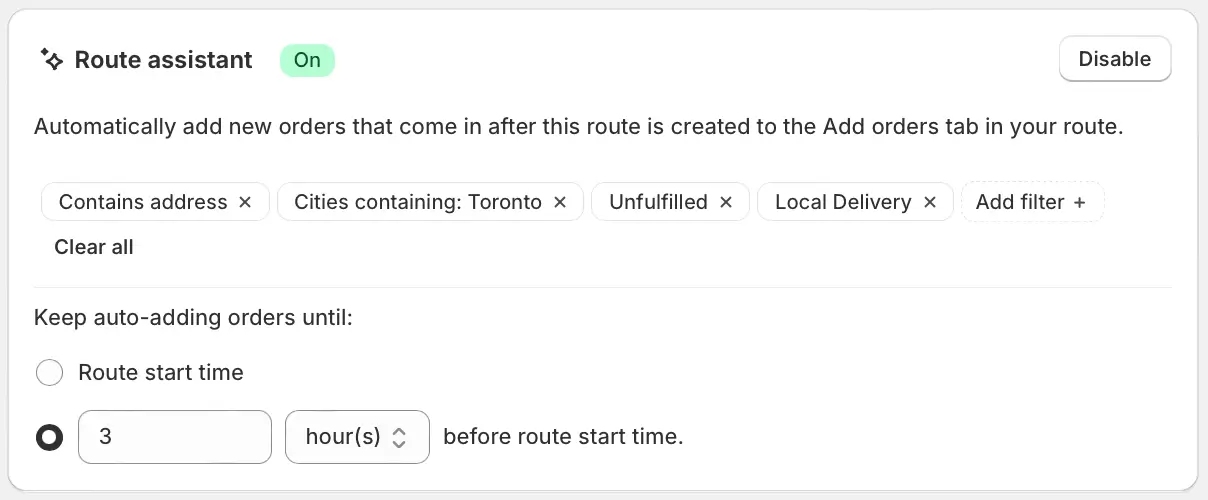
We've added a new setting to the Route Assistant, allowing users to configure how far in advance of a route's scheduled start time to stop automatically staging orders for addition to that route. When configured, newly received orders matching the filters applied in the Route Assistant will be automatically staged on the map in the Add orders tab for a route, up until a custom number of minutes, hours, or days before the route is scheduled to start.
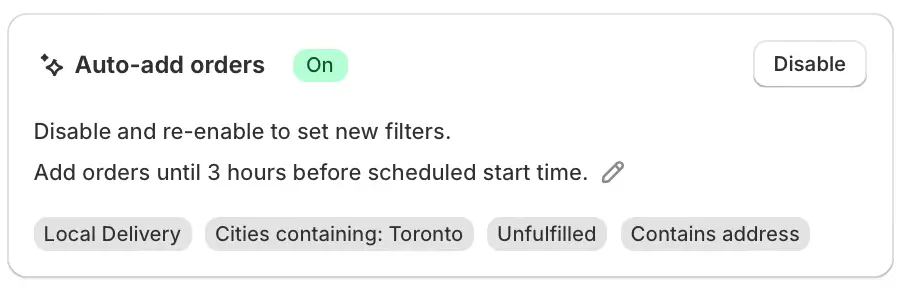
Configure this cut-off time by enabling the Route Assistant from the Route Options page prior to creating a new route as shown above, or from the Auto-add orders panel below the map on the Add orders tab of any existing route:
We've also implemented a new type of order automation rule, allowing EasyRoutes to automatically set a customizable amount of time to spend at a stop (stop time) whenever a specific order tag or customer tag is present on that stop's order - particularly useful for orders and stops that require additional time for installation or setup:
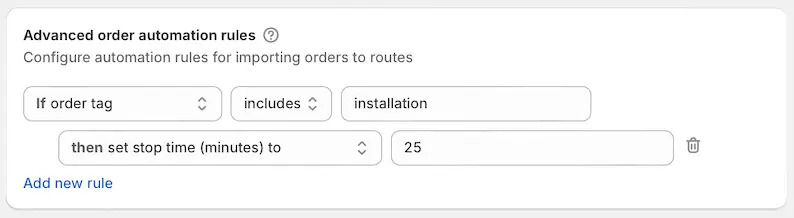
Access and add automation rules from your EasyRoutes Settings > General tab, under the Advanced order automation rules section. Specific order and/or customer tags and stop times can be tailored to your delivery workflows when configuring these rules.
🗺️ Map View Improvements
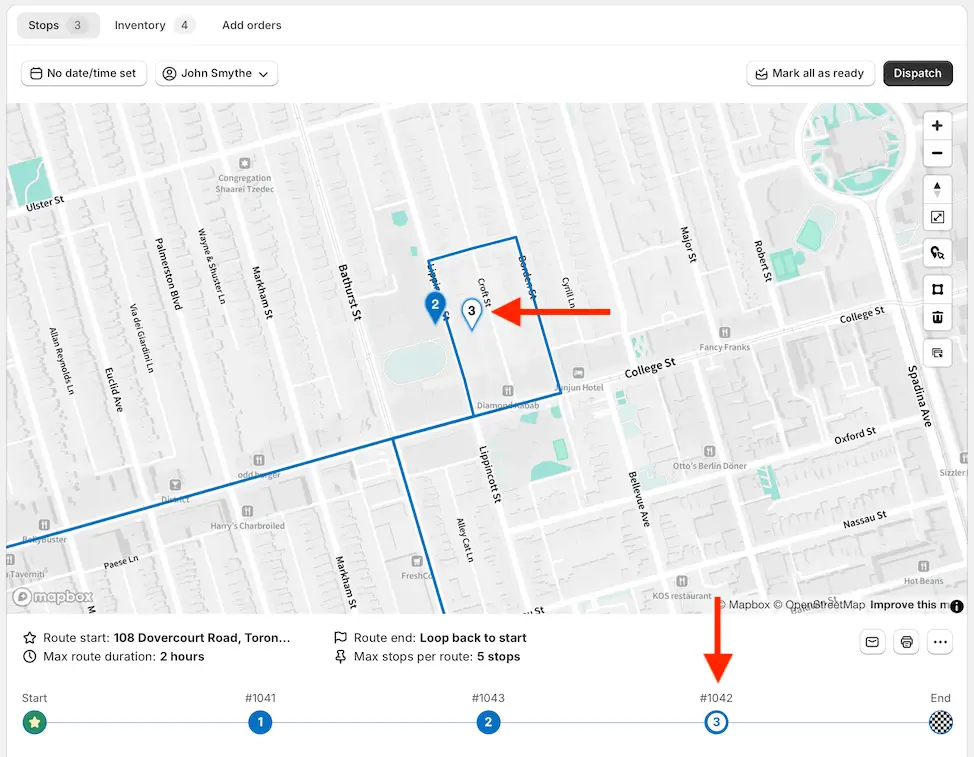
We've updated how priority stop pins display on the map, making it easier to differentiate their status from non-priority stops. Map pins for priority stops will now display with the same inverted colour scheme as displayed on the route line below the map:
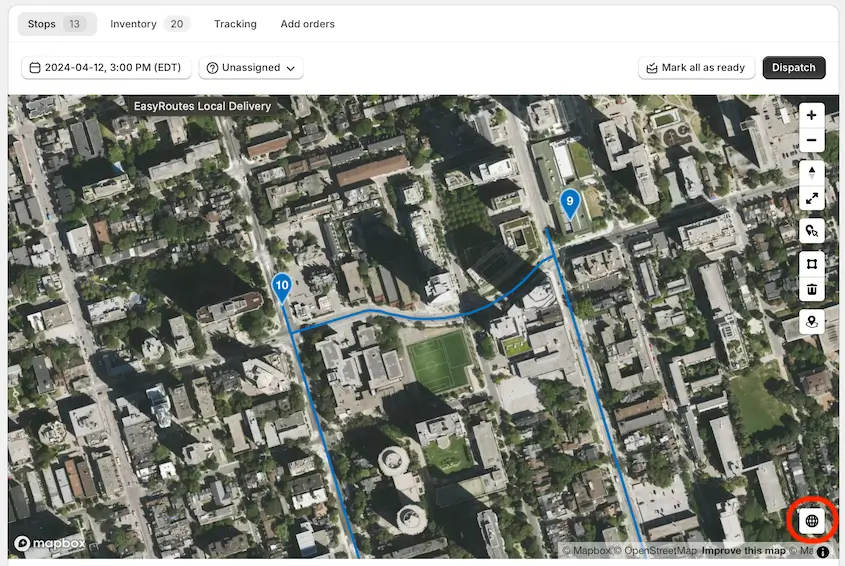
We've also added a new toggle to the map on both Orders and Route pages to enable satellite map view - particularly useful for pinpointing precise delivery locations in dense urban areas. Click the globe icon in the lower right corner of any map within EasyRoutes to switch between satellite and standard map views:
✏️ Customization Improvements
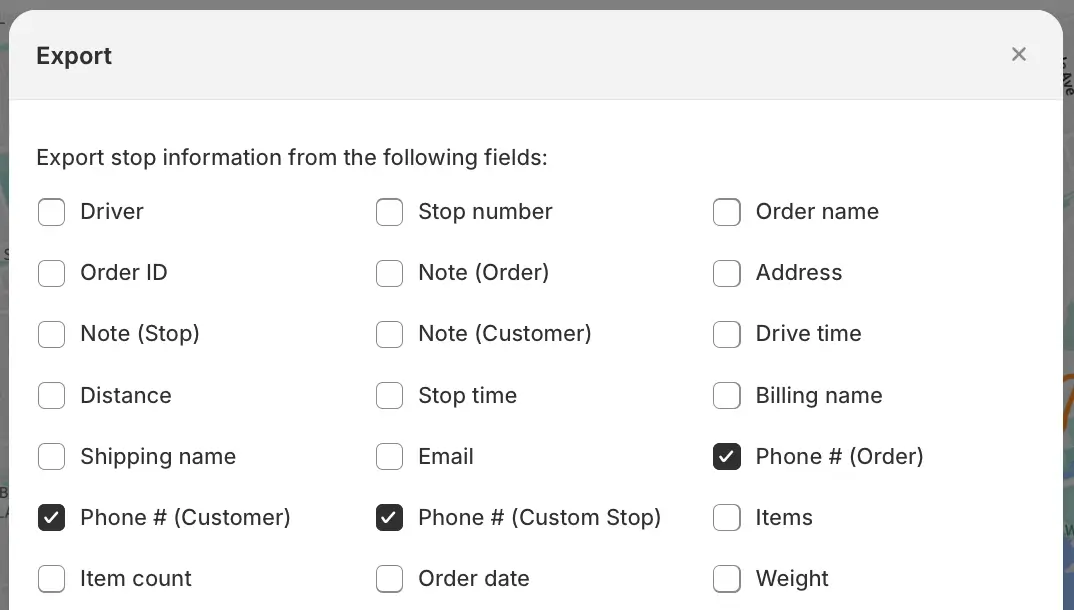
When exporting a route, you can now choose from three unique Phone number variables to include in the export, where available:
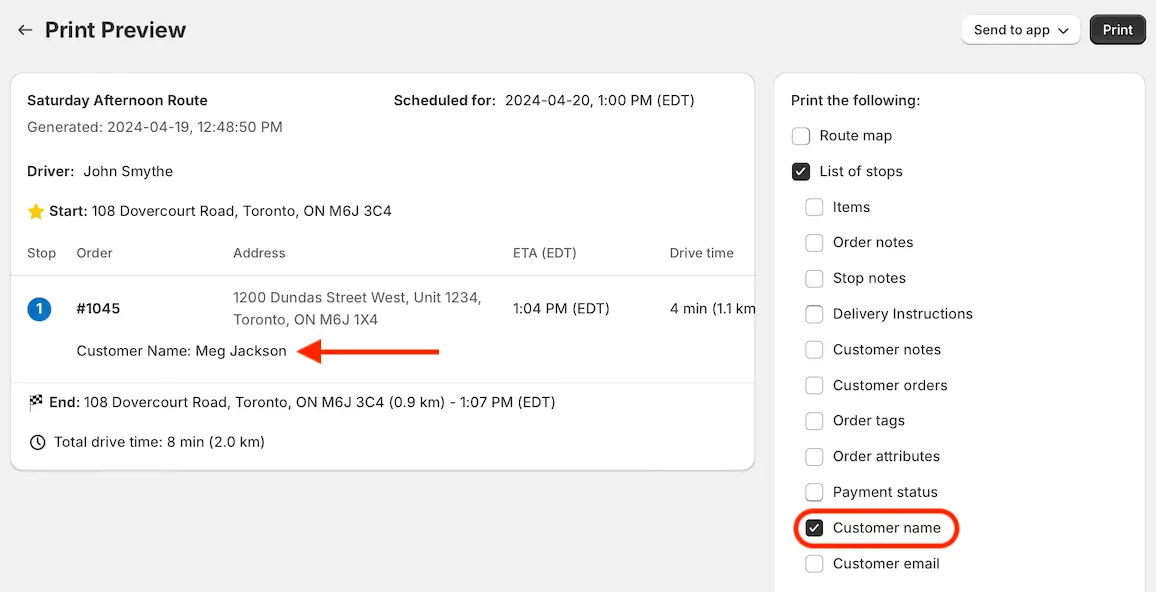
When printing a route with List of stops enabled, you can now choose to include the Customer name variable associated with each order or stop:
We've also improved workflows for customizing email notification templates, and added the Shipping Address variable, which can now be included in any EasyRoutes customer email notification:
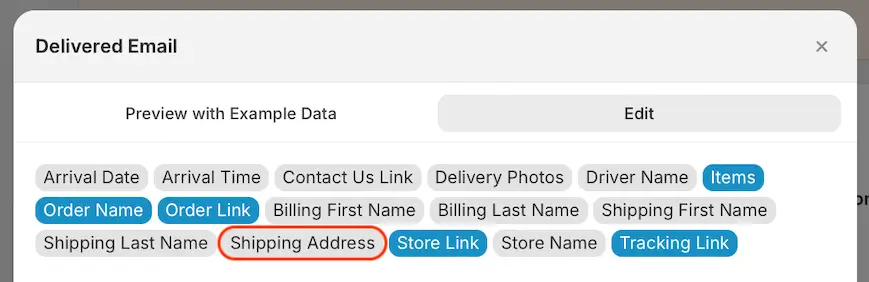
Customize email notification templates for all delivery status events from your EasyRoutes Settings > Notifications tab, under the Email notifications section.
📱 EasyRoutes Delivery Driver v1.0.41
The EasyRoutes Delivery Driver mobile app for both iOS and Android has been updated to version 1.0.41, including improved driver visibility for any Secondary Address stop variables (often referred to as Address 2, or collected on checkout as Apartment, suite, etc.):
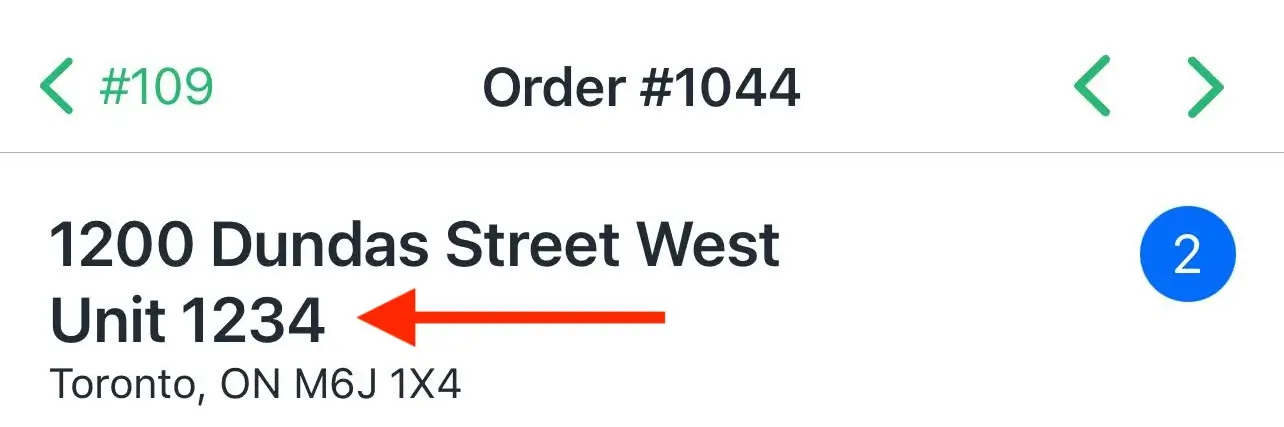
This version of the mobile app includes support for simultaneous upload of multiple Proof of Delivery photos for improved app performance. Photo upload timeout alert messages have been adjusted to better accommodate Proof of Delivery uploads in locations with limited connectivity. Drivers using Apple Maps on iOS to view stops and routes now also have in-app access to re-center the map on their current location.
Drivers will need to update to the latest version of the app (version 1.0.41) in order to take advantage of these latest mobile features and improvements.
Other product updates
(👀 there's some good stuff in here!)
- Added support for parsing a stop’s latitude & longitude from order attributes (enables third-party integration with coordinates collected via Wayfinder app).
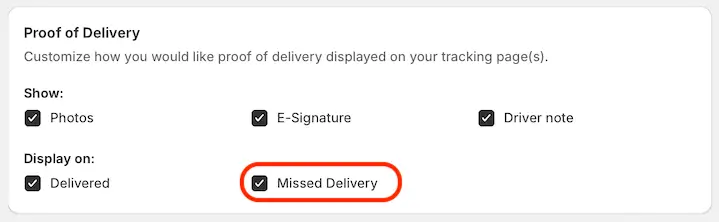
- Proof of Delivery can now optionally be collected and accessed for stops marked as Attempted, in addition to those marked as Delivered. Configure from EasyRoutes Settings > Order tracking tab, within the Proof of Delivery section:
- Create new empty route shortcut button added to the top of the Routes page.
- You can now customize the default Last modified filter that will be applied when initially loading your Routes page - choose from Last 30 days, Last 7 days, or Today. Configure from EasyRoutes Settings > General tab, within the Routes page options section
- Fix for incorrectly sized map and errant blank pages when printing routes under specific circumstances.
💐 Happy Mother's Day!

Mother's Day (May 12th) is quickly approaching, and EasyRoutes is here to make another peak delivery season stress-free. Whether you're delivering bouquets, bracelets, blenders, or anything in between, we're here to answer any questions and make sure your Mother's Day deliveries go smoothly.
Need to temporarily add drivers to manage extra orders for the week or weekend? We can help! Learn more about adding and activating additional drivers, and how we'll prorate charges so you only pay for days your additional driver seats are active.
Check out the rest of the EasyRoutes 101 collection for more tips and tricks to streamline your Mother's Day deliveries, including advanced order filtering workflows, and a handy guide to the mobile Delivery Driver app to quickly onboard any drivers who may be new to your delivery fleet.