
EasyRoutes users can now update individual stop details inline — including address details, stop times, time windows, and order or stop notes — directly from any Route page.
Skip the Edit stop page and make quick changes to any stop on the fly: hover over any applicable column and click the edit icon to make and save changes to individual stops without navigating away from the current route:
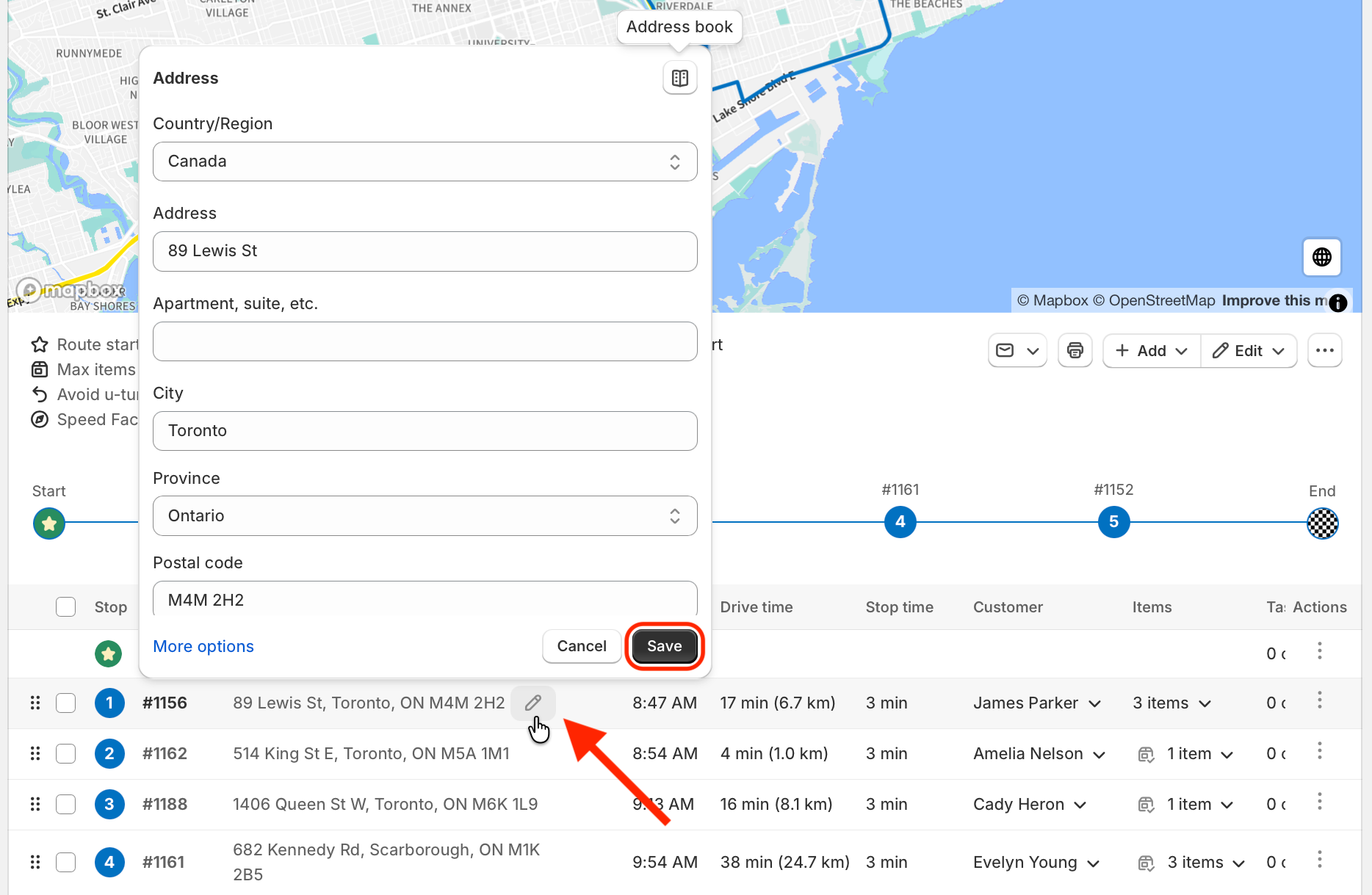
The inline edit button will also appear in applicable columns for stops that do not currently contain any configured details, enabling support for adding new parameters to a stop that does not currently contain them.