EasyRoutes vs. Circuit for Teams: The Better Delivery Dispatch Platform

Compare EasyRoutes with Circuit for Teams (now Spoke Dispatch). Both offer route planning and driver tracking, but EasyRoutes adds packing tools, native Shopify integration, branded customer notifications, and simpler flat-rate pricing.

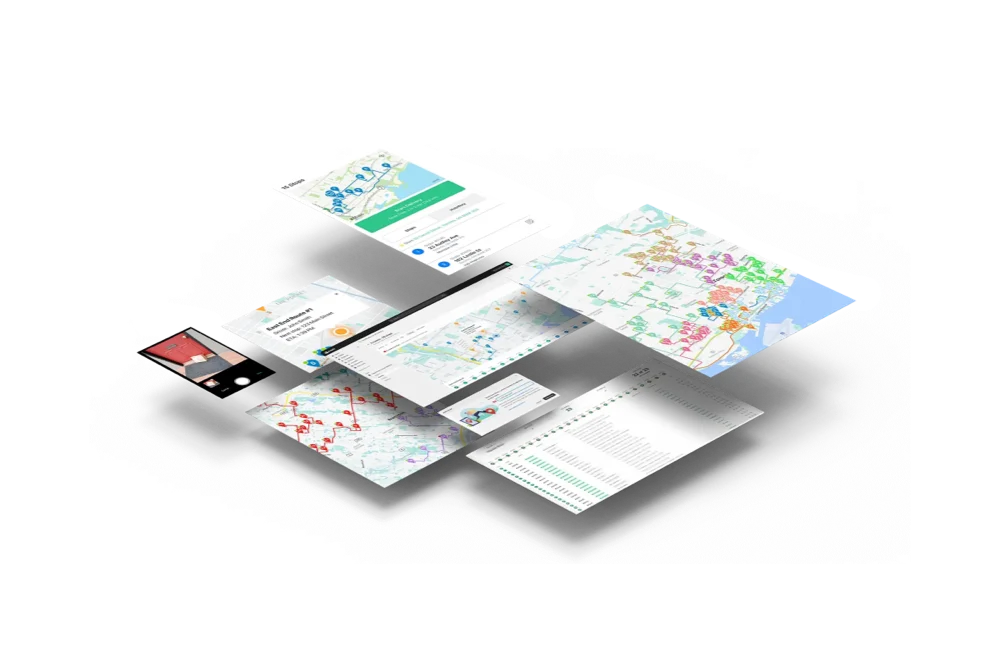
EasyRoutes dashboard preview showing optimized routes and delivery stops on a map
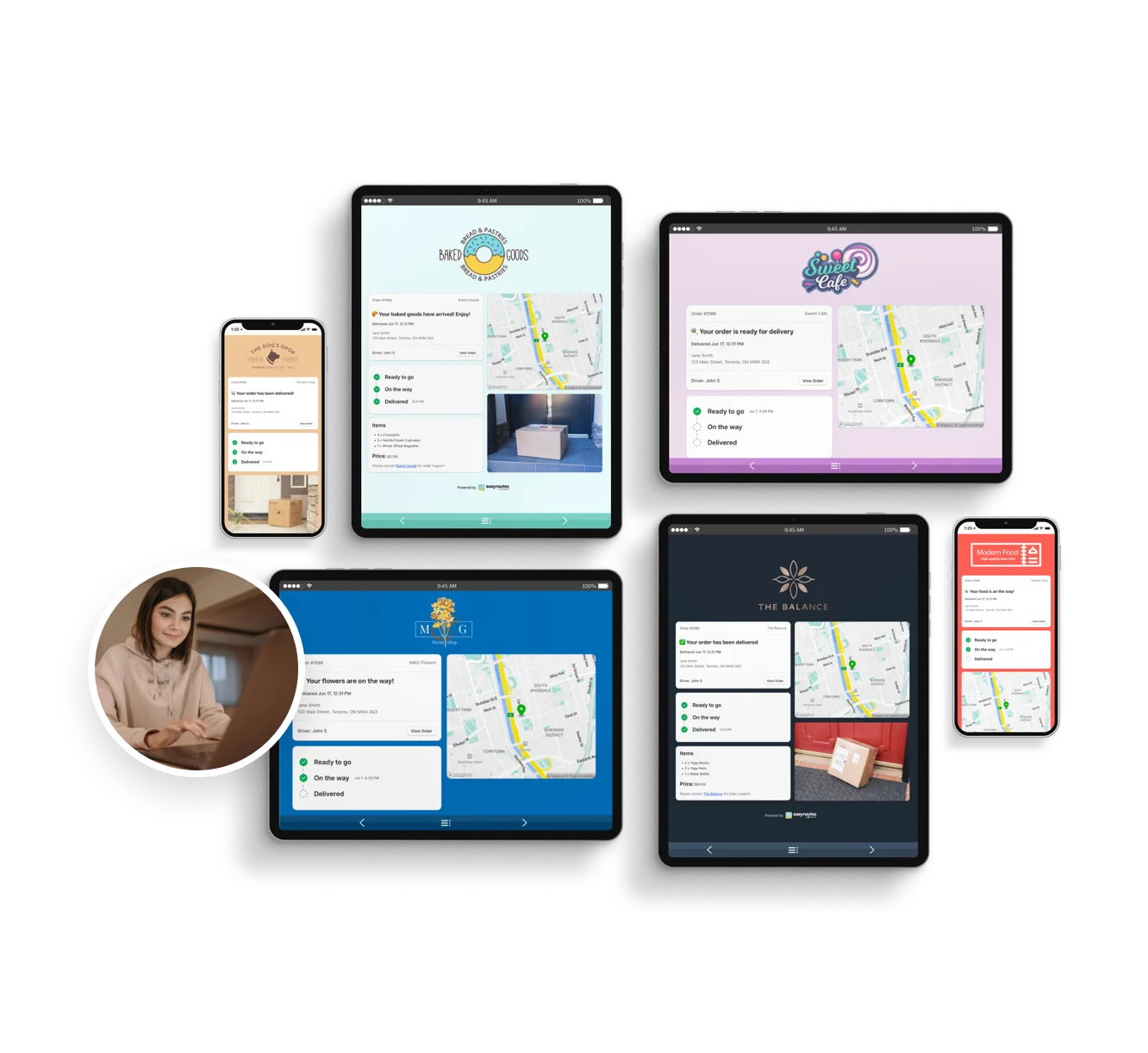
Customizable order tracking pages.
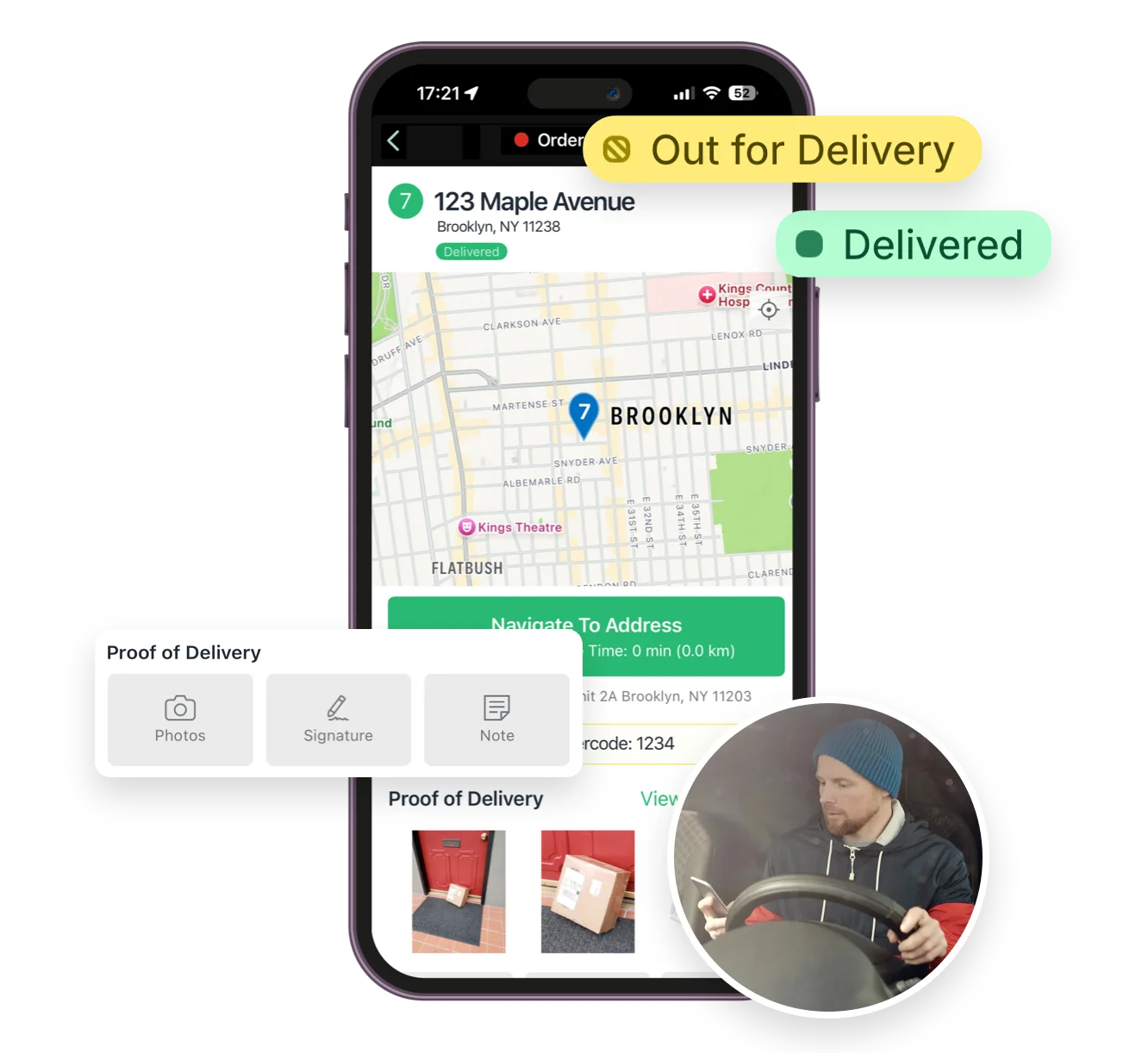
Mobile delivery driver app for iOS and Android
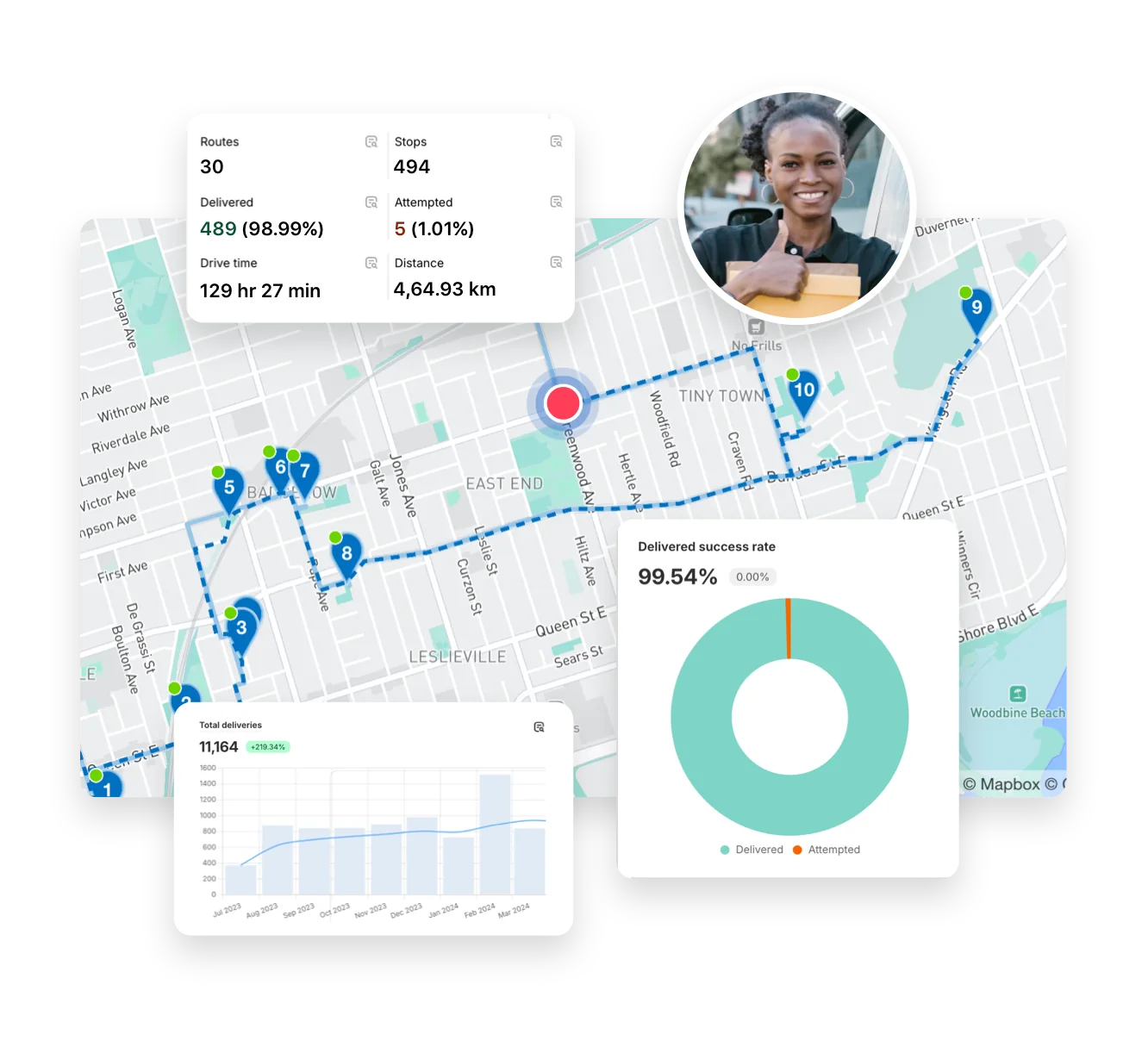
Full delivery analytics package
EasyRoutes interface highlighting tracking notifications delivery analytics and driver tools
Autopilot for your Delivery Workflow

⭐⭐⭐⭐⭐ 4.9 stars Trusted by 5,000+ Businesses

Flower Delivery: The Million RosesMattress Delivery: SonnoPizza Delivery: SliceGass Delivery: Gas GuysFood Delivery: Redstart FoodsBread Delivery: Butter & Crust

Built for Merchants, Not Just Route Planners

If you're evaluating Circuit for Teams (now rebranded as Spoke Dispatch), you're likely coordinating multiple drivers and need a platform that's both powerful and easy to manage. Circuit for Teams offers solid courier logistics features, but EasyRoutes provides everything growing delivery teams need—route planning, packing, dispatch, and tracking—without complex setup or per-stop billing.

EasyRoutes combines multi-driver route optimization, native Shopify order sync, proof of delivery, branded notifications, and packing tools into one streamlined platform. Import orders from BigCommerce, WooCommerce, and other leading eCommerce platforms, as well as spreadsheets, or any source via API or Zapier.
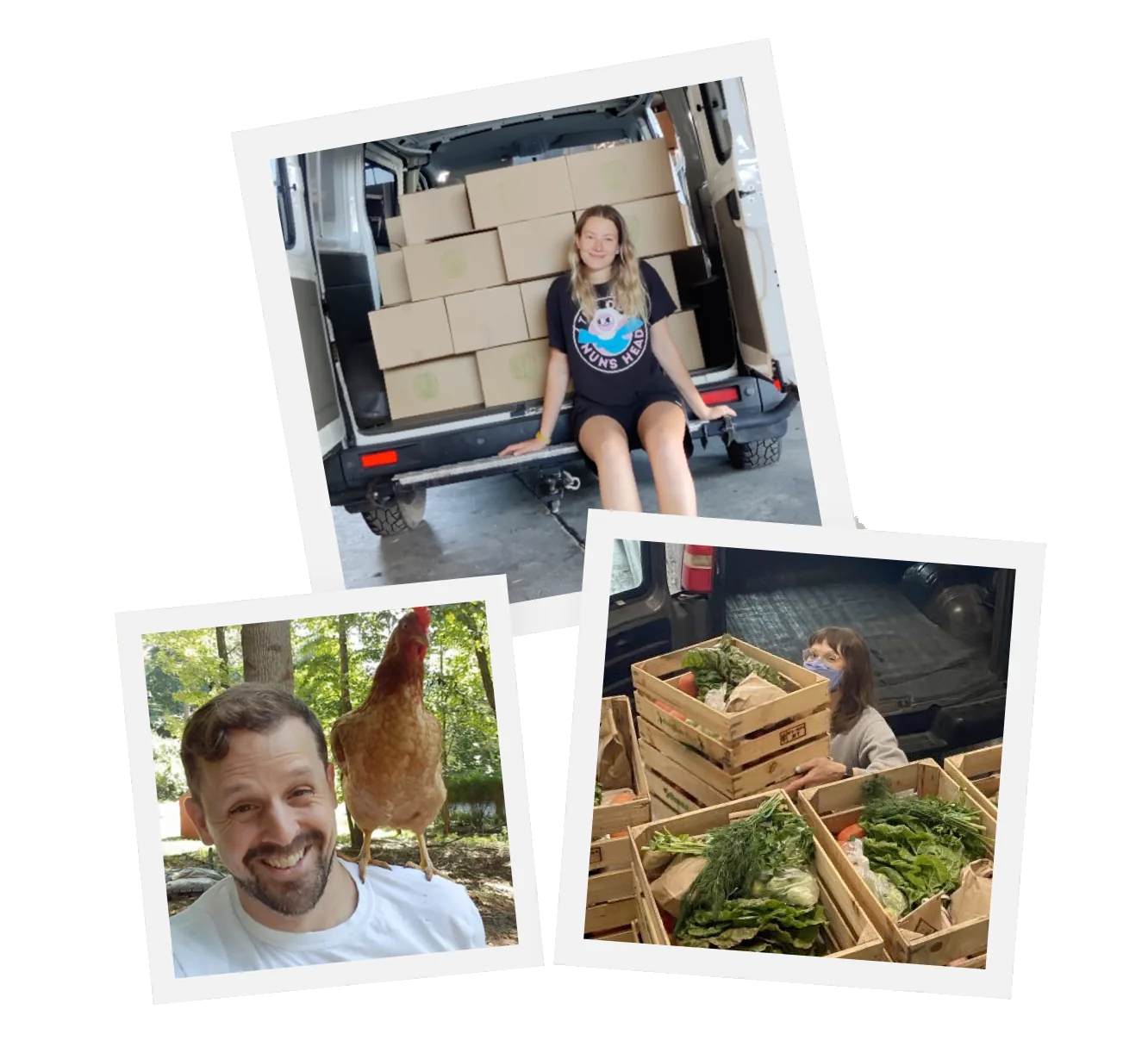

The EasyRoutes Team

Why Delivery Teams Switch from Circuit for Teams to EasyRoutes

1) Native Shopify Integration + Web Version Flexibility

EasyRoutes for Shopify: Fully integrated with your Shopify store. Orders, products, tags, and delivery data sync automatically.

EasyRoutes for Web: Import orders via CSV, Zapier, or API for delivery businesses not using Shopify.

❌ Circuit for Teams requires manual exports, API configuration, or third-party connectors for Shopify. EasyRoutes just works—directly inside Shopify or via the EasyRoutes web platform.

1) Native Shopify Integration + Web Version Flexibility

2) End-to-End Delivery Tools Included

EasyRoutes is more than a route planner. It includes:

  • Multi-driver route optimization and drag-and-drop route editing
  • Packing list generation and stop-level product visibility
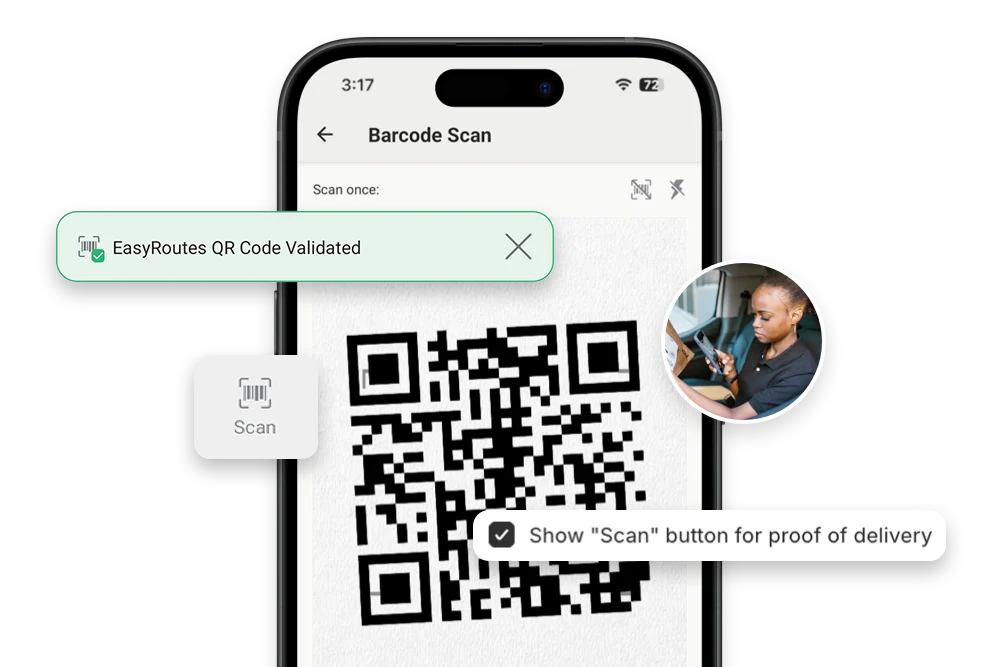
  • Proof of delivery with photos, signatures, and notes
  • Live GPS tracking and Shopify-powered order sync
  • Branded customer tracking pages with real-time ETA updates

❌ Circuit for Teams doesn't include built-in packing tools, task checklists, or Shopify-aware order filtering. EasyRoutes offers all of these by default for smoother fulfillment.

2) End-to-End Delivery Tools Included

3) Designed for Delivery Teams, Not Just Drivers

  • Intuitive drag-and-drop route editing with route groups
  • Drivers access stop-level order details and product info
  • Claimable route links with one-click driver dispatch
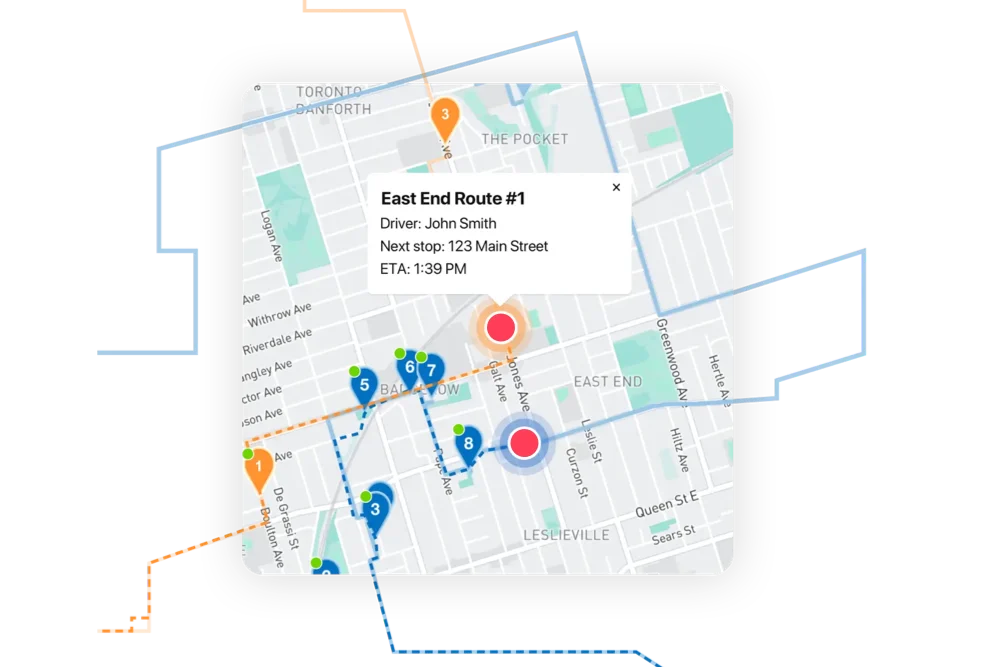
  • Live route progress and a dispatcher tracking map
  • Per-stop custom checklists for consistent delivery quality

❌ Circuit for Teams doesn't include merchant-focused tools like claimable routes, packing workflows, or customizable task lists—making it harder for fulfillment teams to scale.

3) Designed for Delivery Teams, Not Just Drivers

4) Transparent, Predictable Pricing

  • Free plan for up to 50 deliveries/month
  • Drivers access stop-level order details and product info
  • No per-stop billing, usage tiers, or task overages
  • Add drivers as needed—scale your team, not your costs

❌ Circuit for Teams uses per-stop pricing starting around $100/month. EasyRoutes offers flat-rate, per-driver pricing with no overages and a free tier to get started.

4) Transparent, Predictable Pricing

Packed with features to make delivering easy, like...

Order Sync

Order Sync

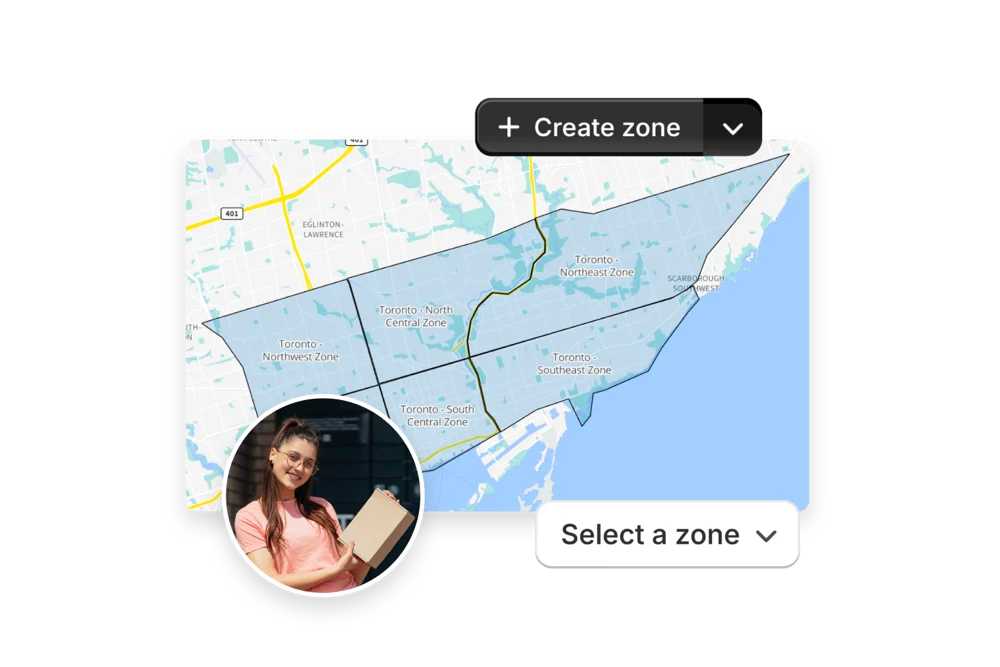
Bring orders into EasyRoutes from Shopify, spreadsheets, Zapier, or the API — and add custom stops anytime. One system for every delivery.
Real-time Driver Tracking

Real-time Driver Tracking

See every active route in real time. Share accurate ETAs with customers, monitor team performance, and ensure deliveries stay on schedule.
Delivery Driver Mobile App

Delivery Driver Mobile App

Dispatch routes directly to your drivers’ phones. With turn-by-turn navigation, order details, and proof-of-delivery tools, everything drivers need is one tap away.

Who Should Choose EasyRoutes Over Circuit for Teams?

  • Shopify merchants doing local deliveries
  • Teams that need packing, routing, dispatch, and delivery in one place
  • Delivery managers who want driver accountability (POD, GPS, task checklists)
  • Anyone tired of juggling spreadsheets, APIs, or expensive usage tiers

EasyRoutes gives you more than just optimized routes. It gives you a complete last-mile delivery hub—from route planning to dispatch to proof of delivery.

Join thousands of delivery-focused businesses—including florists, bakeries, grocery subscriptions, and meal kits—who trust EasyRoutes to power their local deliveries.

Who Should Choose EasyRoutes Over Circuit for Teams?

How to Switch from Circuit for Teams to EasyRoutes

  • Try it free for 14 days—no commitment required
  • If you're using Shopify, just install the app and sync your orders
  • If you're not on Shopify, import a CSV or connect via Zapier
  • Our support team is here to help you migrate routes, drivers, and workflows
How to Switch from Routific to EasyRoutes

Frequently asked questions

How quickly can I get started?

Most teams connect, fetch orders, and create their first optimized route in under an hour. Follow the onboarding checklist to reach your “aha” moment fast.

See: Getting Started

How does EasyRoutes work with Shopify fulfillments?

When you update stop statuses in EasyRoutes (Ready/Out for Delivery, Delivered, Attempted), we create or update Shopify fulfillments and attach the tracking link; notifications follow your settings configuration.

See: Items & Fulfillments

How does EasyRoutes optimize my delivery routes?

EasyRoutes optimizes deliveries using your selected orders, start & end locations, stop time intervals, time windows, and route limits. You can balance routes, respect capacities, and re‑optimize as plans change.

See: Route Options · EasyRoutes 101

What types of proof of delivery can EasyRoutes capture?

EasyRoutes supports delivery photos, e‑signature, driver notes, and automatic timestamps (with GPS location when available) to provide a complete delivery record.

See: Proof of Delivery

Can I customize my packing slips?

Yes. Add your logo, choose which order fields appear, and adjust layout and font sizing from EasyRoutes Settings → Packing Slips & Labels. Options are available in both Shopify and Web.

See: Customizing Packing Slips

Can I send tracking links via SMS?

Absolutely. Add tracking links to SMS notifications (available on Premium/Enterprise subscription plans) so customers can follow their delivery. Usage‑based fees apply.

See: SMS Notifications · SMS Pricing

How do I enable real-time driver tracking in EasyRoutes?

Go to your EasyRoutes Settings → Driver settings, and enable real‑time tracking. Have drivers allow location Always + Precise location in the EasyRoutes Delivery Driver app and their mobile device's settings.

See: Real-Time Driver Location Tracking

Does the app provide turn-by-turn navigation?

Yes. Drivers can launch directions via Google Maps, Apple Maps, or Waze from each stop, and pick a default navigation app in their mobile app settings.

See: Selecting a Navigation App

Will drivers get notified when assigned a route?

Yes. Assigned drivers receive a push notification when a route is dispatched to them, linking straight into the route in the EasyRoutes Delivery Driver mobile app.

See: Dispatch Notifications

Is there a free trial?

Yes. EasyRoutes for Shopify and EasyRoutes for Web include a 14‑day free trial on any tier, so you can test our advanced features before subscribing.

See: Plans & Pricing

Is EasyRoutes good for same-day delivery?

Yes. Create routes in minutes, add last‑minute stops, and re‑optimize during the day. Dispatch instantly to drivers with live tracking and customer notifications.

See: Re‑optimize · Dispatch