
Redesigned, customizable Tracking Pages!
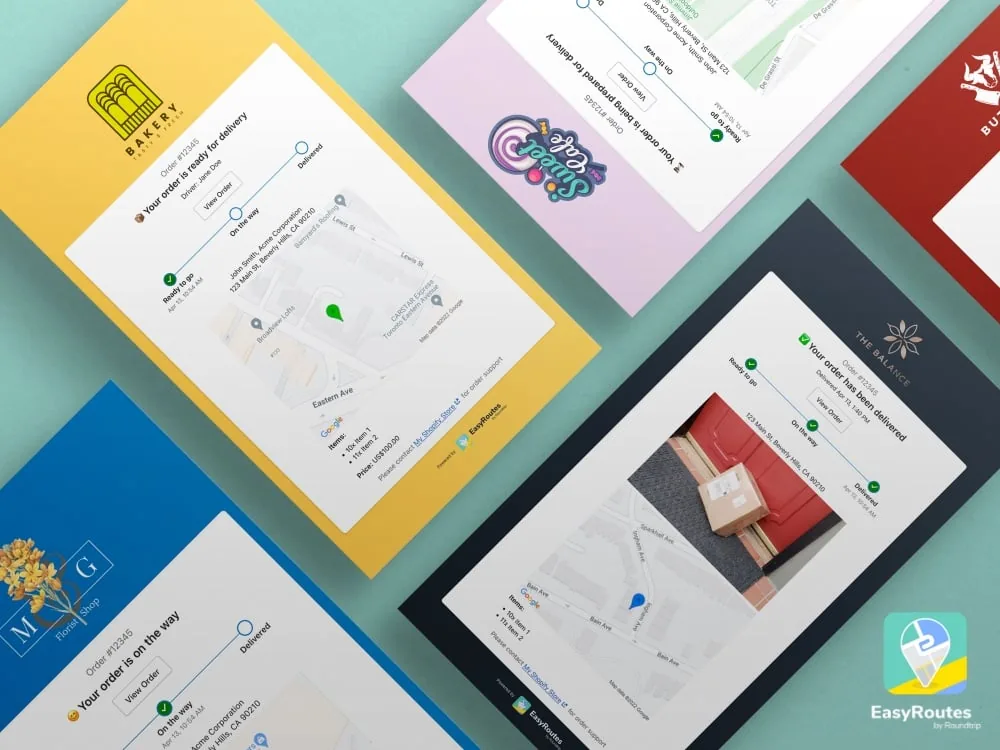
We've completely redesigned our customer tracking pages and we've made them completely customizable! Create the perfect tracking page for your business — add your logo, change the background color, choose what to display, and customize any of the text (you can even translate it into another language).
Our new tracking pages are available on our EasyRoutes Standard and Premium plans.
Driver assignment & management
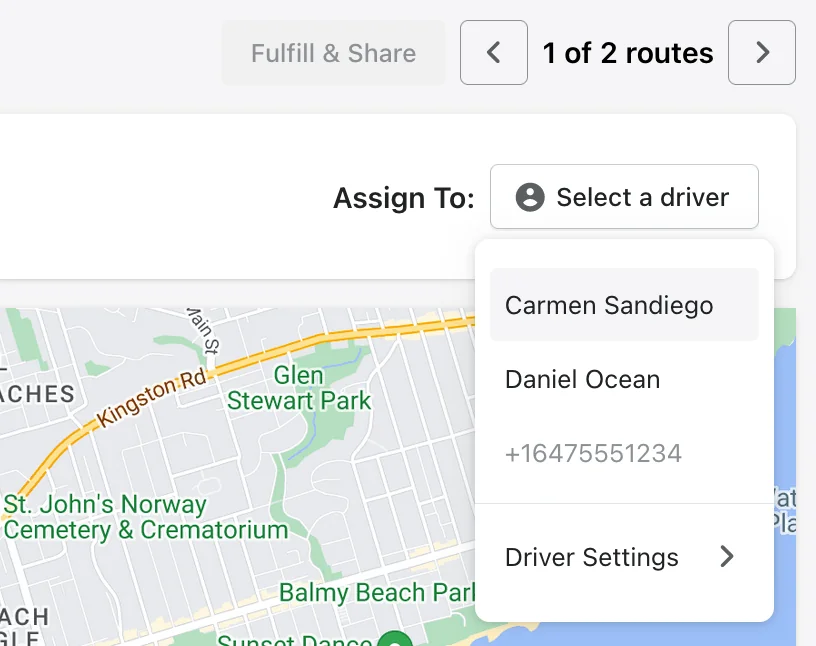
Our new driver assignment feature makes route planning easier and driver dispatch quicker. You can now assign and share all of routes directly with your drivers.
- Once you've added your drivers, quickly assign a route using the drop-down selector found at the top on the route itself...
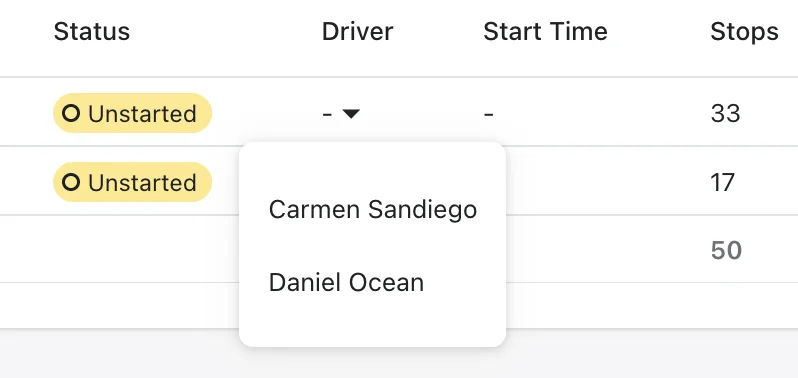
- ...or you can assign all of your routes even faster in the group view:
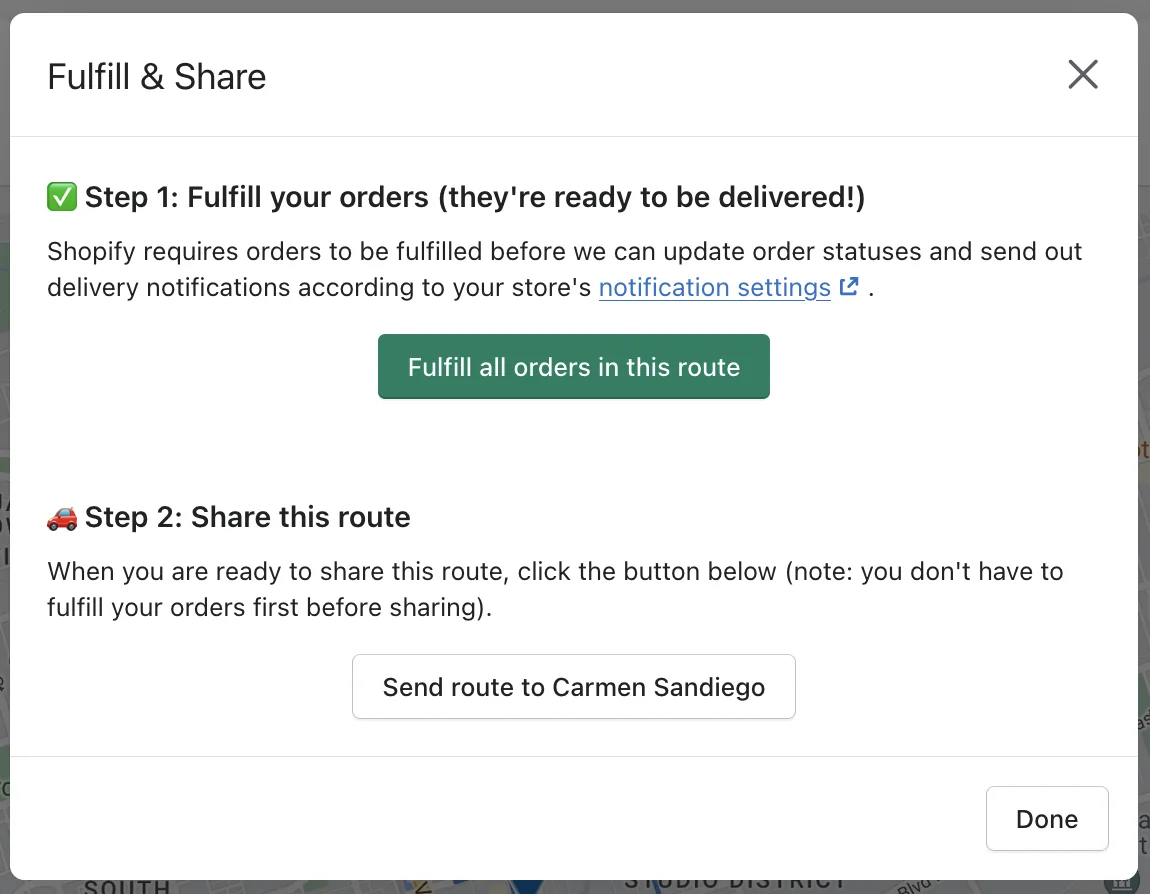
- One you've assigned a route, click the Fulfill & Share button to do just that.
- Your drivers will get notified and can see all their assigned upcoming routes in the EasyRoutes Delivery Driver app for iOS and Android ahead of time. No more messing around with sharing links!
- If you need to add your drivers, visit the Drivers Tab in your settings to manage your roster of drivers and activate or deactivate them as needed.
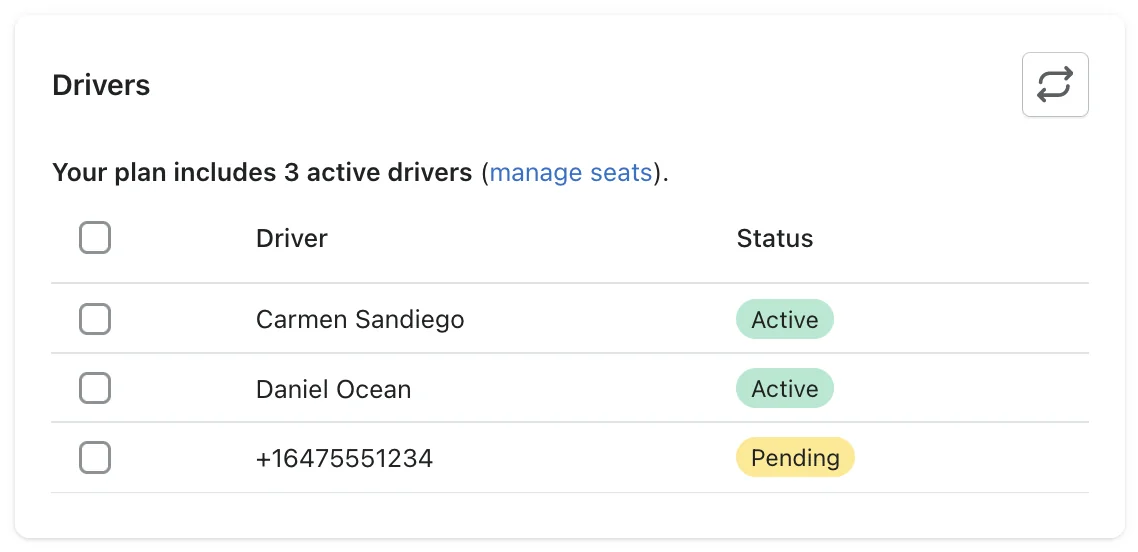
- Need more drivers? Add or remove driver seats when you briefly need to scale up or down based on demand. For example, with Easter coming up, you can activate the additional drivers for that weekend, and then deactivate them after and we'll just prorate your plan for the time used.
Easier drag-and-drop stop re-ordering
We've made it easier to drag-and-drop to re-order stops on any of your routes with our new horizontal stop line.
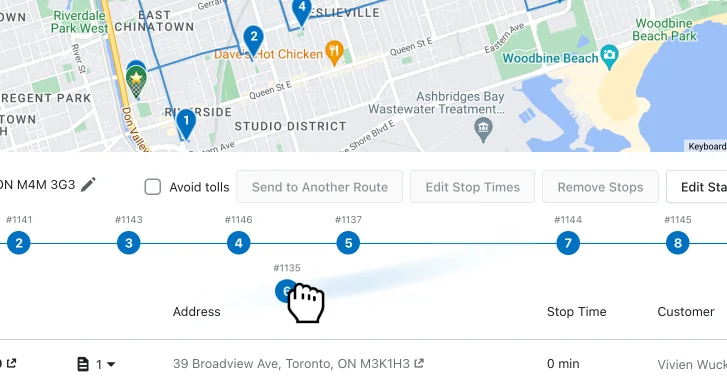
Check out the stop line below your route map and click the Edit button to move your stops to the right spots. You can also drag-and-drop the rows in the stop table to re-order your deliveries.
View scheduled subscription order items
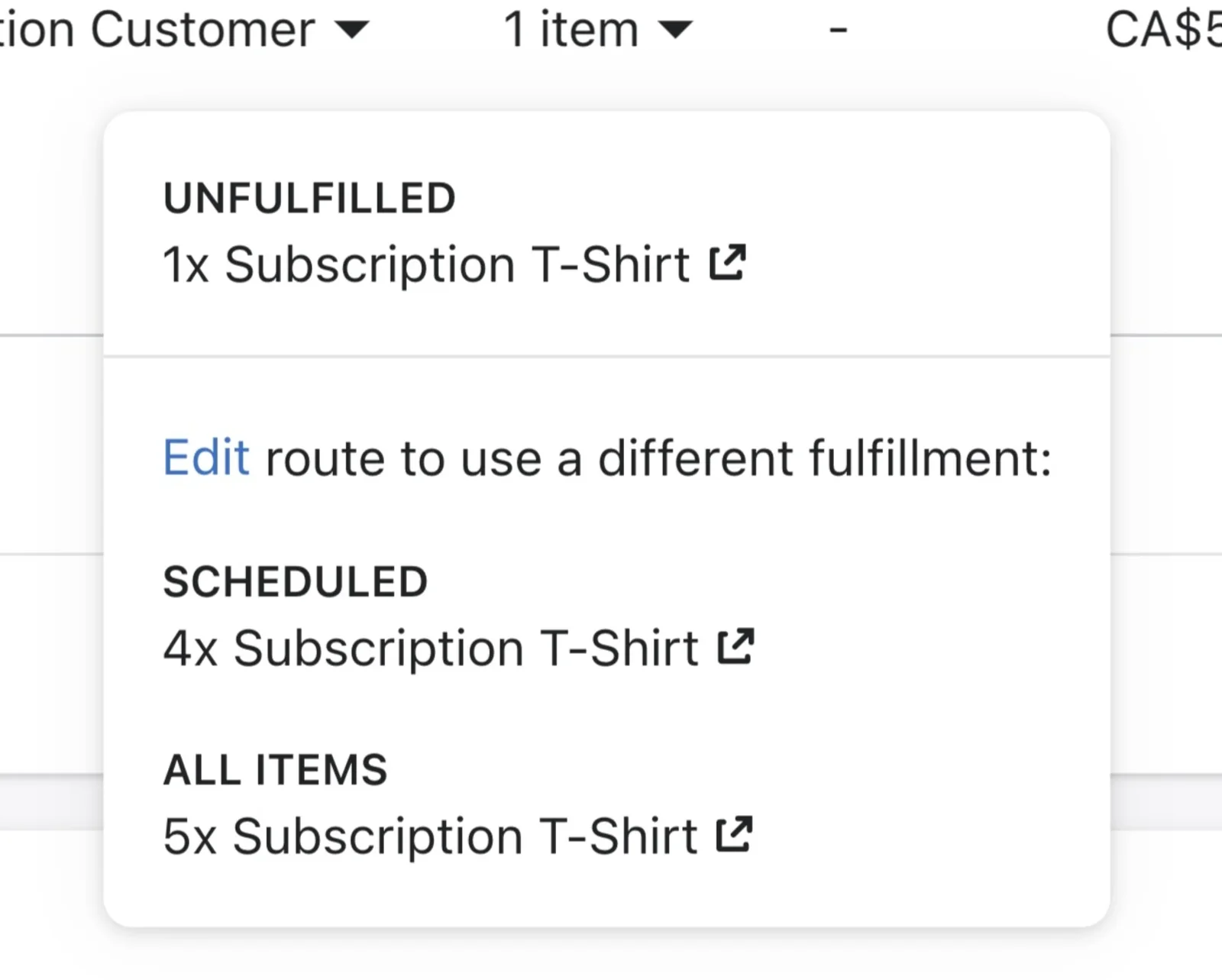
Are you working with subscriptions? Now when you add subscription orders to a route, we will show which items within the order are unfulfilled vs scheduled. You can also select the proper fulfillment within the order once the items have been fulfilled.
Driver app improvements
We've made a ton of improvements to our EasyRoutes Delivery Driver app for iOS and Android.
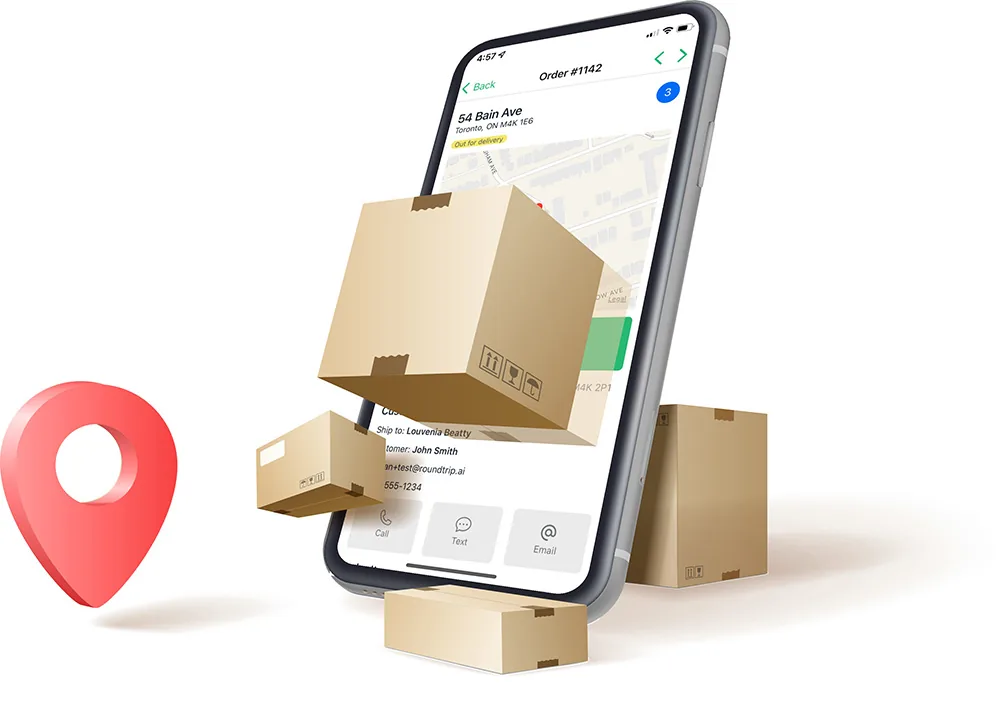
We've added:
- The ability to see upcoming assigned routes
- More navigation options
- Route polylines
- Optional confirmation before marking as delivered
- Auto-advance to the next stop
- Pull-to-refresh feature
- Better caching for previously shared routes
Updated printer options
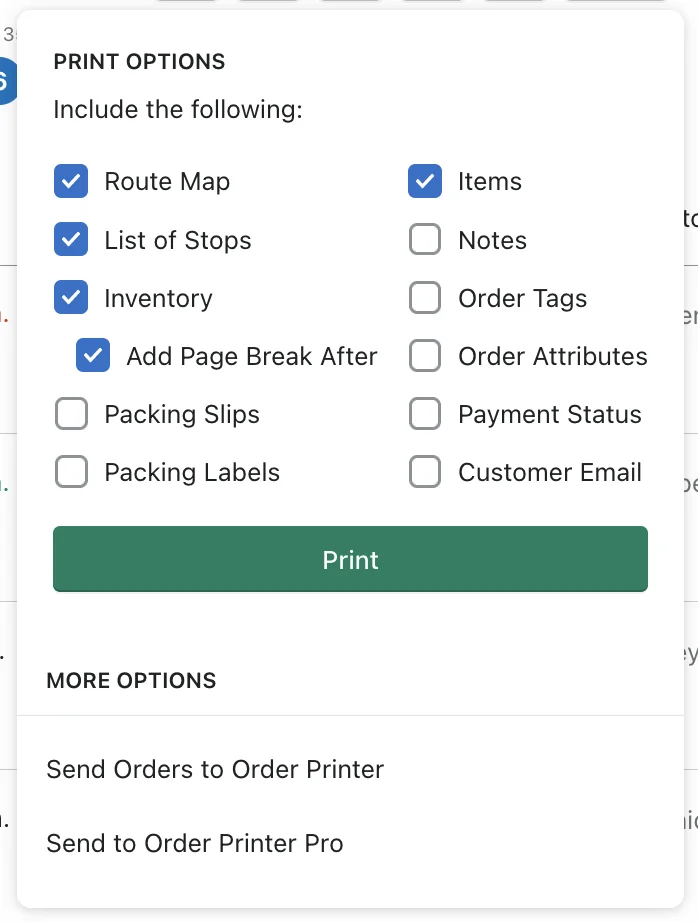
We've tweaked our printer options and now persist your print settings and allow you to show/hide even more details.
Ongoing improvements
We've popped the hood and given EasyRoutes a little overhaul:
- You can now display shipping price summaries for your routes.
- Shipping name and phone information is now explicitly shown when available
- We've updated our app permissions so we can better fulfill your orders
- and many under the hood fixes and ongoing improvements (e.g. we save your print settings!)
New Customer Stories

For Velasquez Family Coffee, planning deliveries was sometimes an ordeal that would take days to plan due to constantly shifting requirements. “Incorporating new customers was particularly challenging. I used to have to print out maps for new customers and then try to manually fit them into our previous routes,” says Cathy. Now with EasyRoutes it takes only a couple of hours a month in total. (Continue reading...)
One aspect of EasyRoutes fit-flavors finds particularly helpful is its simplicity. “It does all the thinking for you! All you have to do is select the orders, let the app know how many drivers and how long you want each driver's route to be and the app does the rest,” says Shawn. “Our drivers simply come in to work in the morning, scan their QR code for their designated route and the user friendly app guides them through their route with ease.” (Continue reading...)