
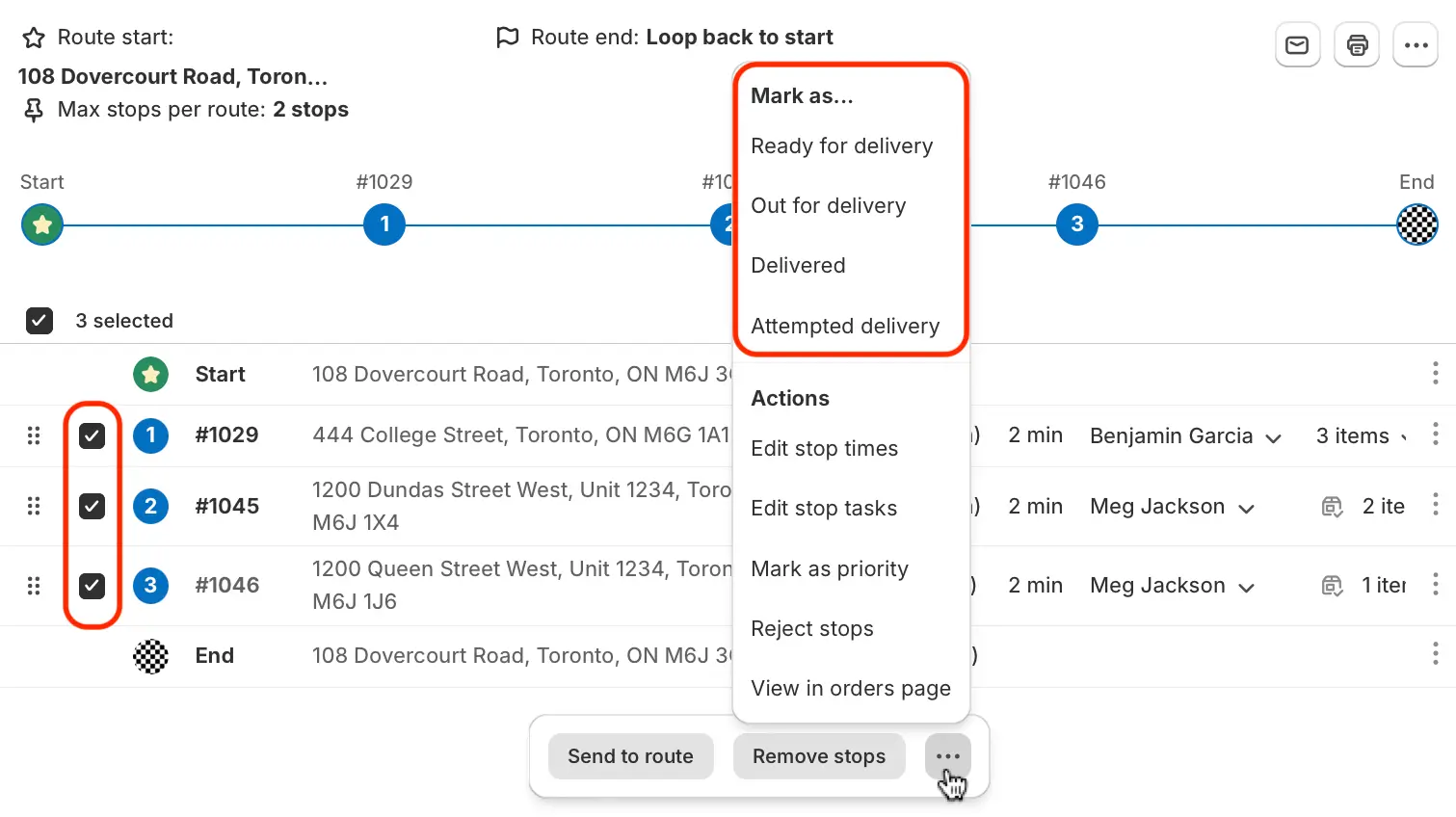
We've added the ability to apply a delivery status (i.e. Mark as Ready for delivery, Mark as Delivered, etc.) to multiple stops in a route in bulk.
When viewing a route, use the checkboxes to select any stops you'd like to update the delivery status for; click the More actions button from the menu that appears at the bottom of the page, and select the delivery status you'd like to apply to these stops:
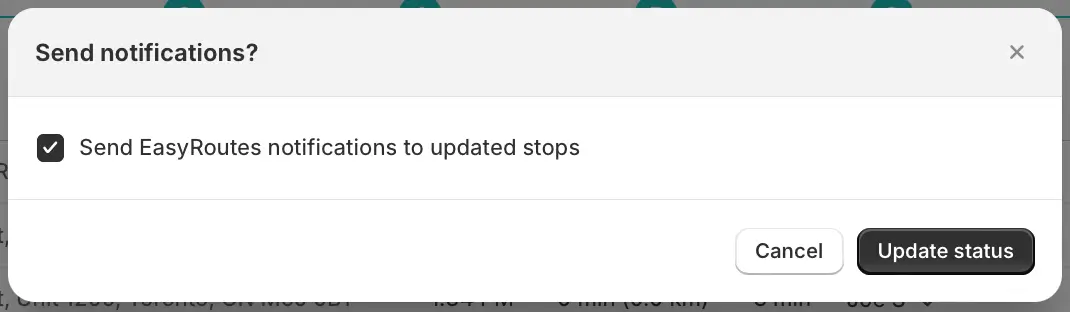
If you've enabled EasyRoutes customer notifications, you'll be prompted with the option to send the notification associated with this delivery status:
Note: Depending on your EasyRoutes settings, marking stops with any status in bulk may also trigger a Shopify order fulfillment. Configure which delivery statuses will automatically fulfill a Shopify order from your EasyRoutes Settings > General tab, within the Fulfillment options section.