We've increased the capacity of EasyRoutes' CSV import tool, allowing up to 15 order/stop data CSV files to be imported in a single batch. Before uploading your CSV files to EasyRoutes, ensure that your spreadsheet column titles match across all CSV files to properly parse all order data when importing.
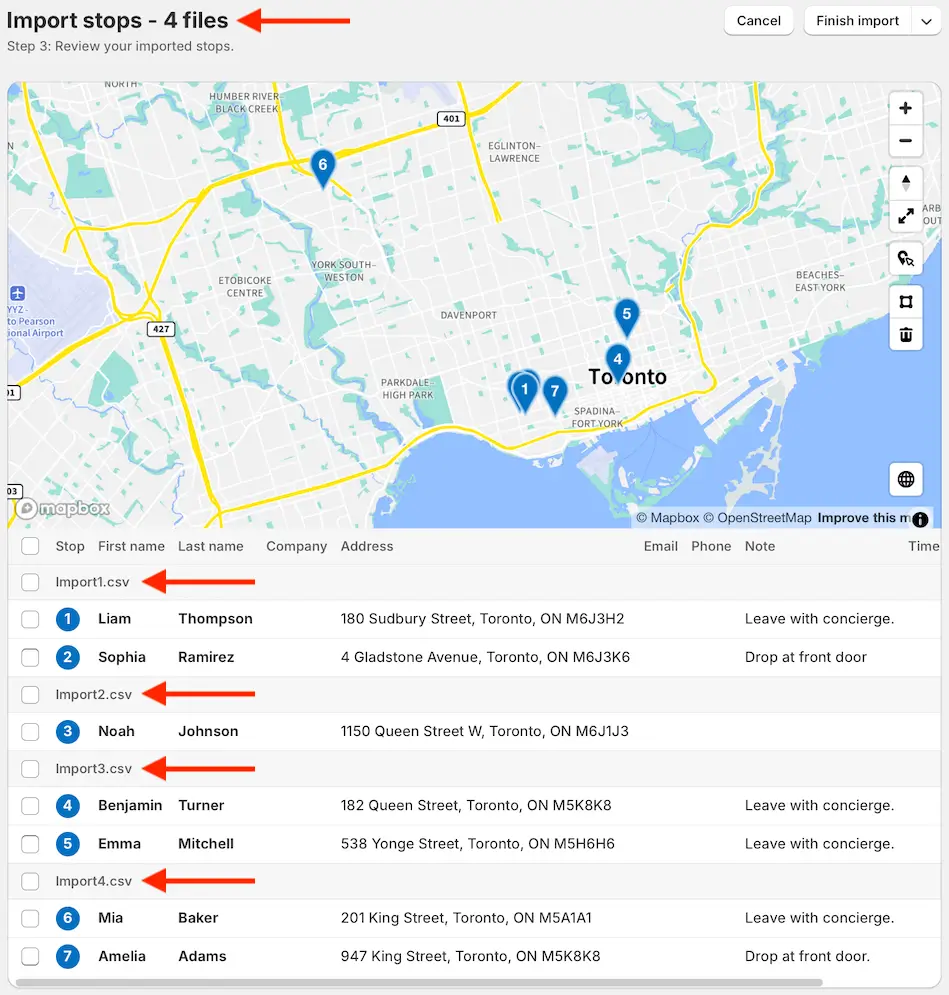
To import multiple CSV files at once, follow the same steps used to import a CSV file, selecting up to 15 files at once to import. Once your columns have been mapped, the number of files to be imported will be listed at the top of the page. Each CSV filename will be listed below the map, with each file's corresponding orders listed below their title. Use the checkboxes to select individual orders and/or entire files to import at once: