Order automation rules:
We've implemented a new type of order automation rule, allowing EasyRoutes to automatically set a customizable amount of time to spend at a stop (stop time) whenever a specific order tag or customer tag is present on that stop's order.
In the example shown below, any stops that contain an order tag including "installation" will automatically have their stop time set to 25 minutes, with any subsequent stop ETAs adjusted accordingly:
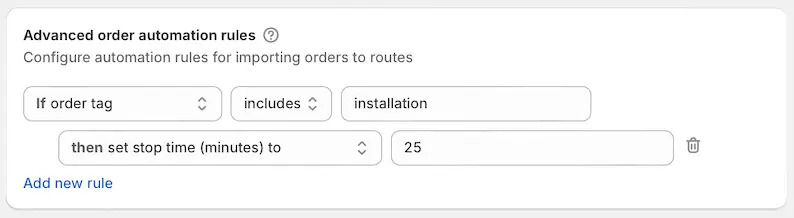
Access and configure automation rules from your EasyRoutes Settings > General tab, under the Advanced order automation rules section; order/customer tags and stop time values can be customized to your specific delivery workflows when setting these rules up.
Route export:
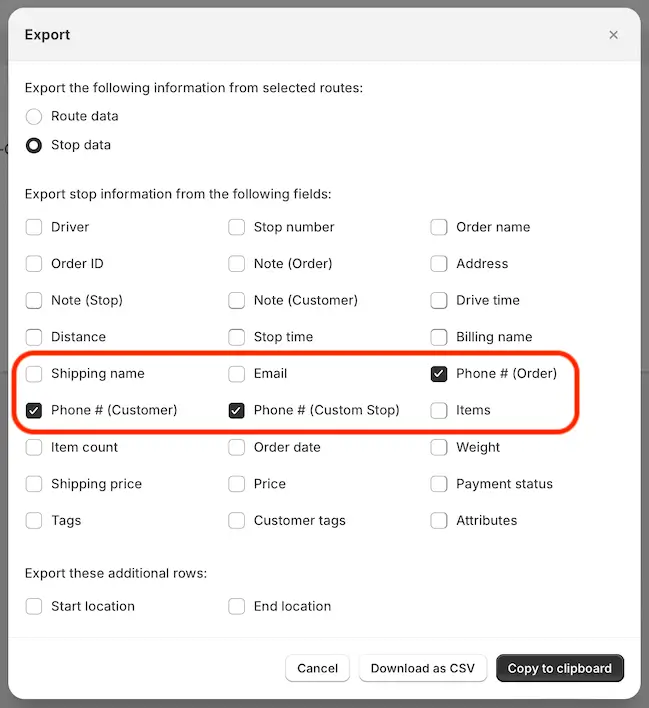
When exporting a route, you can now choose whether or not to include three unique Phone number values (where applicable) - the phone number associated with an order, a customer, and/or a custom stop: