We've made a series of adjustments to the EasyRoutes admin interface to provide a more seamless experience when working across the app. As a result, some EasyRoutes functions have moved to a new location or received an updated visual treatment.
Notable updates included in this release:
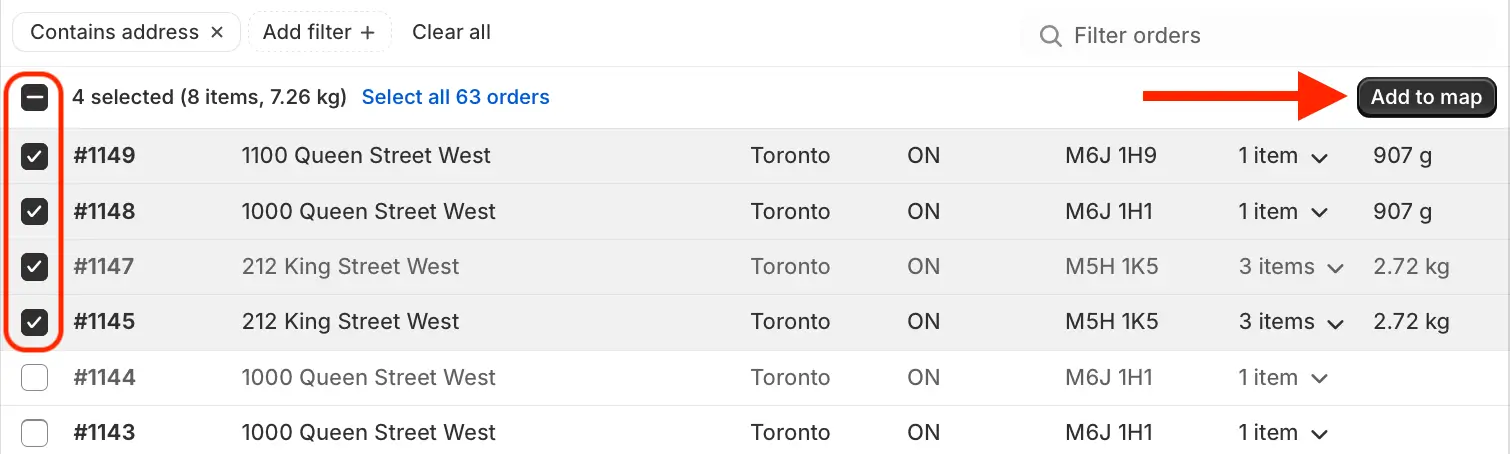
When selecting orders/stops using the checkboxes on the Orders and Routes pages, the Actions menu (which previously appeared at the bottom of the page) has been moved to the upper right-hand corner of the table. This change affects Add to map functionality (as shown below) as well as any bulk order/route actions across the app:
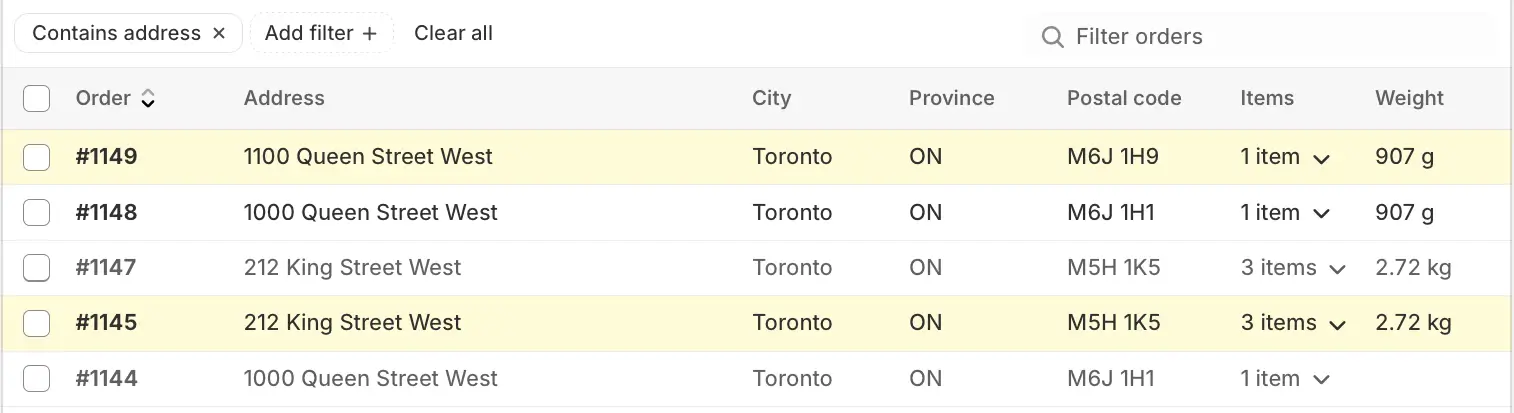
On the Orders page, orders that have already been added to the map now display with a shaded background to indicate this, like #1149 and #1145 below:
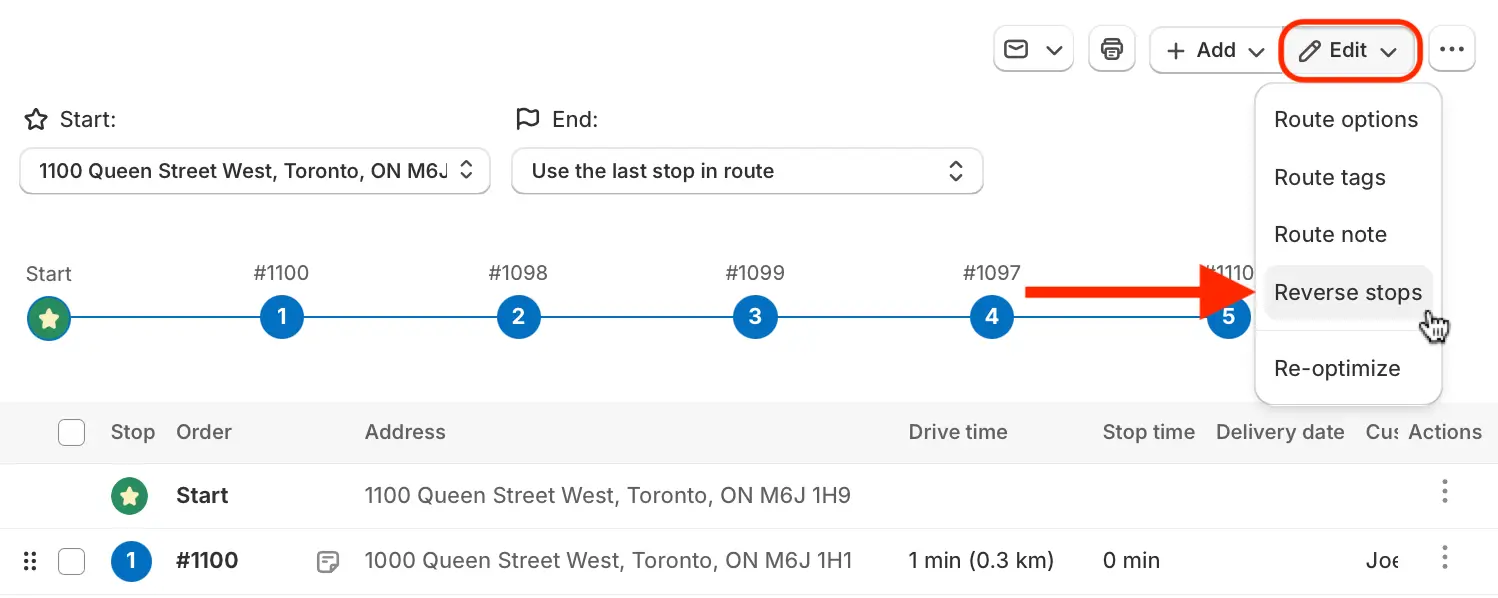
The Reverse stops button/function (previously found above the table checkboxes on a Route page) can now be found in the Edit menu when viewing any route:
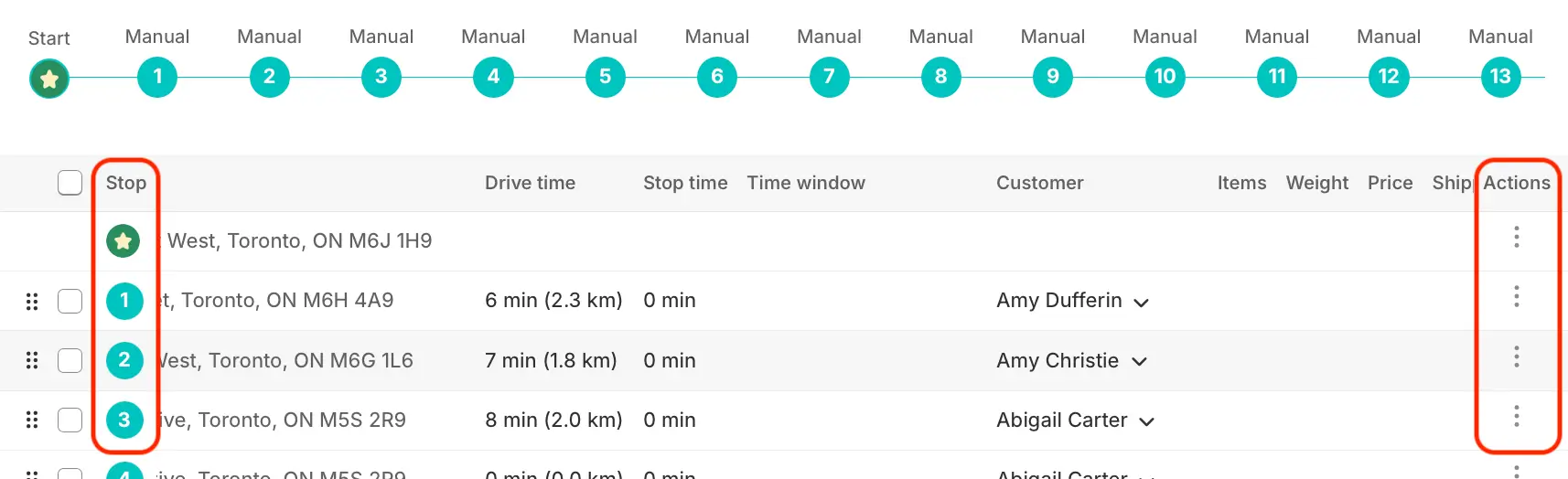
The Order column (on the Orders page), as well as the Stop column and Actions column (on Route pages) are now "sticky" and will remain on screen when scrolling horizontally across these tables, increasing clarity and accessibility when working with wide tables:
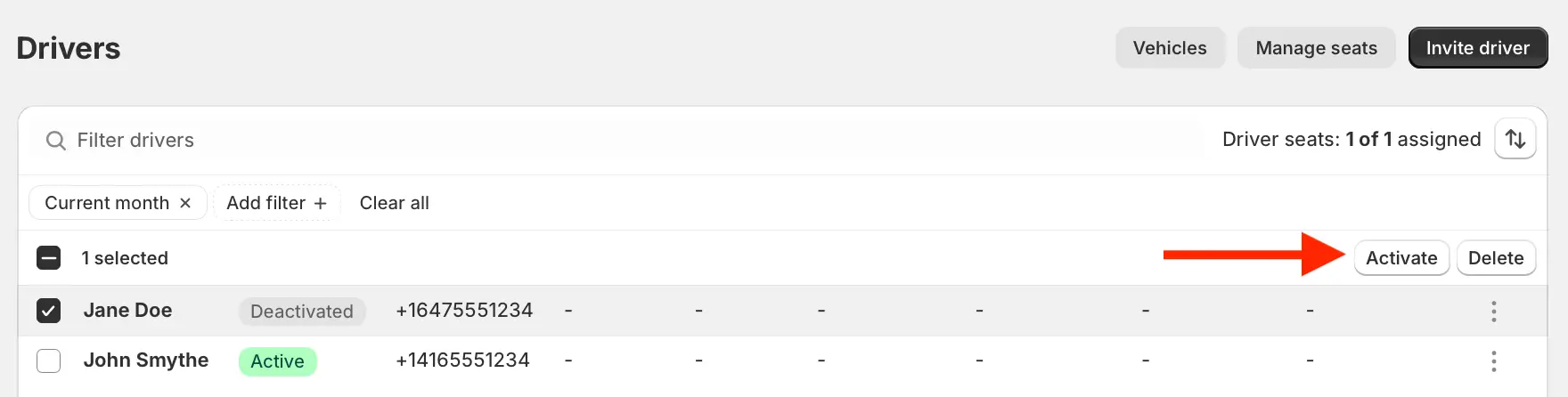
Similar to the Orders & Route pages, when using the checkboxes to select drivers on the Drivers & Vehicles page, the Actions menu (used to activate, deactivate, or delete drivers) has shifted from the bottom of the page to the upper right-hand corner of the Drivers table: