
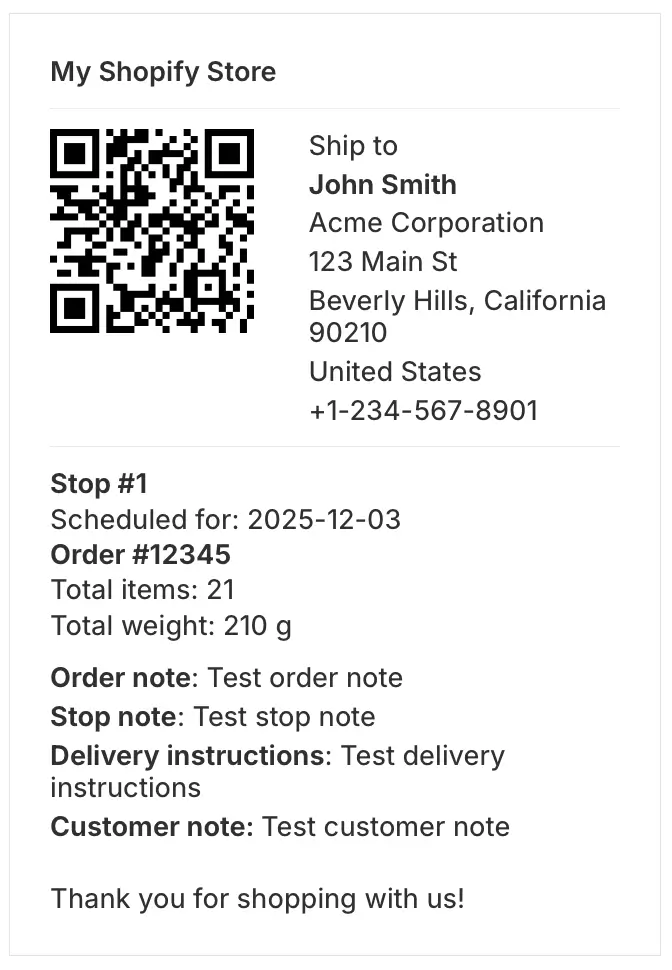
We've added a new setting for EasyRoutes printable packing labels, allowing users to configure and generate packing labels in a larger format, more suitable for including scannable QR codes and printing to larger label sizes (e.g. 4x6 inch). Existing customizations (such as stop/order number sizing and included order/stop variables) will be retained when switching to large format labels; EasyRoutes-native QR codes will be included by default, but can be manually disabled after switching label formats.
Select this new packing label size from your EasyRoutes Settings > Packing Slips & Labels tab, within the Packing label options section, by enabling the Large format option. For more details on working with EasyRoutes-generated printouts, see the support articles for route printing and packing labels specifically.