
Route Scheduling with ETAs + Better Route Time calculations!
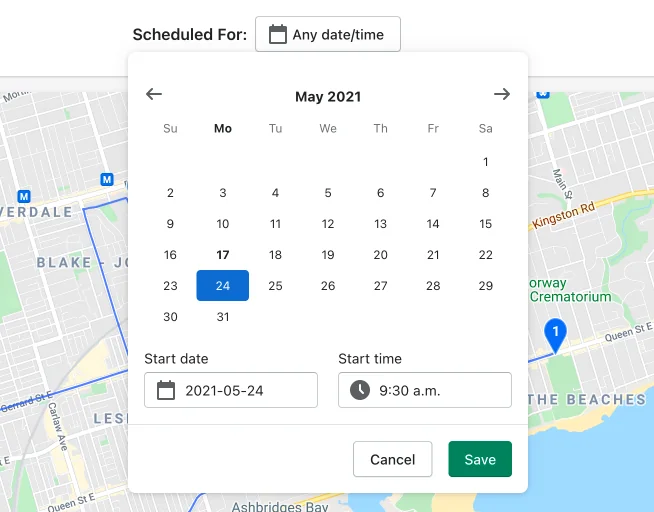
After you create a route, you can use our new route scheduling feature to select the date and time your driver should leave. Once a date/time is selected, the stop list will update with Estimated Times of Arrival (ETAs) for each stop. Drivers can see this ETA for each stop in their driver view:
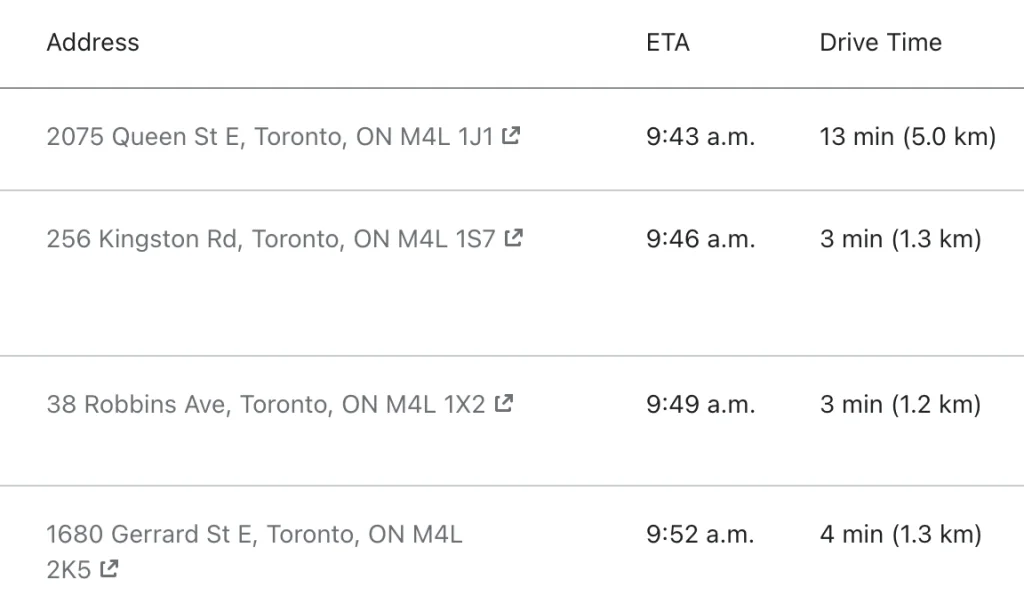
Not only that, we’ve also improved our route time calculations and have applied these recalculations to all of your existing routes, including your edited ones! Let us know how this helps improve your fine-grain route planning!
Route Lines
We’ve added route lines to your delivery map! Now you can visualize the route between stops.
New Route Page Header
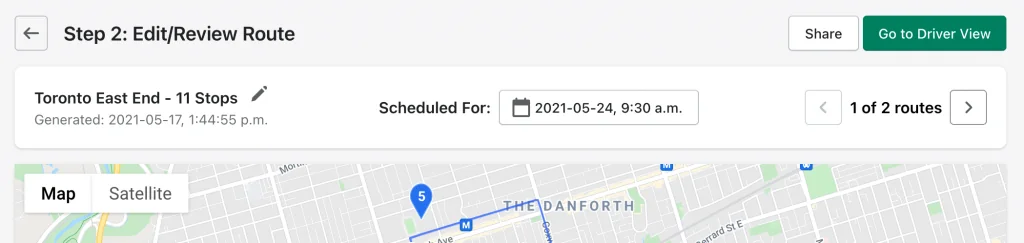
We rejigged our route page header. Now you can rename, schedule and navigate multiple generated routes in one row.
Cash On Delivery (COD) Total Price Breakdown
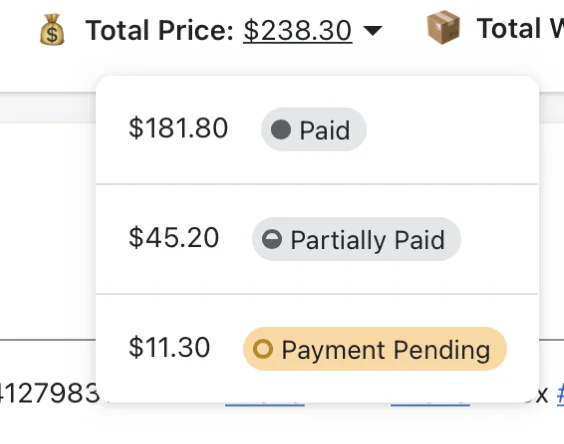
For those running COD deliveries, we’ve added a Total Price breakdown of payment statuses beneath your list of stops.
Attach Multiple Proof of Delivery Photos
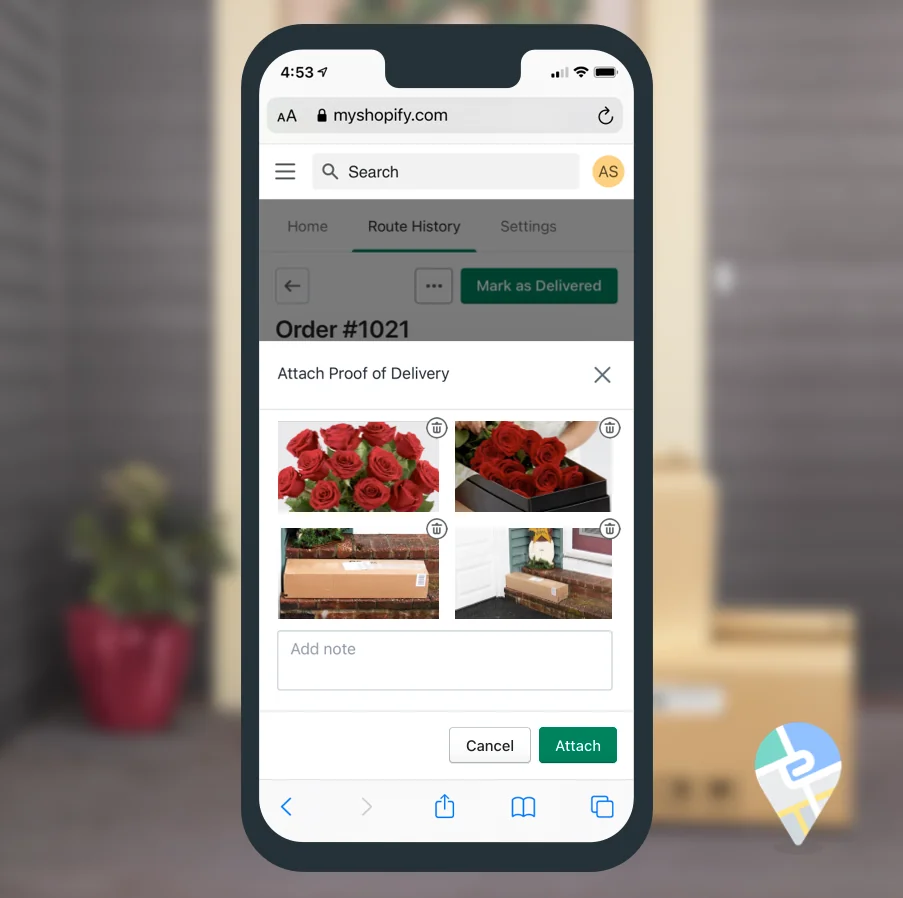
To help with more complex delivery workflows we've added the ability to attach up to four photos as proof of delivery to a customer's order. Your drivers can also attach an optional note. The links to these images will be attached to your order in Shopify, and you can even include them in your customer confirmation emails. Multi-photo Proof of Delivery is now available on our Growth plans.
Updated Route Options: Quick-Select Locations, Avoid Tolls, & Balance Routes
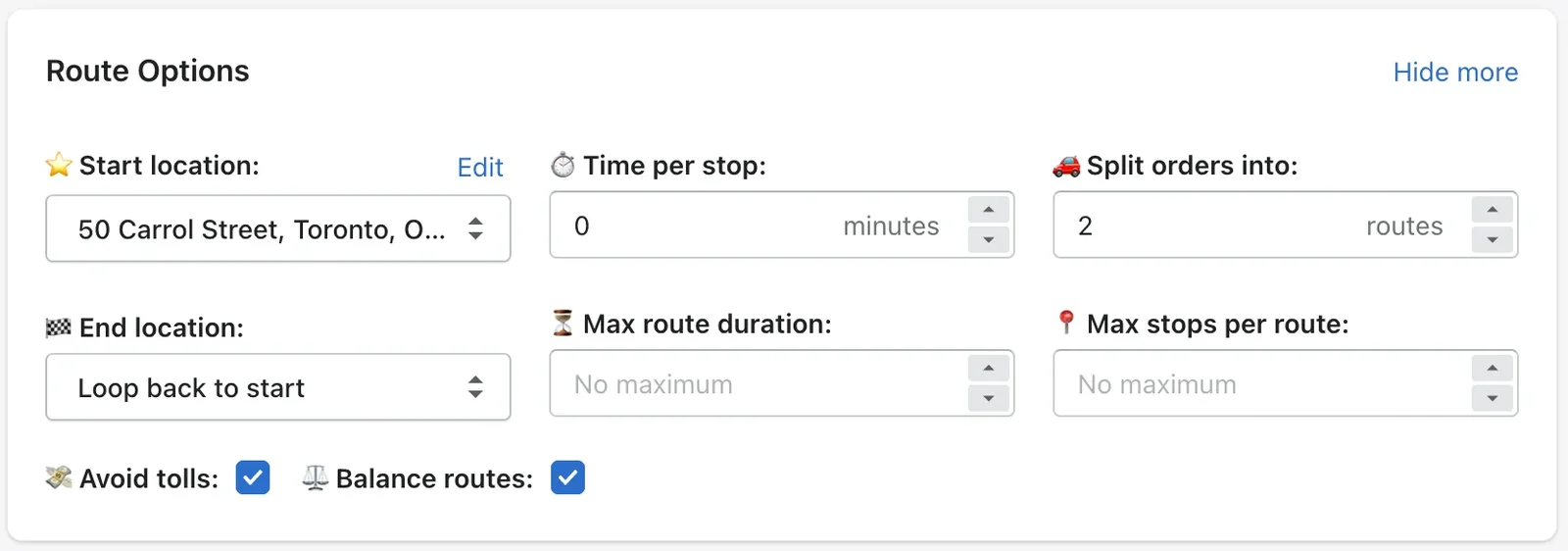
We've improved our Route Options at the top or your Select Orders page. Now you can quickly switch start and end locations using a drop-down selector.
Click the "Show More" link in your Route Options to see additional settings:
- Avoid tolls: Save money by bypassing toll roads on your routes.
- Balance routes: When creating multiple routes, check this to balance routes by number of stops.
Driver Progress Modal
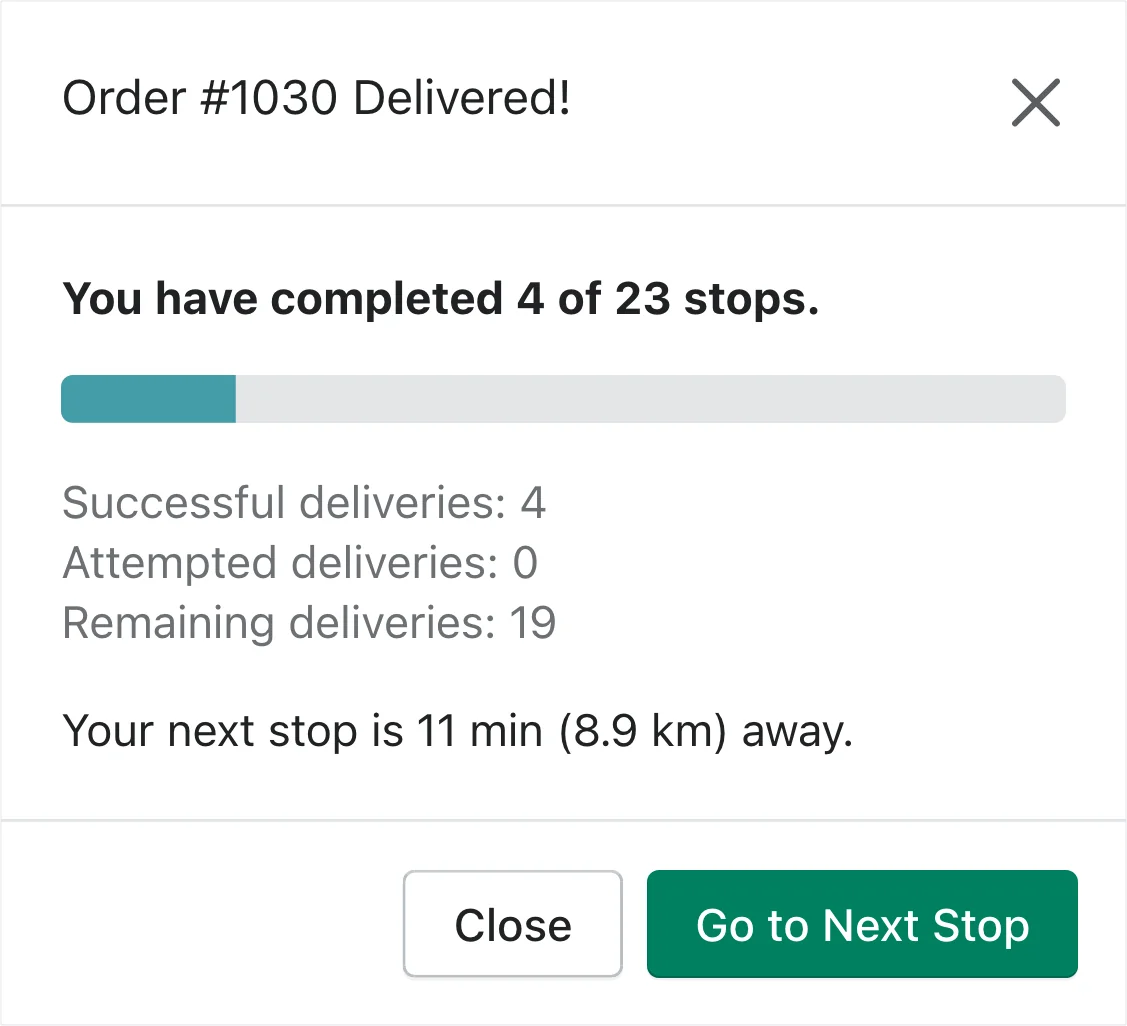
Now when you or your driver marks as an order as delivered, they'll see a little progress modal showing how they are doing on their route and a button to quickly move on to the next stop.
More Plans for Enterprise Businesses
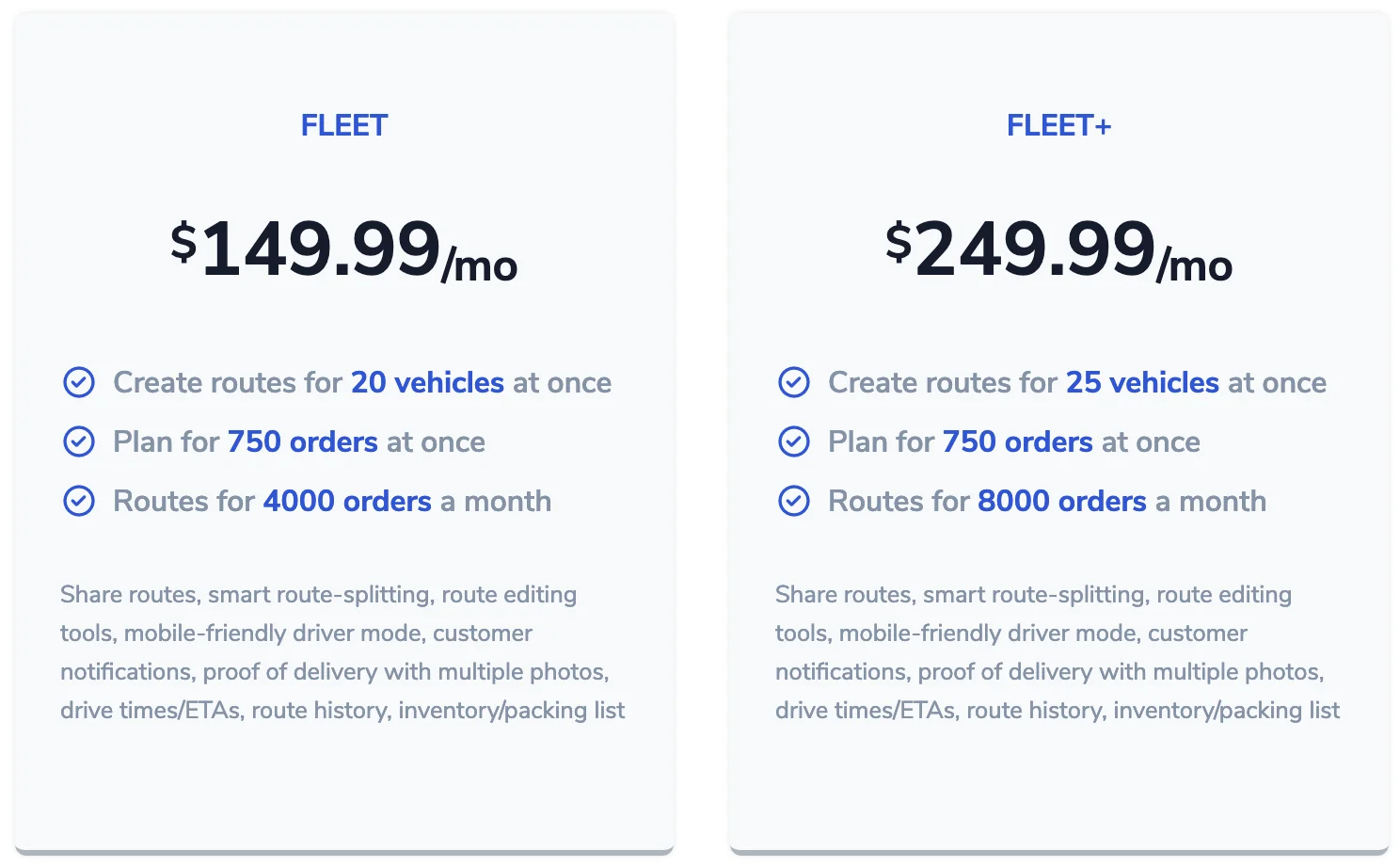
We've introduced two new Fleet-level plans to support our growing enterprise-level customers.
Under the hood improvements

Continuous improvements behinds the scenes at EasyRoutes! And hopefully some things you never have to see, like our new error pages.
Start / End Location updates
We've launched an improved experience for setting or updating your start and end location for planning your next route:
