
We've added two new options to enable additional customization of packing slips printed with EasyRoutes.
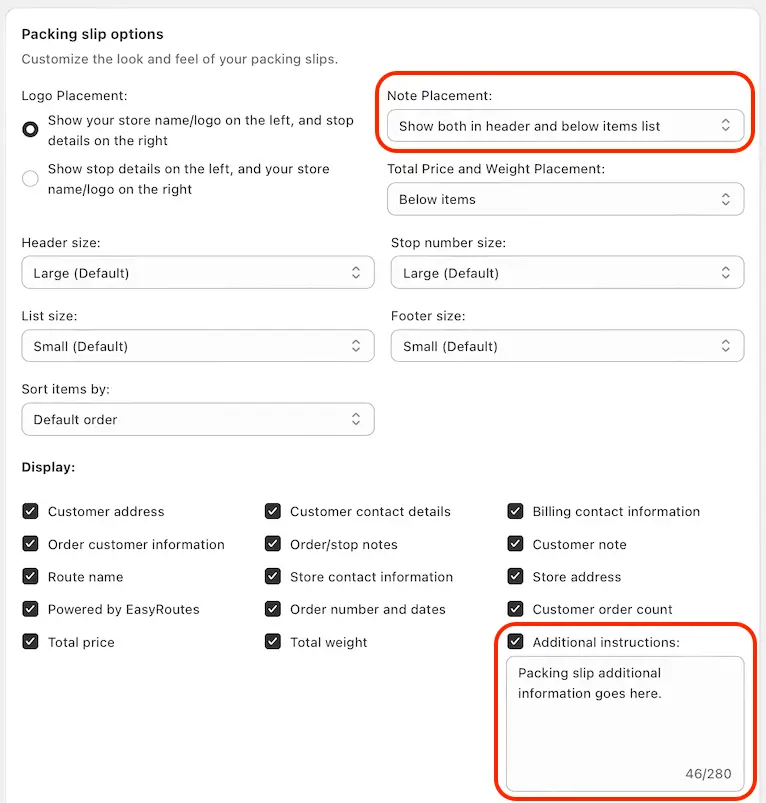
From your EasyRoutes Settings > Packing slips and labels tab, in the Packing slip options section, enable the Additional instructions field and input any custom information you'd like to include in printed packing slips. You can also customize the position of this information (Below items, In header, or both) using the Note placement dropdown:
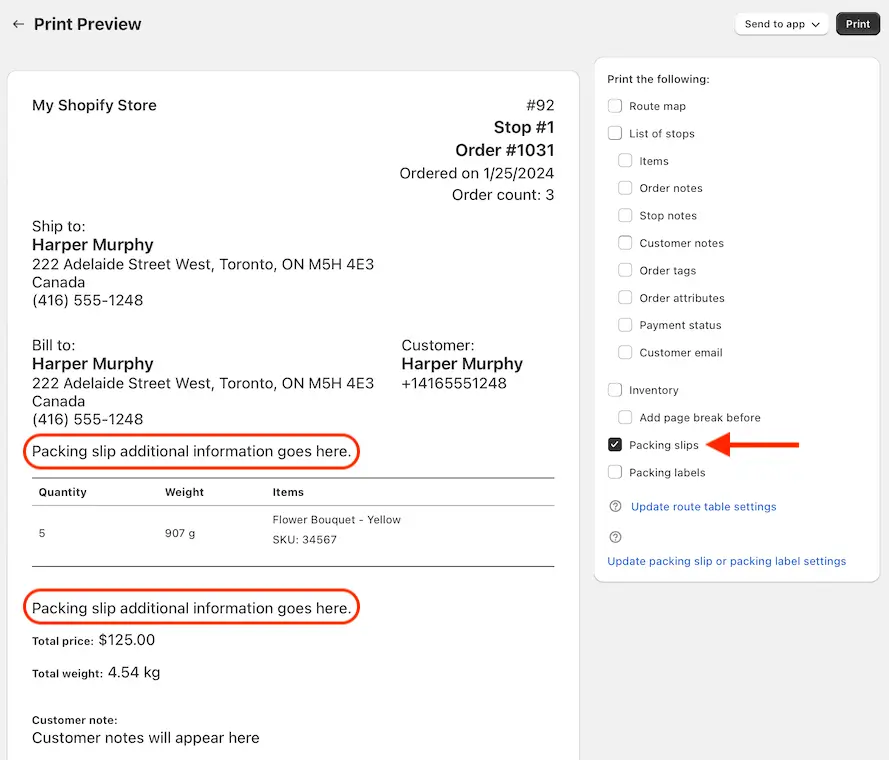
When using the Print feature with Packing slips enabled, this information will automatically display as configured. Note that the example shown below is configured to display both below items and in header:
For full details on configuring, customizing, and printing packing slips for all your EasyRoutes orders, see the support article for this feature.