
We've added new options for eSignature proof of delivery, allowing users to display these proof items in customer-facing communications in two new locations:
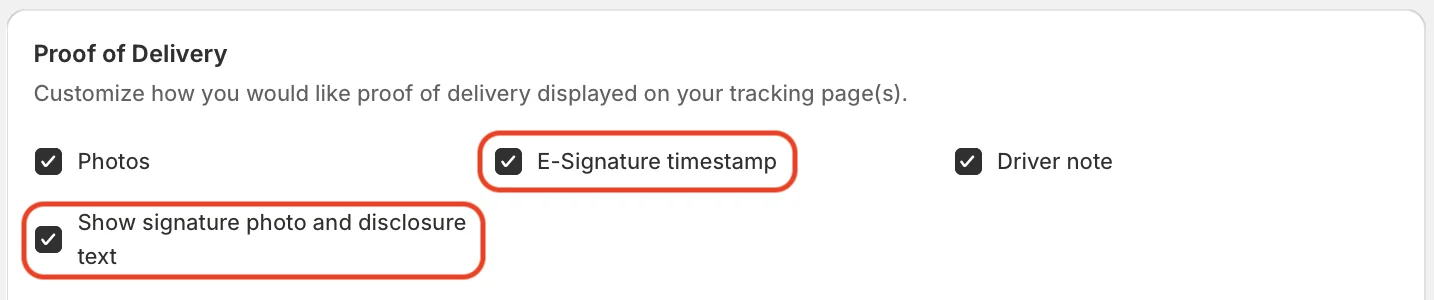
- Tracking pages: In addition to the existing option to display an eSignature capture's timestamp, users can now optionally display an image of the eSignature, combined with the custom disclosure signature displayed to customers when signing. Enable either/both of these elements from your EasyRoutes Settings > Order Tracking tab, within the Proof of Delivery section highlighted below:
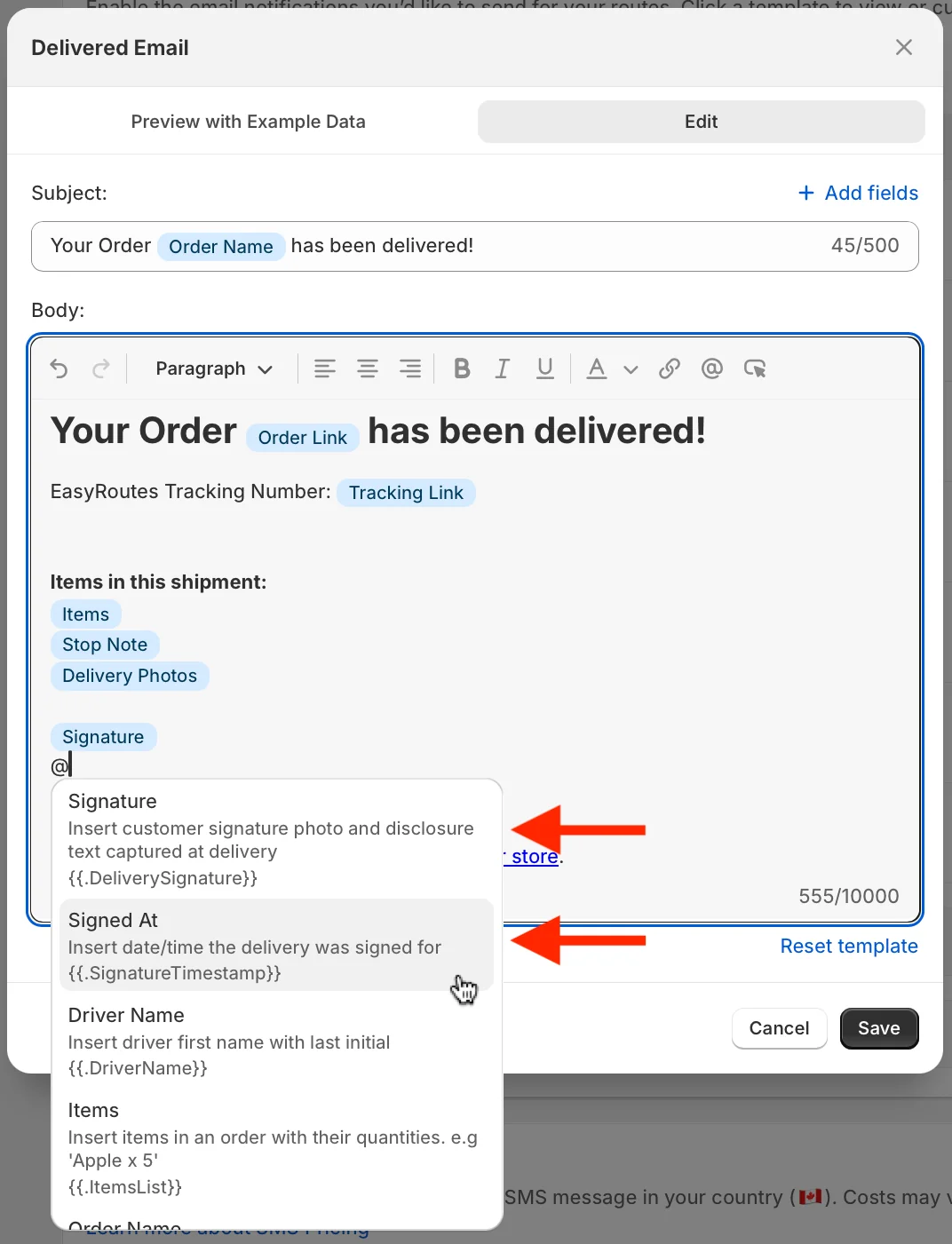
- Email notifications: Signature photos & disclosure text and/or any signature timestamps can also be independently included in customer email notifications. Enable from your EasyRoutes Settings > Customer Notifications tab, within the Notification templates section; click the title of any notification template, access the Edit tab (shown below), and type the @ symbol to access the insert variable menu - select Signature and/or Signed at to include these variables in any customer email notification:
For full details on customizing either of these customer communications, see the support articles for customer notifications and order tracking pages.