
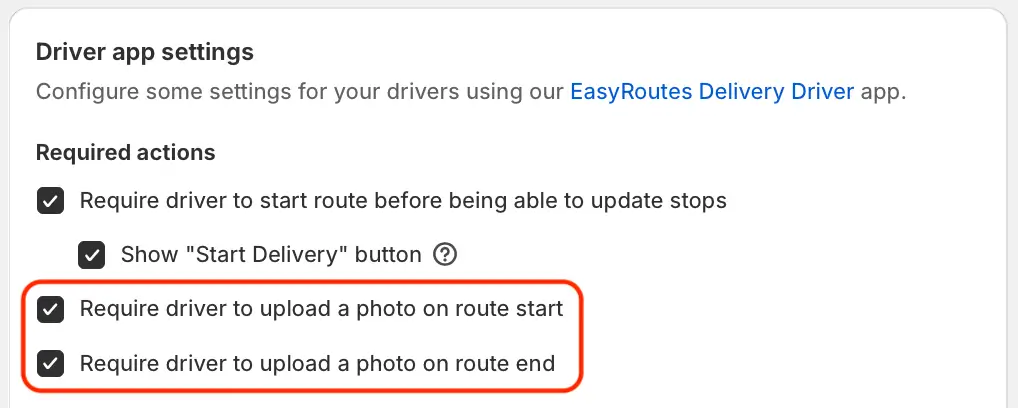
We've added two new EasyRoutes settings, allowing route planners to require photo uploads for route start and/or end locations - particularly useful for users comparing mileage, vehicle conditions, or total route contents both before and after a route is completed. When enabled, drivers will not be able to start their delivery routes and/or mark routes as completed until configured photo upload requirements are met.
Enable this new behaviour from your EasyRoutes Settings > Driver settings tab, using the two checkboxes in the Driver app settings section highlighted above.
Drivers will also need to update their version of the mobile app to v1.0.93 or above in order for either of these new settings to take effect.