
🛠️ EasyRoutes Interface Adjustments
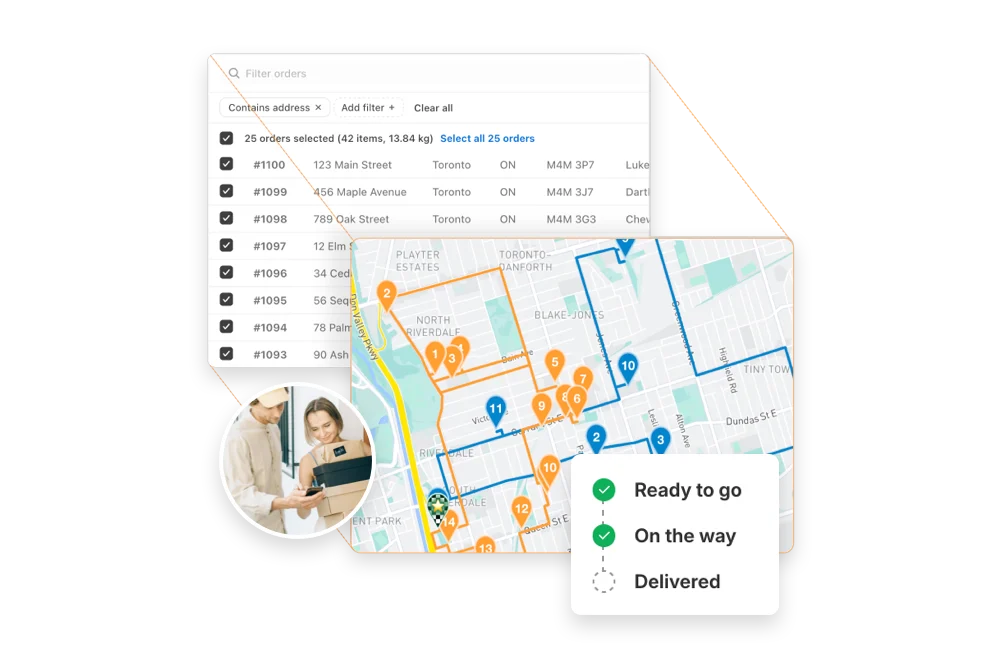
We've made a number of adjustments to the EasyRoutes admin interface to provide a more seamless experience when working across the app. As a result, select EasyRoutes functions have moved to a new location, or received an updated visual treatment.
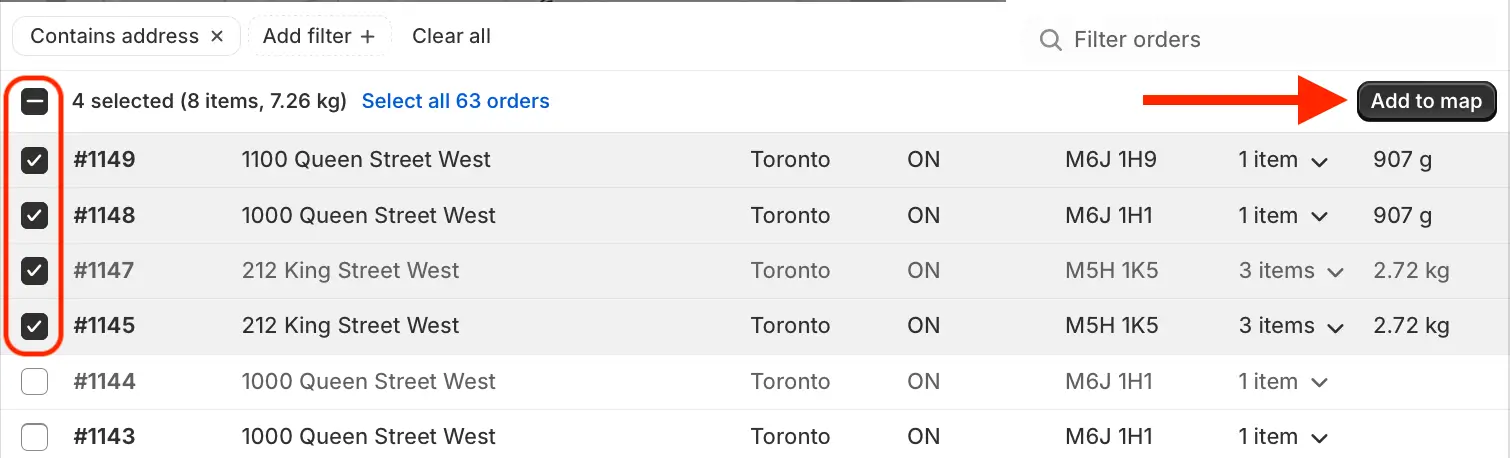
Most notably, when selecting orders/stops using the checkboxes on the Orders and Routes pages, the Actions menu (which previously appeared at the bottom of the page) has been moved to the upper right-hand corner of the table. This change affects Add to / Remove from map functionality (as shown below) as well as any bulk order/route actions across the app:
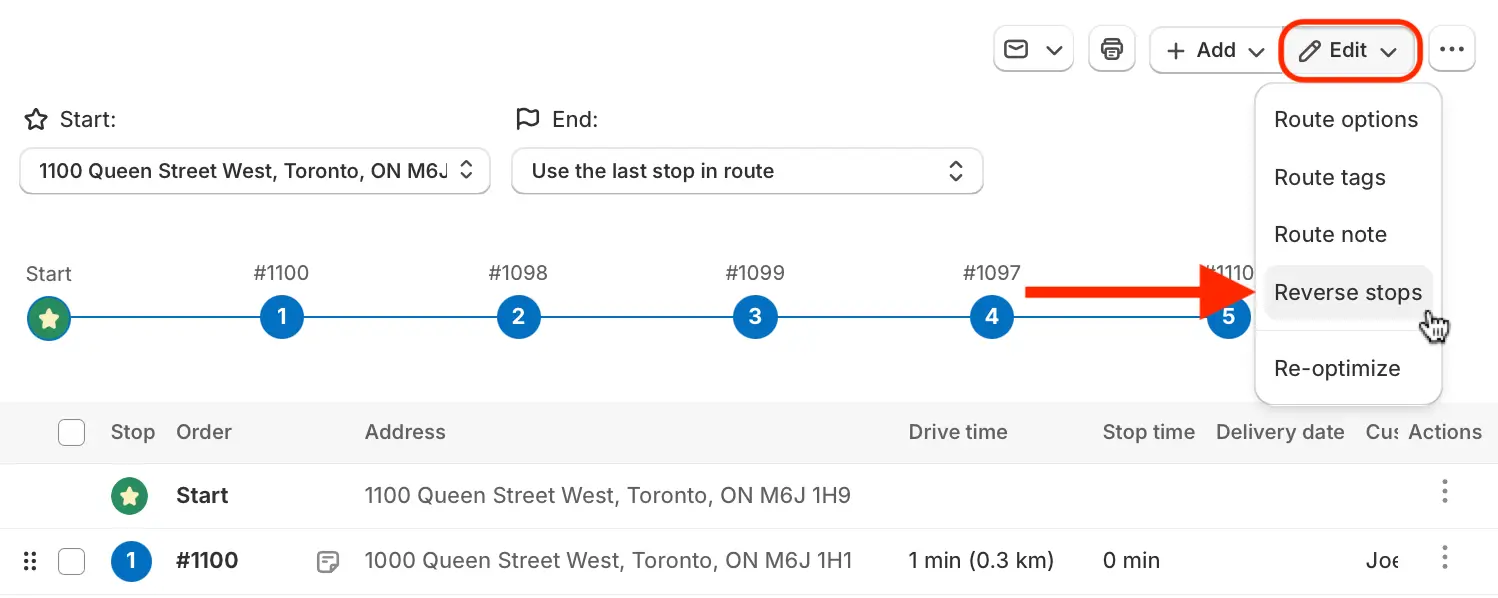
The Reverse stops button (previously found above the table checkboxes on a Route page) can now be found in the Edit menu directly below the map when viewing any route:
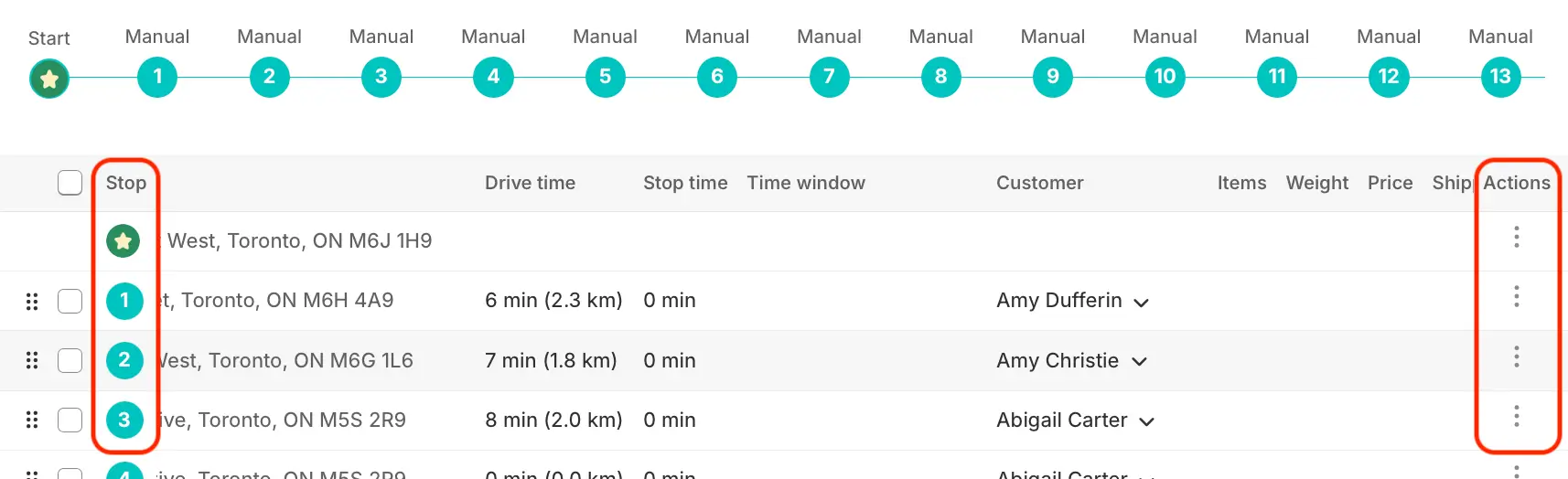
The Order column (on the Orders page), as well as the Stop & Actions columns (on Route pages, shown below) are now "sticky" and will remain on screen when scrolling horizontally across these tables, increasing clarity and accessibility when working with wide tables:
🤳 Automatic Mobile App Translations
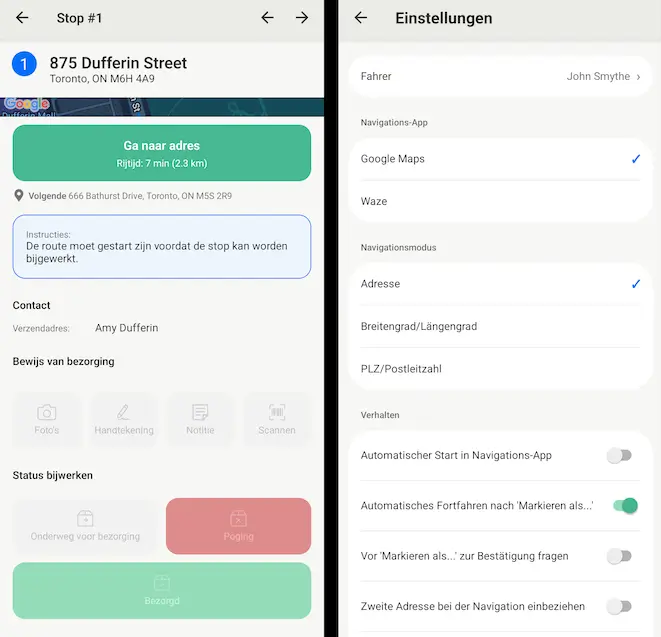
We're excited to announce that the EasyRoutes Delivery Driver mobile app now supports automatic translation for users with their primary device language set to French, Spanish, Dutch, or German. All in-app functions - including buttons, labels, notifications, and settings pages - will now automatically translate to match any of these device languages.
Drivers will need to update their version of the mobile app to 1.0.91 or above in order to access the full set of app translations seamlessly. Translations will be automatically applied for users of both Android and iOS devices with a supported version of the mobile app installed.
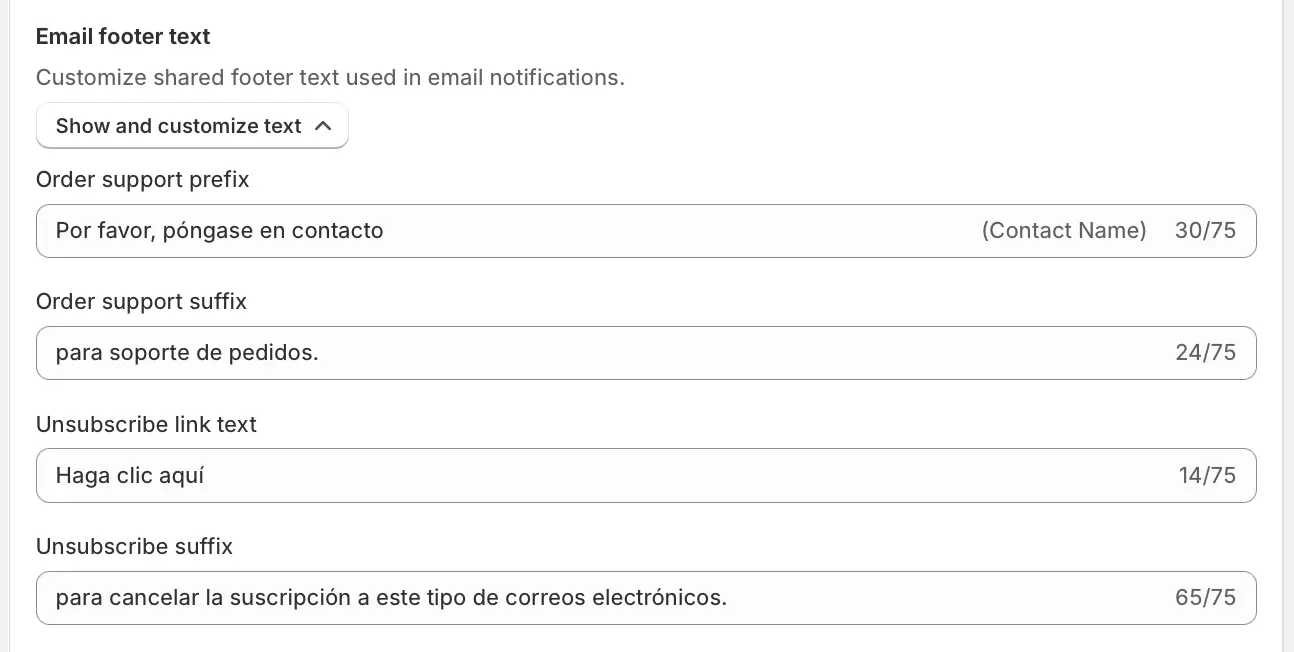
We've also added a new set of controls to the EasyRoutes Settings > Customer Notifications tab, allowing users to customize or translate the footer text of email notifications sent to customers:
For more details on options for translating other customer-facing communications (including tracking pages and packing documentation) to match your store and customer language preferences, see this support article.
🧑💻 Route Planning Updates
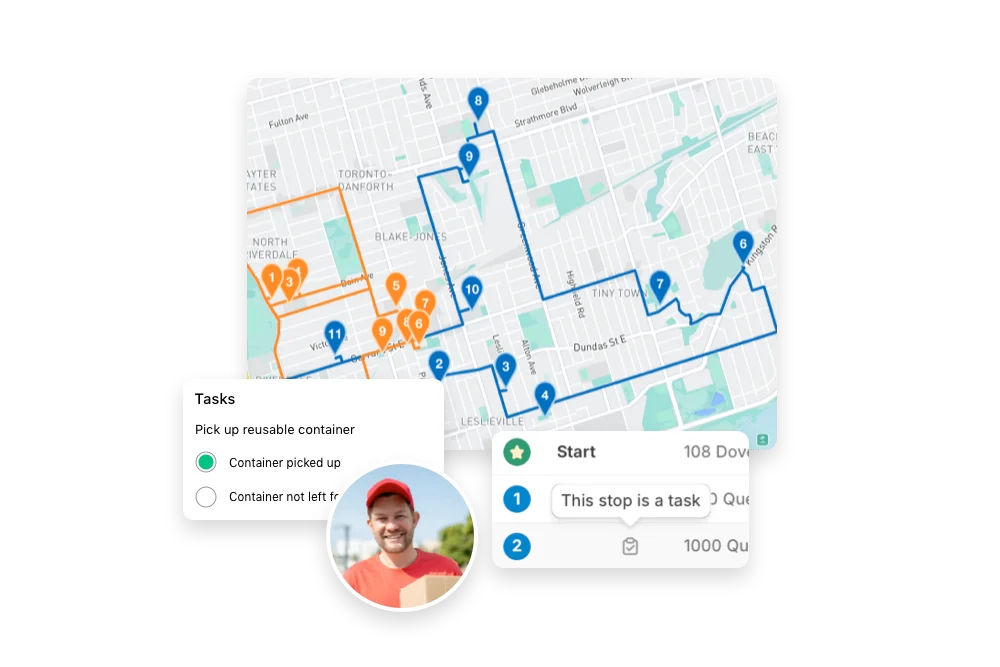
Alongside our overall interface updates, we've made several improvements to streamline user workflows and ensure relevant route data is highlighted at every step of the route planning process.
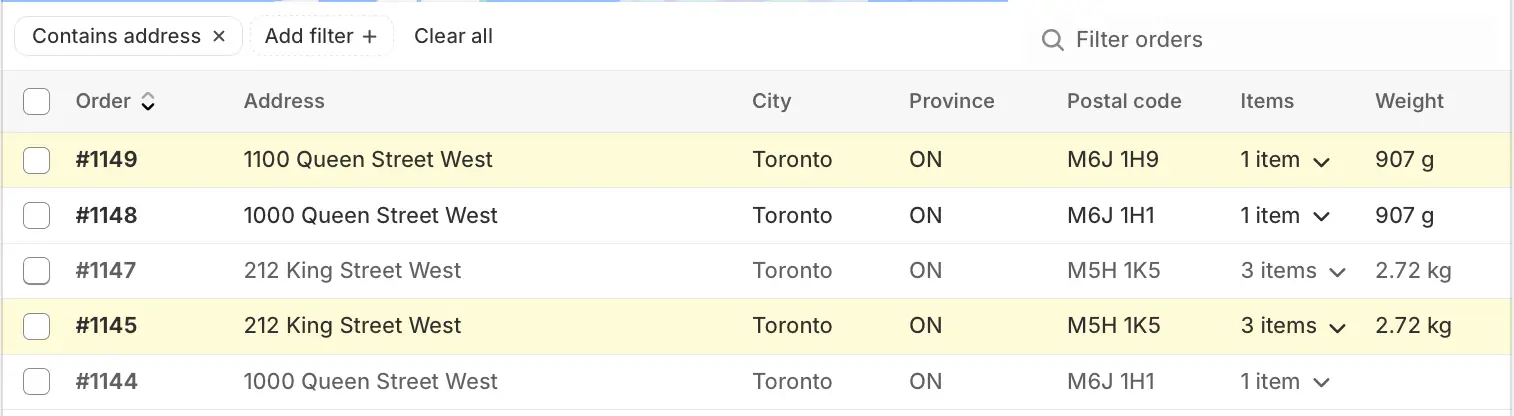
We've increased visibility for handling duplicate orders/stops on a route, first from the Orders page when creating a new route. As orders are added to the map, they will now display with a shaded background to indicate this, like #1149 and #1145 shown below:
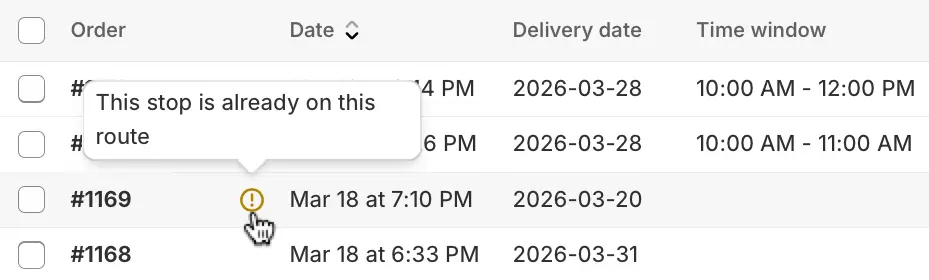
When adding orders to an existing route from a route's Add orders tab, any orders that are already included on the current route will display in the orders table with a warning badge:
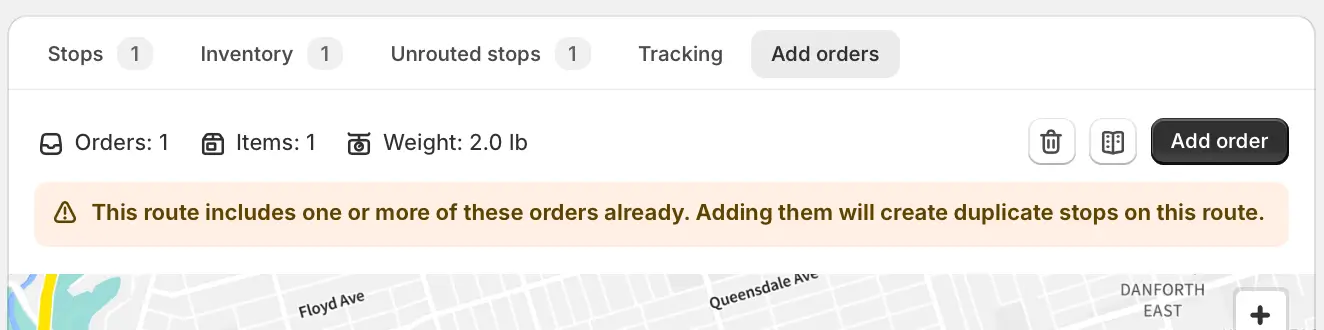
If any duplicate orders are added to the map from the Add orders tab, a new warning banner will display directly above the map:
We've also added two new variables to route exports, allowing users to include any route's total item count, as well as a route's completed drive time for routes that have been marked as complete.
For additional visibility of a completed route's elapsed drive time as a column on the Routes page, users can enable the Completed drive time checkbox from their EasyRoutes Settings > Routes tab, within the Route display options section.
📱 EasyRoutes Delivery Driver v1.0.91
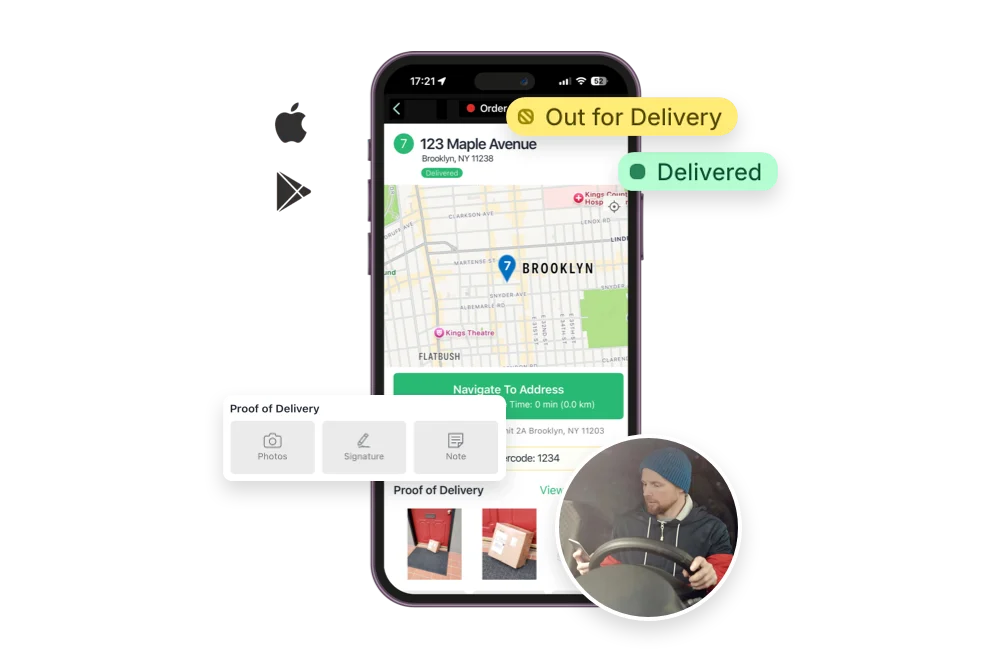
The EasyRoutes Delivery Driver mobile app for both iOS and Android devices has been updated to version 1.0.91. This release features support for automatic app translations highlighted above, improved handling of extended text strings in stop notes, as well as minor bug fixes & improvements to eSignature capture and stop proximity warnings.
Drivers will need to update to the latest version of the mobile app (version 1.0.91 or above) in order to take advantage of these new features and improvements within the EasyRoutes Delivery Driver mobile app.
Other product updates
(👀 there's some good stuff in here!)
- Filtering by order name via the search bar is now supported from the Orders page > Saved Stops tab.
- The add/remove tags bulk action is now supported for orders stored within the Saved Stops tab.
- Shipping price can now be included on packing slips & labels when present on a Shopify order.
- Workflows now supports broader scheduling options, allowing users to automate route creation up to an annual (12 month) recurring basis.
- EasyRoutes' Import stop Zapier action now supports mapping for stop durations (time per stop), as well as improved validation & truncation for data variables that are commonly received in an unsupported format.
- Updated ReoptimizeRoute API endpoint, allowing developers to specify additional criteria (ignore completed stops; ignore route constraints) when re-optimizing routes via the EasyRoutes API.