This month, we're highlighting new EasyRoutes features built to streamline deliveries for route planners and drivers alike – plus, quick tips on how to deliver a top-notch delivery experience for your customers, just in time for Valentine's Day 2026.
📦 New Feature: EasyRoutes Barcodes
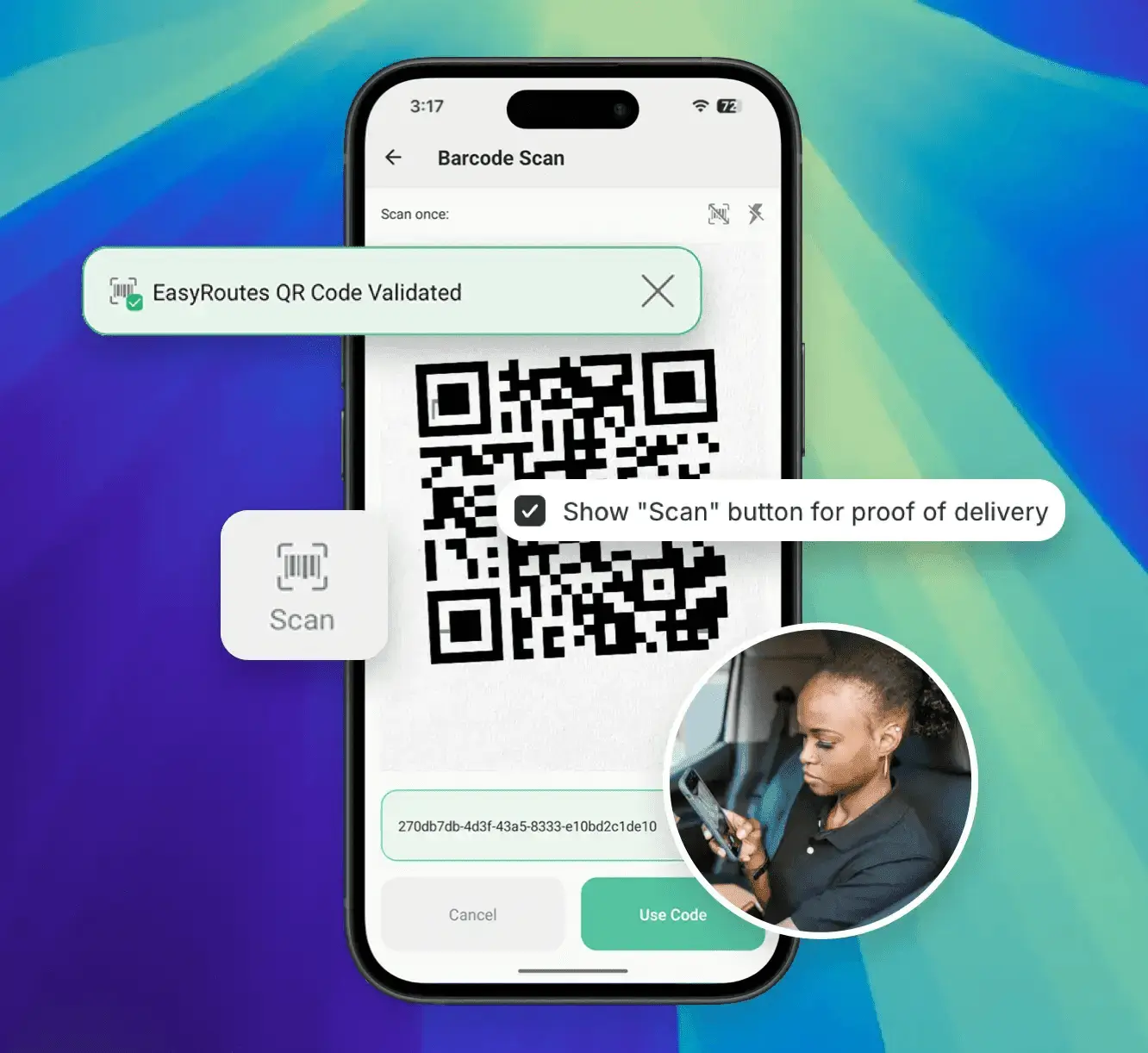
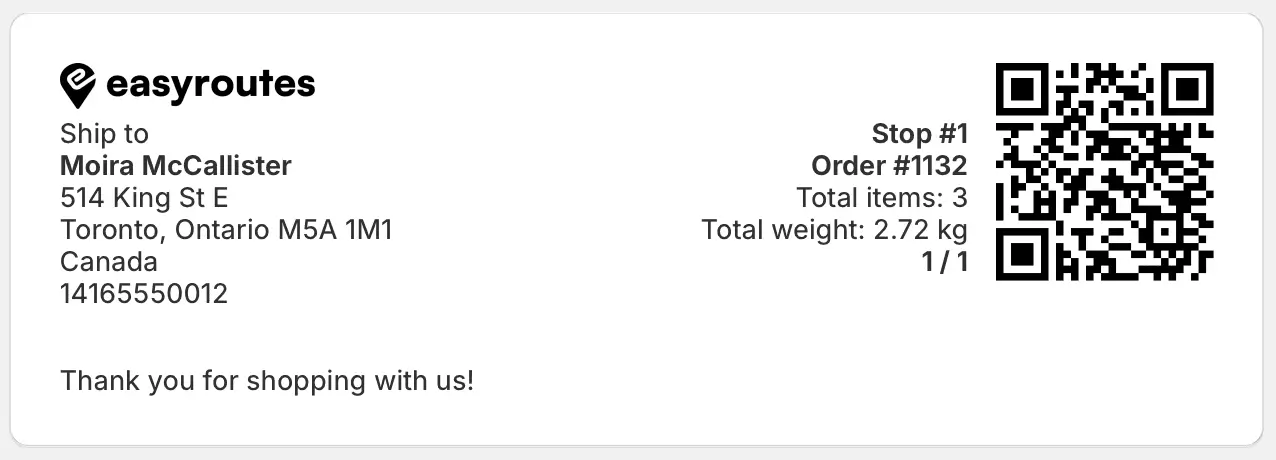
EasyRoutes-native barcodes can now be included on packing slips & labels, scanned by drivers for an additional layer of order validation, and collected for live or historical review by route planners, alongside all other proof of delivery items.
Route planners can include barcodes on packing documents (as shown above) from their EasyRoutes Settings > Packing Slips & Labels tab, by enabling the Show QR code checkbox for each document, and configuring the code's positioning. Once enabled, drivers can be required to validate barcode scans in order to mark a stop as Completed and/or Attempted from the EasyRoutes Settings > Driver Settings tab.
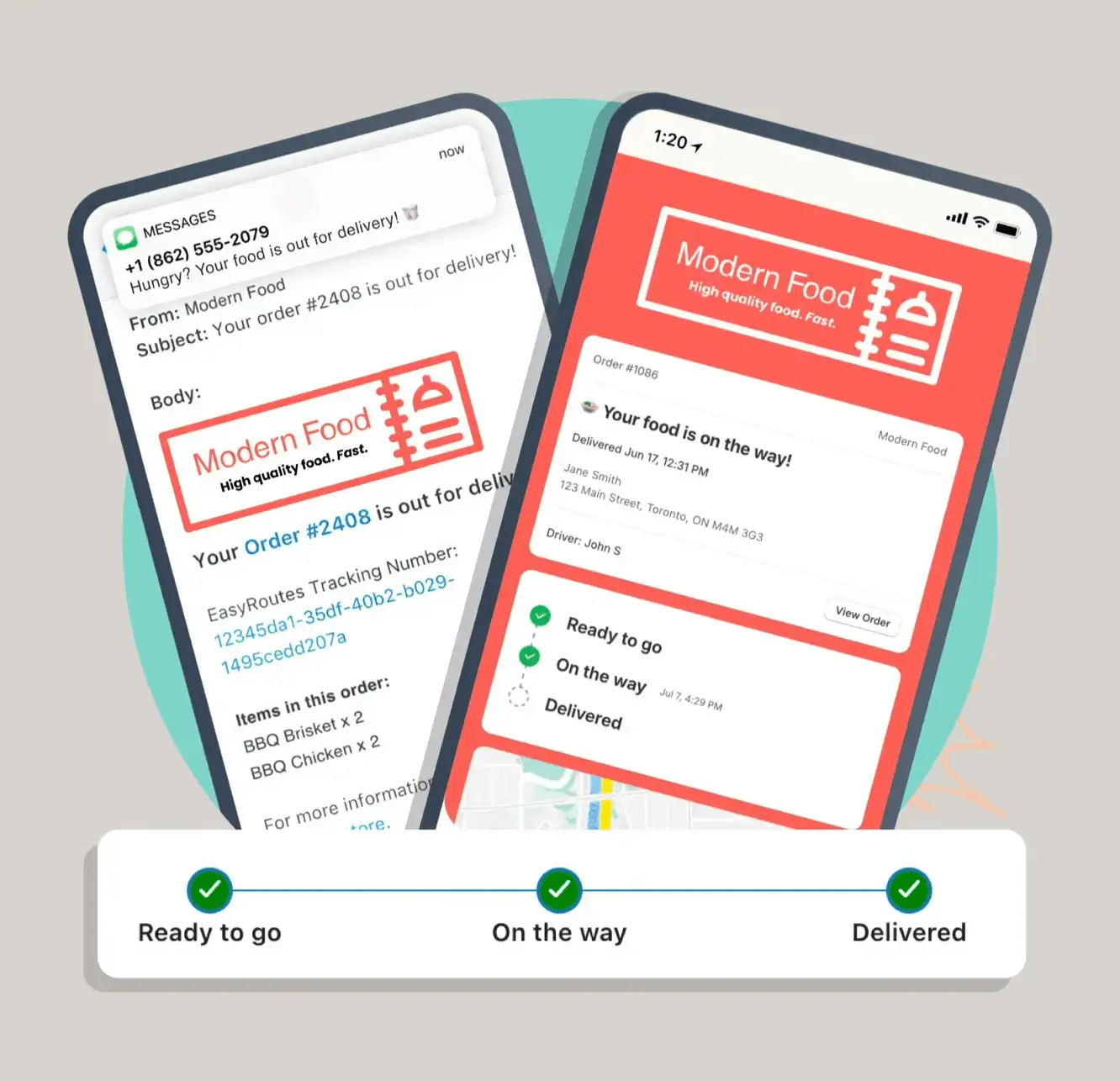
We've released a number of updates to EasyRoutes' email notification templates, with more options for providing a modern and customized experience when communicating with customers via email. Each of the template types has been re-designed to reflect modern email standards and to better showcase user logos, branding, and colour preferences.
Users can enable these new email templates from their EasyRoutes Settings > Customer Notifications tab, by selecting the Modern option from the Email template dropdown menu in the Branding section. Once enabled, individual templates for each delivery event can be previewed and customized by clicking each event's title within the Notification templates section on the same page.
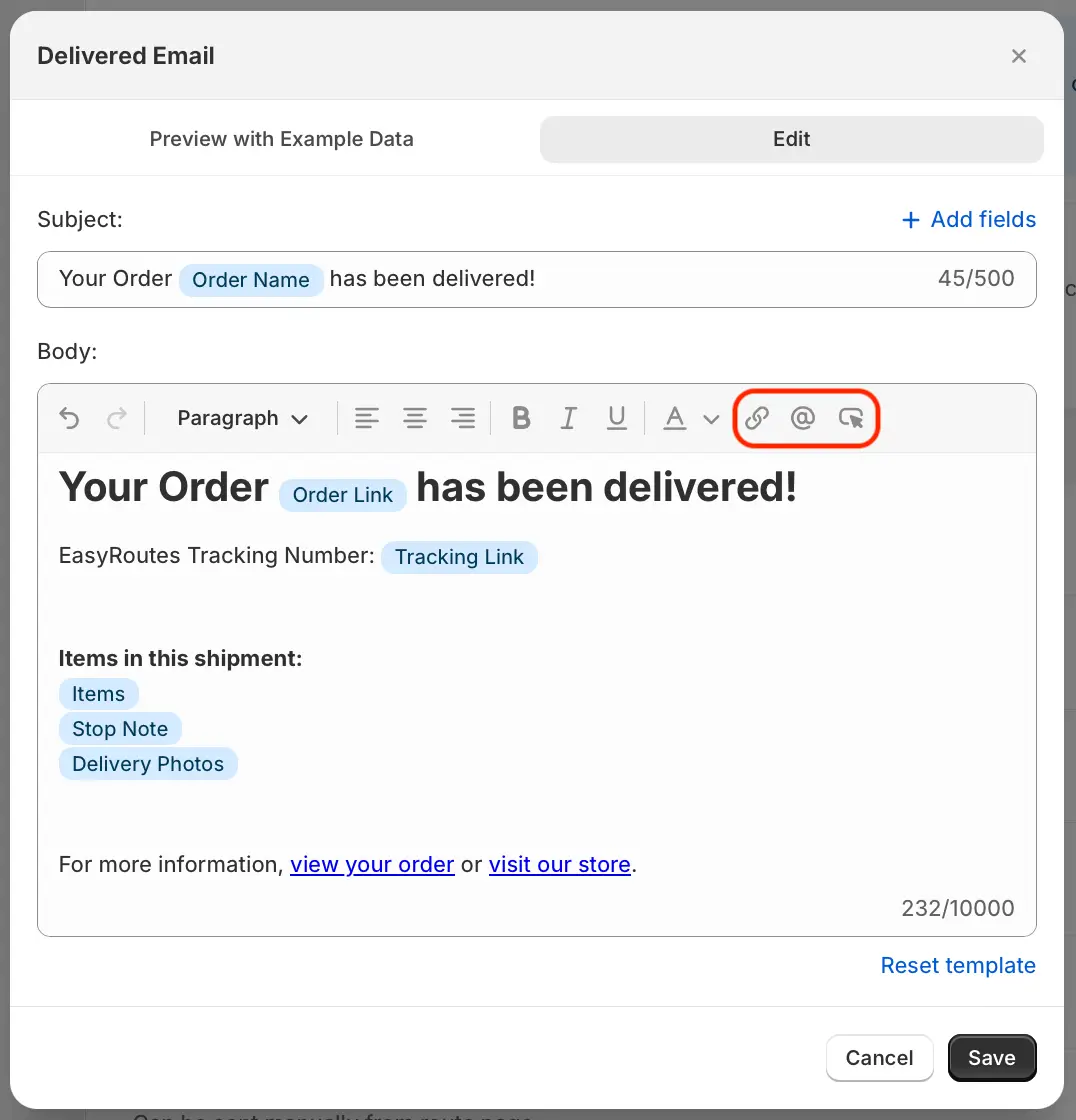
The template editor (shown above) has also been updated, giving users a broader set of options for customizing text formatting and including dynamic variables pertaining to deliveries. Three new tools (highlighted above) give users quick access to insert and format hyperlinks, dynamic order variables, and custom buttons directly within the email body.
Any existing customizations to legacy email notification templates remain enabled by default, and can be accessed or updated via the Minimal option from the same EasyRoutes Settings page mentioned above.
For full details on working with EasyRoutes' email notifications, see this support article.
📍 New Mobile Feature: GPS Proximity Warning
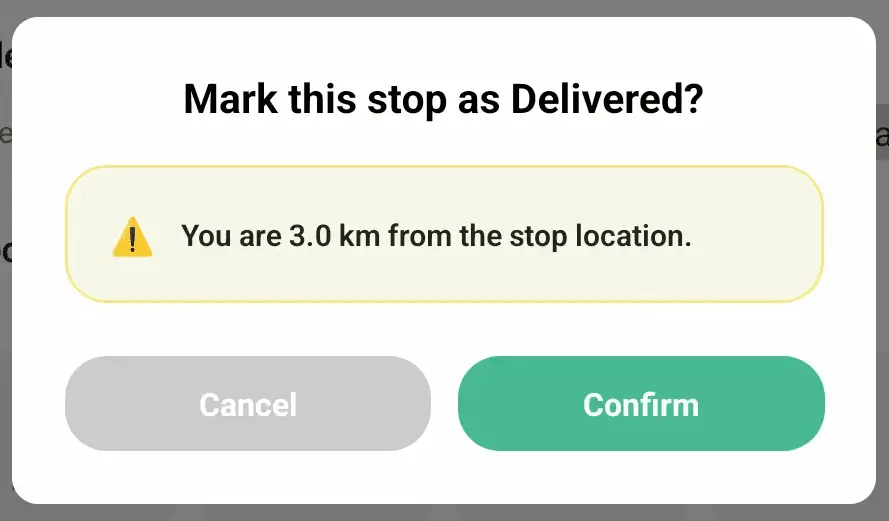
We've added a new warning when marking stops as Delivered or Attempted from the mobile app, alerting drivers when their current GPS location is not in close proximity with a stop's configured geolocation. Drivers can tap the Cancel button to verify location accuracy before trying again, or tap the Confirm button to bypass the warning and proceed to update the stop's status.
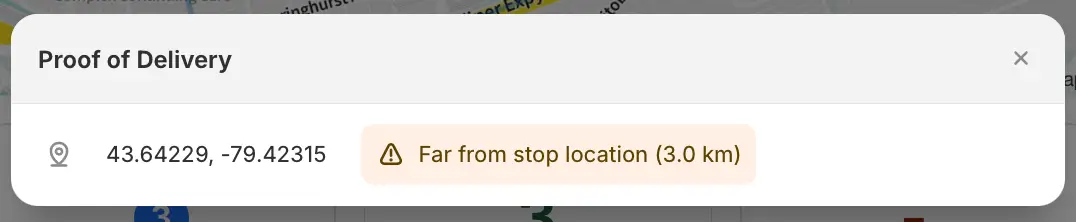
Any proximity warnings displayed in the mobile app will also be retained for route planner review, accessible alongside the delivery location tracking proof of delivery item from the EasyRoutes admin view, as shown above.
📱 EasyRoutes Delivery Driver v1.0.87
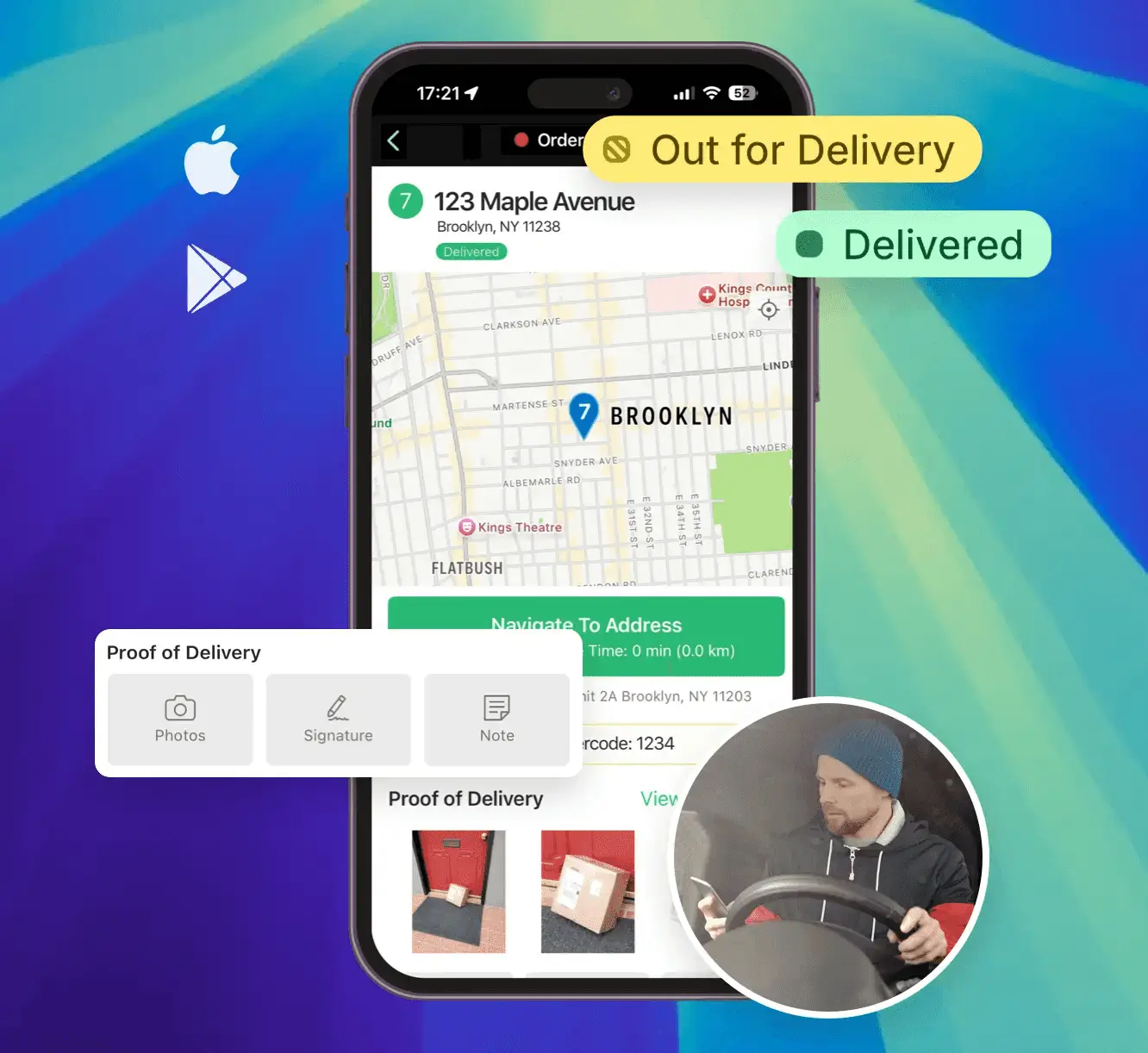
The EasyRoutes Delivery Driver mobile app for both iOS and Android devices has been updated to version 1.0.87. This release features a visual refresh to streamline app navigation for drivers on the go, support for EasyRoutes-native barcode scanning & GPS proximity warnings, as well as a number of new features and improvements, including:
When delivering stops out of their optimized order, the Go to Next Stop button now jumps to the next undelivered stop, bypassing any subsequent stops already marked as Delivered or Attempted.
Order/customer notes and tags can now be reviewed from the mobile app for routes that have been dispatched, but do not yet have an assigned driver, improving support for users taking advantage of the mobile app for pick-and-pack workflows.
Route start and end locations now occupy a dedicated 'stop' card on each route, improving navigation and visibility of any driver tasks requiring completion before starting or completing a route. Route start and end locations now also support photo proof of delivery upload.
Any attached proof of delivery photos can no longer be removed from a stop once that stop is marked as Delivered or Attempted.
Drivers will need to update to the latest version of the mobile app (version 1.0.87 or above) in order to take advantage of these new features and improvements within the EasyRoutes Delivery Driver mobile app.
Other product updates (👀 there's some good stuff in here!)
New bulk action: order tags can now be added or removed in batches for imported and custom stops.
Order tags are now supported when importing orders from a CSV file, including multi-tagging support for comma-separated lists of tags.
Preset reasons for marking a stop as Attempted from the mobile app can now be customized in Driver Settings to show/hide any default reasons.
Workflows now supports auto-adding saved stops to better support recurring stops that must be included on all generated routes.
Love is in the air, and for merchants of all stripes, that means one thing: the Valentine’s Day rush is just around the corner. We've put together a few quick tips to take advantage of our newest & most powerful features, setting your drivers up for success before they hit the road.
The EasyRoutes support team is here to assist throughout the Valentine’s rush! We’ll be monitoring our systems closely to ensure your local deliveries go off without a hitch. If you need a hand or have a question about anything EasyRoutes-related, reach out to us at any time. You can also visit our 24/7 support portal for detailed guides and FAQs on all of our most powerful features.
Written by: Joe Snyder
About EasyRoutes
EasyRoutes is the AI-native delivery operations platform trusted by 5,000+ businesses across 75+ countries. Plan routes in seconds, dispatch drivers automatically, and delight your customers — from Shopify or any order source. Experience delivery operations that run themselves. Rated 4.9 stars and certified Built for Shopify.