Changelog
Here are the latest product updates from EasyRoutes. If you have feedback or suggestions, please reach out — we'd love to hear from you!
Here are the latest product updates from EasyRoutes. If you have feedback or suggestions, please reach out — we'd love to hear from you!
Version 2.0.8 of the EasyRoutes Delivery Driver mobile app is now available to download for iOS and Android devices. This release features a fix related to app navigation for devices running iOS version 26 or above, expanded attribution details on the settings page for both platforms, as well minor bug fixes and performance improvements.
Version 2.0.7 of the EasyRoutes Delivery Driver mobile app is now available to download for iOS and Android devices. This release features adjustments to sync operations impacted by deleted routes when returning online, improvements to proof of delivery uploads on both platforms, and returns the app to version parity between both supported mobile operating systems.
We've shipped a pair of improvements focused on making API-based EasyRoutes integrations more reliable and predictable, including:
Version 2.0.6 of the EasyRoutes Delivery Driver mobile app is now available to download for Android users. This version includes a patch for inconsistent app navigation and stop update sync behaviour experienced by a subset of users following the previous version's release. We recommend installing this update for the most seamless experience on Android devices; iOS users are not impacted.
We've added a new optional field to imported orders and saved stops, allowing users to attach a custom reference URL.
When attached to an order/stop, clicking the name of that order/stop from the EasyRoutes Orders and Route pages (found within the Order column on the left-hand side of these pages) will open the URL's address in a new tab - particularly useful for quickly referencing non-Shopify order details directly when they're imported from external ERPs or alternate eCommerce platforms.
To add an external URL to an order or stop:
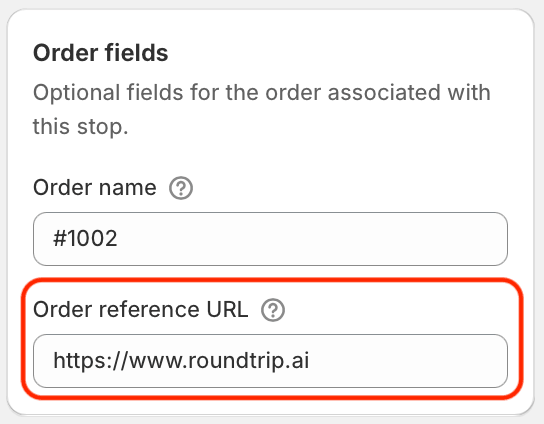
Note: Orders synced automatically via EasyRoutes' integration with Shopify remain tied directly to their respective Shopify order, maintaining a clickable reference to an order's details within the Shopify Admin.
We're excited to announce the launch of one of our users' most requested features: support for accessing and completing routes on the EasyRoutes Delivery Driver mobile app in areas with limited or no internet connectivity.
Drivers can now seamlessly continue their routes through dead zones, parking garages, rural areas, and elevators without losing a beat. Every action a driver takes offline is saved on the device and syncs automatically in the background the moment a connection is restored.
What drivers can do now without an internet connection:
What happens when drivers reconnect:
Drivers will need to update to the latest version of the app (v2.0.4 or above) in order to take advantage of offline support within the EasyRoutes Delivery Driver mobile app - available today for Android devices, and gradually rolling out for iOS devices over the next several days.
For full details on how offline support functions within the mobile app, including best practices for the most seamless experience on the road, consult the support article for this new feature.
Version 2.0.4 of the EasyRoutes Delivery Driver mobile app has been released for Android and iOS devices. iOS users who do not immediately see the latest version of the mobile app available for download are advised to check back again soon, as the update will be gradually rolling out over the next several days.
This release includes support for completing routes in geographies with limited or no internet connectivity, new controls for filtering the My Routes homepage based on route status (Not started, In progress, or Completed), and a series of minor bug fixes and performance enhancements.
Note: Drivers will need to update to the latest version of the app (v2.0.4 or above) in order to take advantage of these new features and improvements within the EasyRoutes Delivery Driver mobile app.
We've added a series of new features for developers working with EasyRoutes' APIs to interact with their orders and routes, as well as a dedicated changelog for all API-specific updates. Recent highlights include:
Full details on each API update are linked from their respective entries above. For all the latest EasyRoutes API-related updates and improvements as they're published, refer to the EasyRoutes Developer Docs Portal's new dedicated API Changelog.
We've added a new control to the All routes view of Route Groups (accessible via the controls in the upper right-hand corner of any route contained in a group, highlighted below), allowing users to trigger select notifications for all or multiple routes contained within that group:
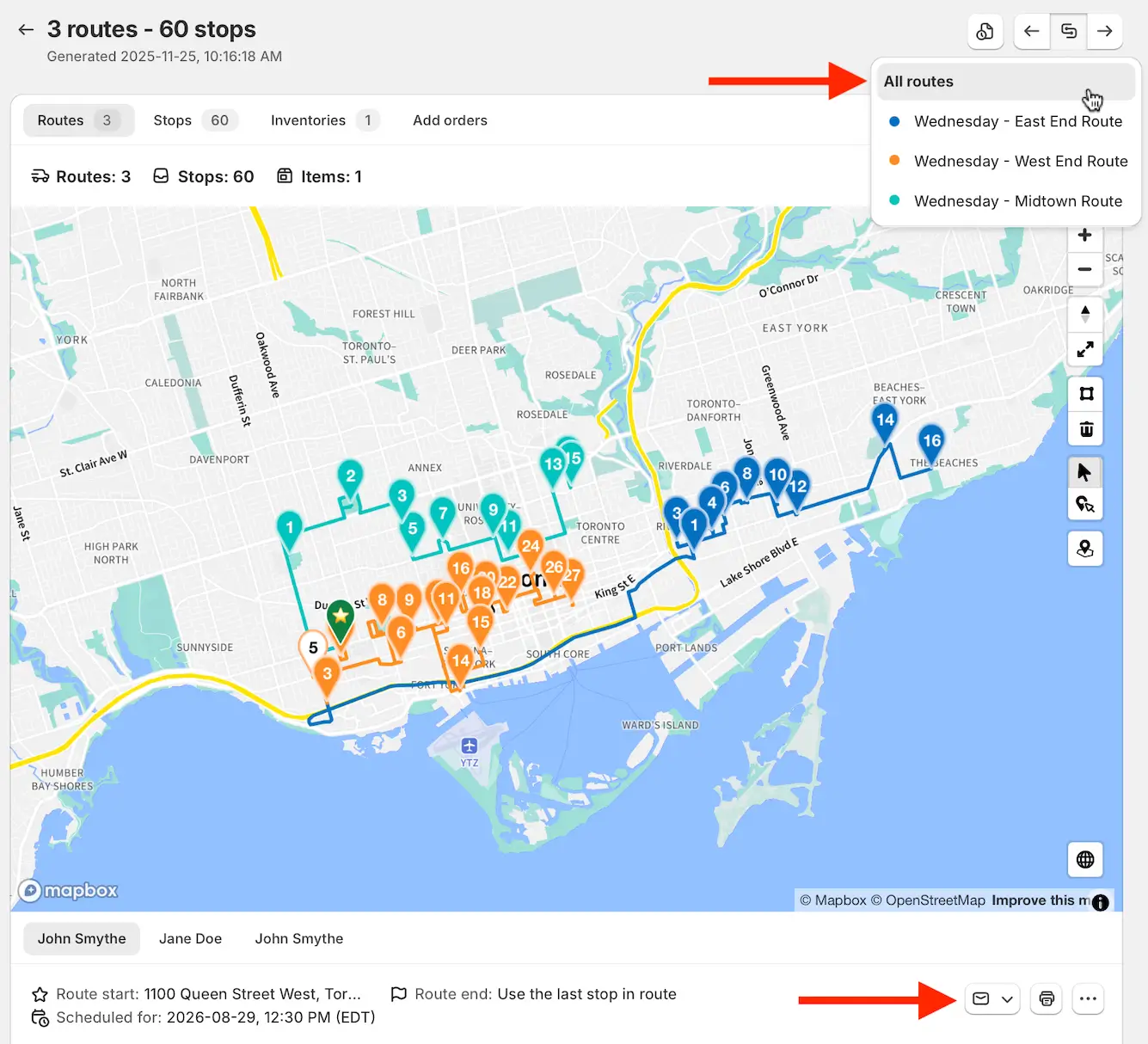
Click the envelope icon below the route map (highlighted above) and select the type of notification to send: Ready for delivery, Scheduled, and Re-Scheduled notifications are currently supported, depending on which type of notifications have already been sent for this group.
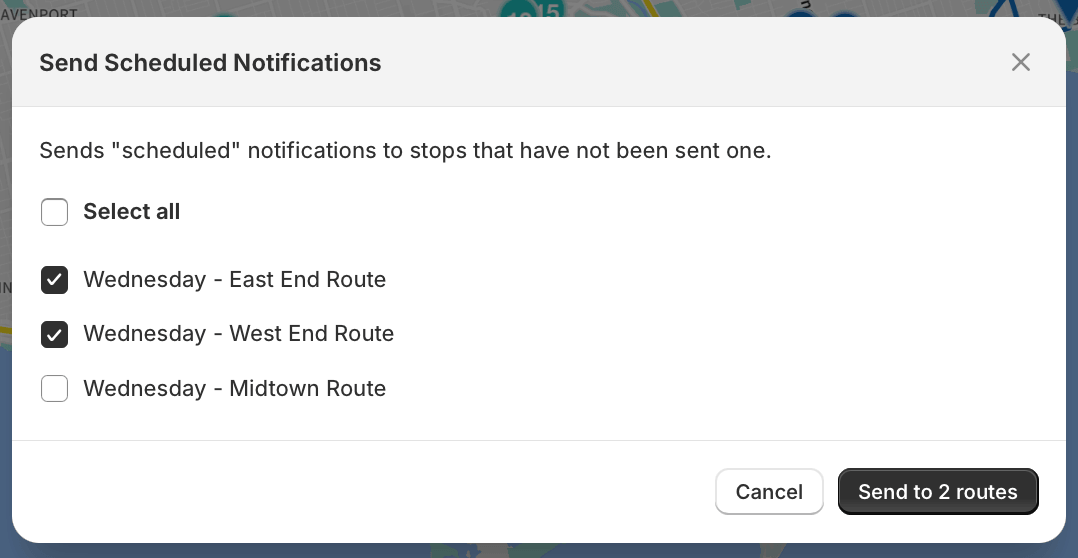
In the confirmation dialog that appears next, users can de-select any checkboxes for routes that should not receive notifications, before clicking the Send to routes button to immediately trigger notifications across selected routes:
We've made a number of updates across EasyRoutes, improving access to key route details and enhancing data exports.
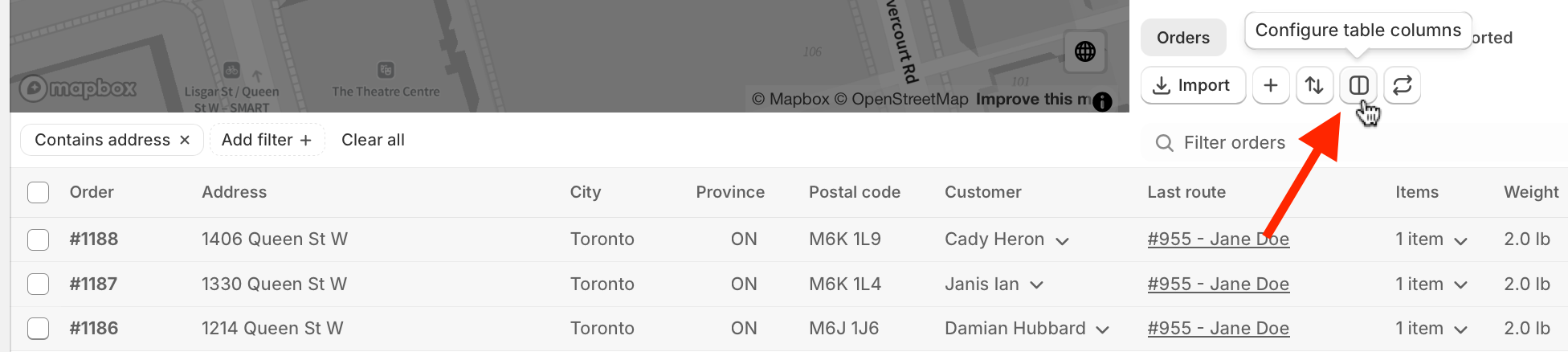
This new column on the EasyRoutes Orders page contains a clickable link with direct access to the last route that any order was added to, where applicable:

The Last route column is enabled by default; to disable it, click the Configure route columns button (highlighted below), and un-select the Last route option from the Customer & Order Details section:
This new option can be applied on the Routes page, and will filter only for routes that were scheduled for the previous calendar date. Apply from the + Add filter menu by selecting the Start date option; enable the Yesterday selector shown below:
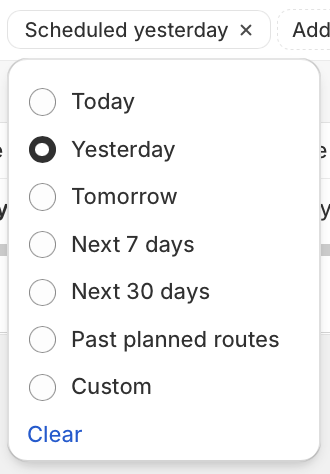
For instant access to the previous day's routes on an ongoing basis, we recommend adding this filter type to a saved Route View.
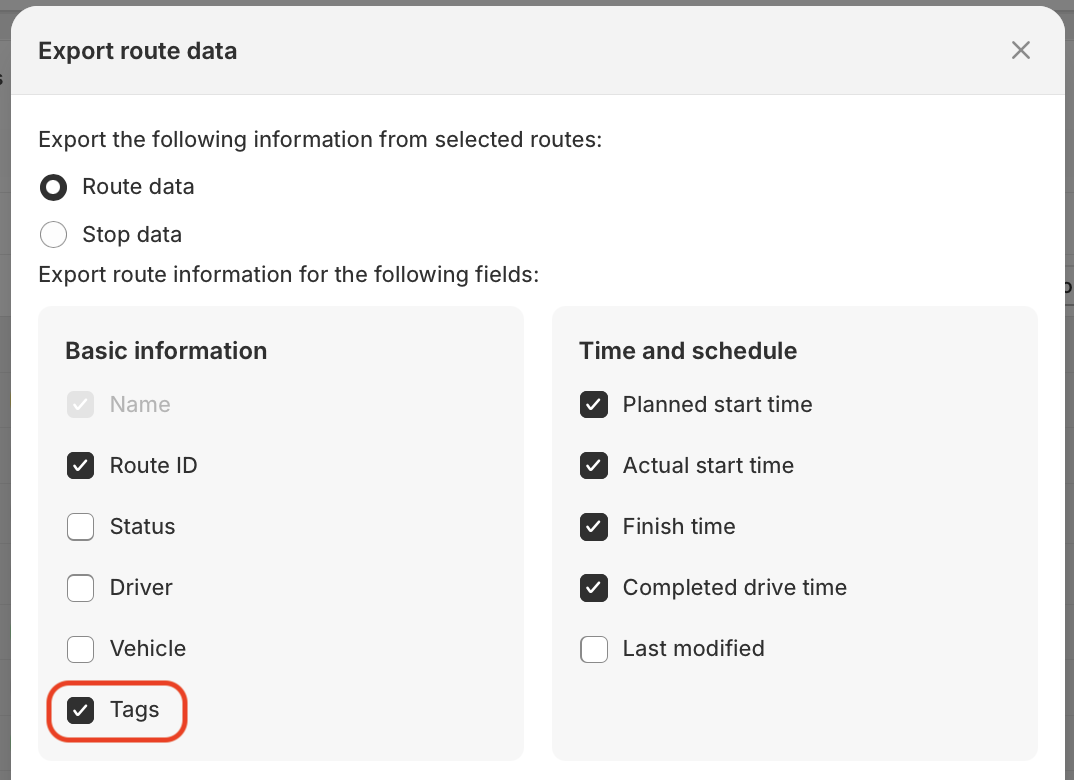
We've added the ability to include route tags in any export of selected routes on the Routes page. When exporting from the Routes page, ensure the Tags option is selected within the Basic information section, as highlighted below:
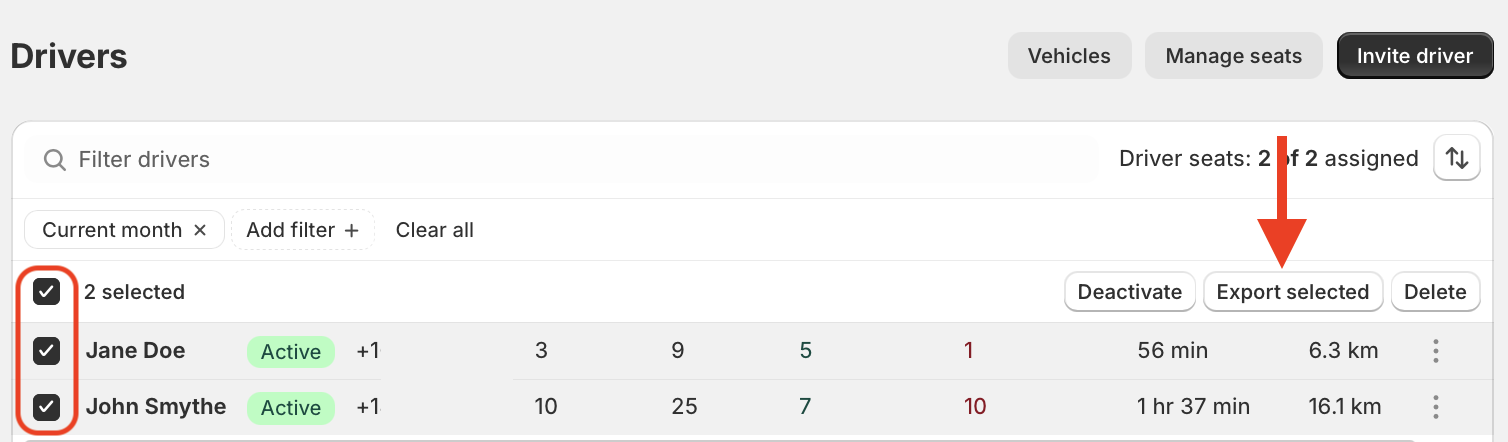
We've also added an export tool to the EasyRoutes Drivers & Vehicles page. Use the checkboxes to select drivers for export, then click the Export selected button highlighted below; choose whether to copy your exported data to the clipboard or download as a CSV file to complete the export. The same steps can be used to export data from the Vehicles section of the same page:
We've added new options for eSignature proof of delivery, allowing users to display these proof items in customer-facing communications in two new locations:
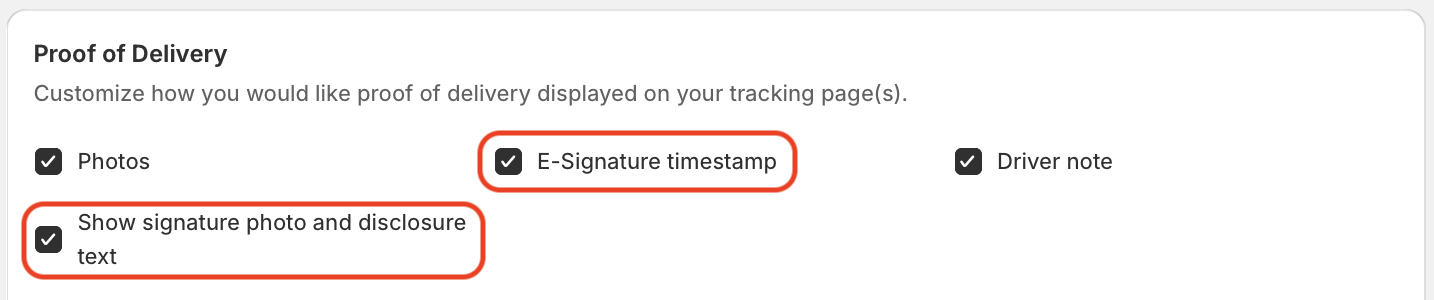
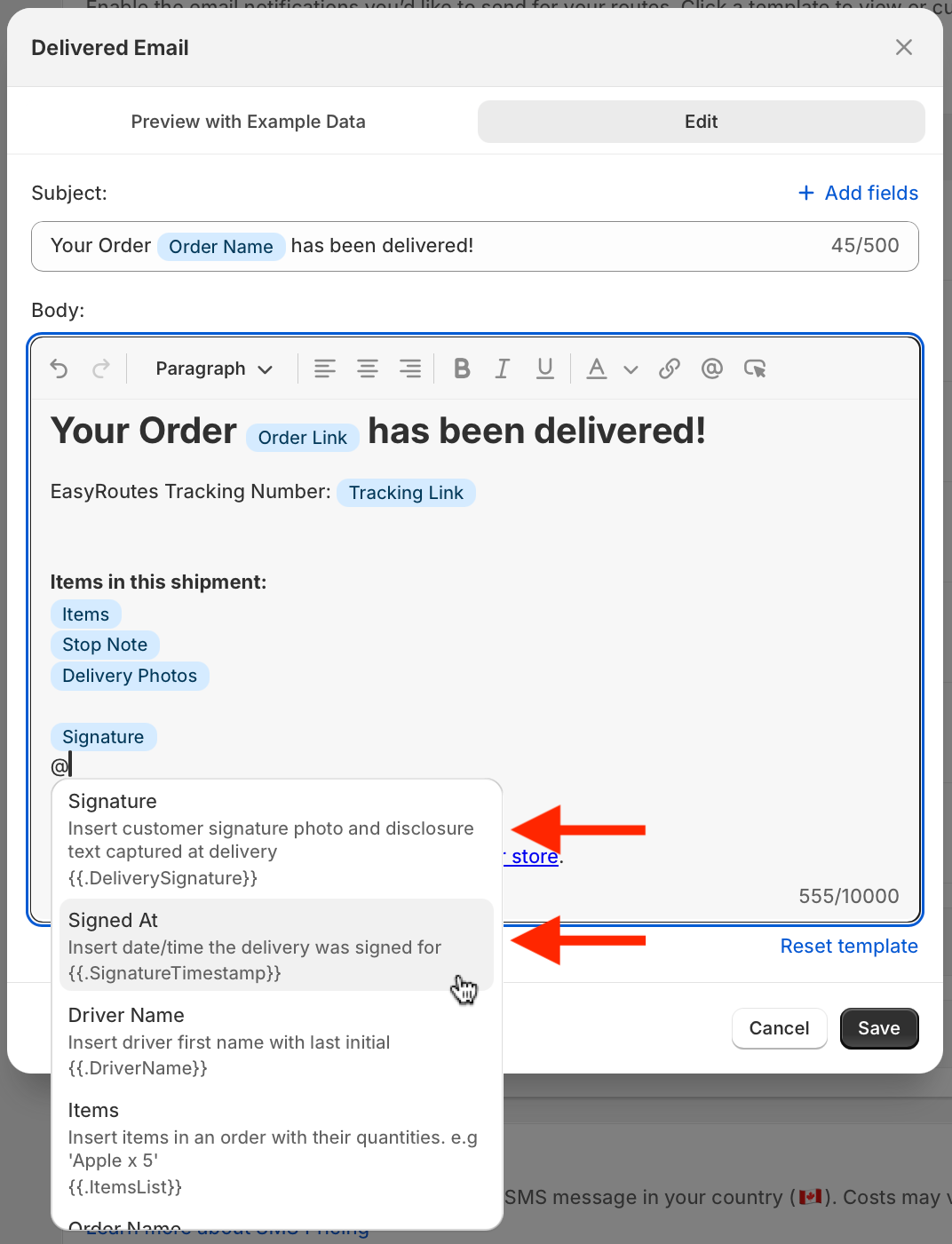
For full details on customizing either of these customer communications, see the support articles for customer notifications and order tracking pages.